
Stacks Guru is born from the need to search the vast number of videos out there on stacks built for Stacks Pro and the Stacks 5 plugin for Rapidweaver.
We have scraped over 500 videos to get the transcripts for each in order to make the spoken word searchable.
Please use this free tool to help you learn and discover the awesome power that Stacks and the stacks made for Stacks have to offer.
00:09 so some people get a little confused
00:11 because um you know what is a one-column
00:15 versus a container right and so
00:18 essentially it has to do with just the
00:20 ease of sizing your content okay um with
00:23 the container you could use swatches to
00:24 you know constrain the width or make
00:27 some changes to the width but the
00:29 one-call makes it really simple because
00:31 it already has some sizing baked in and
00:34 has all the sizes that we have from all
00:35 the other columns so let's say for
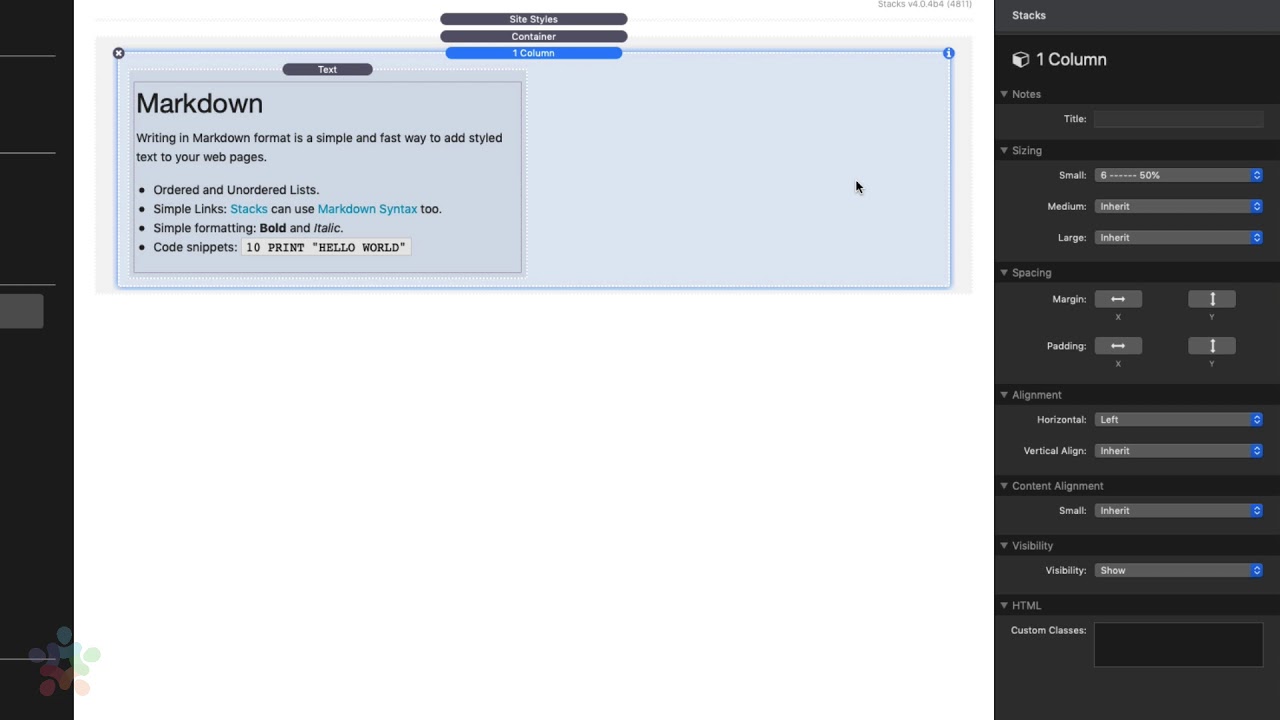
00:37 example on this particular column I
00:39 wanted it the content to be 50% with now
00:42 a lot of times what people will do is
00:43 they'll add a two column to the page and
00:45 then they'll just leave column two blank
00:48 you could do that right it does add a
00:51 little bit extra code to the page
00:52 because it has to have the code for the
00:54 second column but it's not the end of
00:56 the world um but this is a better way
00:58 right you simply have a one column you
01:00 constrain the width to 50% and you're
01:03 done and you can all see you know
01:04 obviously you can change the sizing
01:06 based on medium and large
01:08 um you can also add some padding and
01:10 gutters to it and then you can also
01:13 change the horizontal alignment so if we
01:15 wanted it to be 50% but centered um
01:18 that's really easy to do because we just
01:21 set the horizontal alignment to centered
01:22 and now I have a piece of content that
01:25 is 50% with but directly in the center
01:28 right so really simple there um and then
01:31 just like all the other columns we have
01:32 the content alignment and visibility
01:34 settings and whatnot but I thought this
01:36 would just be a really quick easy way to
01:38 UM show you why you would use one column
01:41 stack um and how in certain cases it is
01:44 actually very convenient
01:55 you


