
Stacks Guru is born from the need to search the vast number of videos out there on stacks built for Stacks Pro and the Stacks 5 plugin for Rapidweaver.
We have scraped over 500 videos to get the transcripts for each in order to make the spoken word searchable.
Please use this free tool to help you learn and discover the awesome power that Stacks and the stacks made for Stacks have to offer.
00:07 so let's go ahead and get started I hello everybody I'm Joe workman and this
00:14 is my Weaver cast on Wednesdays we do a this live show on on basic tops around
00:23 wrap Weaver and or just general web design today we're going to be going over mamp which stands for Macintosh
00:33 Apache my sequel and PHP it's a play off
00:38 the classic lamp semantics which is linux apache my sequel in PHP so today
00:46 we're going to go over amp and and kind of how we can use mamp to mostly with a
00:52 spin towards how we can use it to help out with our rapidweaver sites right so
00:58 that you know a lot of times especially using PHP and things of that nature and your record weaver page you you really
01:05 need a web server to test things out and sometimes you can't publish things to
01:11 your web server because you don't want maybe you don't want to go look live with something until you know your make
01:17 sure it's just right so you don't necessarily want to pull it to your web server that's online and maybe you don't
01:22 have a test domain or a test server right but luckily we have a great utility called ma'am so that's what
01:29 we're going to be going over today okay basically we're going to be going to mam
01:35 mam dot info and we'll see this is the
01:40 map website and what you can see his version to recently just came out I
01:46 believe it came out in July and it basically just had some updates and
01:51 whatnot but you know if you are running lying make sure you get version 2 dot 0 so that I think to dodo you know fixes
02:00 any sort of issues that was going on with lion so make sure you have 20 there
02:05 is a free version as well as a pro version okay um the the pro version
02:11 really is made for people who are going to be using mamp as like a production web
02:16 server okay so if you're really going to be using mamp as your production server to you know go ahead and use it for your
02:24 website and things of that nature um you know I I don't use pro I I've never used
02:30 it I don't see personally meet myself using it so today we're just going to go
02:36 over the free version just a real simple personal web server to for your mac and
02:43 so basically just click the download button it'll download the zip file and we're all intelligent here and i'm not
02:49 going to go through the install process right so download map it is free um now
02:57 a lot of people go ahead and and you know they've asked me well why do you use mamp i was actually at a web users
03:04 group on a couple days ago and the question came up why do you use ma'am why don't you use the built-in web
03:09 server that's built in right into OS 10 right OS 10 ships with Apache it ships
03:14 with PHP installed it ships with my sequel everything there is built into the OS and yes you can go ahead and
03:22 configure all that and use it directly in the US definitely possible um you
03:28 know there are a lot of great blogs and things to help give you tips and tricks configuring it and using it okay however
03:36 okay out of the box that the web server and the my sequel and since that comes
03:43 shipped with OS 10 are really tied down there they're very limited the
03:49 configurations are pretty are pretty strict so to really enable a lot of different things you'd have to go and
03:55 modify your php.ini file and do quite a bit of work actually to get a really
04:01 good working decent server running so here comes enters MAMP MAMP essentially
04:09 is like a app bundle that lives in your application directory and with one click
04:14 of a button okay a start button you have a full-blown PHP apache my sequel
04:20 instance running for you it's all self-contained within that application and if we want to see it right let's
04:27 just go ahead and open finder and if we go to applications it stores a folder called mamp if I can
04:36 find it amp okay so you see there's a folder here called MAMP okay and all
04:43 there is is there's a nap okay you can open this app and there's all there is
04:48 to it okay there's a couple buttons here this for now when you open up map it goes ahead and starts your servers for
04:55 you automatically okay um but you know you can there's a preference to change that okay now what you didn't see is it
05:02 actually opened up a start page over here so it opened up this page here okay
05:09 so this is the MAMP start page whenever you start mamp it will launch a local web server for you and basically this is
05:16 the start page just tells you you know where your host is where your ports are what your username and passwords are for
05:22 everything so on and so forth okay um
05:28 you can get there of course by clicking the open start page if we just peruse through the Preferences really quick
05:34 here start and stop you can of course start and stop the servers whenever you start map okay um where where do you
05:43 want your start page to open up so where is your start page okay ports what ports
05:49 you want to use for Apache or my sequel these are important maybe if if you are
05:55 using multiple web servers on your machine you want to make sure that you
06:00 know nothing else is using these ports okay so 8888 is is a pretty well-known
06:05 port for Apache the default of course is 80 which the default out-of-the-box web
06:11 server on OS 10 does use as well and then my sequel port okay so map these
06:18 the it uses these two ports by default I did not choose those you can definitely change the port's to be whatever you
06:24 want though okay PHP you can choose what PHP version you want it defaults to the
06:30 latest and greatest which is 536 okay and X cash to be perfectly honest we I
06:35 don't really use cashing in my PHP stuff right now so but if you
06:41 if you know PHP and you're going to be using caching that has a few different cache in systems you're available for
06:46 you out of the box okay and finally we have apache and this is the one place
06:52 that we're actually do change things by default the the document root here is I
06:59 believe it's it sets it to this man folder here it sets it actually to this htdocs okay I like using my local sites
07:08 folder so on OS 10 in your home directory you have a sites folder there
07:14 automatically okay and that sites folder
07:20 is um where I like to put a whole bunch of stuff it's basically where I deploy stuff so when i use rapidweaver and i
07:28 want to export a site locally i export it to my sites folder and then I start mamp and everything in that folder gets
07:35 served up within the web server instance okay so but you can change it really to
07:42 any directory you want on anywhere on your hard drive okay so let's quit this
07:47 there there's another way that i actually prefer starting mamp that so i
07:53 really i hardly ever i'm going to go ahead and stop these servers here so you
07:59 see I just stopped ma'am the web servers are no longer running if I try to go to this web page here it's going to bark at
08:06 me and say boom sorry there's doesn't doesn't exist right so there's another
08:14 way that I use to start MAMP so I don't you know I like to try to I know I have
08:19 as you see here a gazillion things in my doc okay but um I don't really need to
08:26 have map on my dock okay so let's quit okay and there's a better way or I don't
08:32 know if it's better it's how i use it okay um dashboard I know dashboard a lot
08:39 of people have kind of forgot about it it's kind of a lost art okay especially with lying it's slightly different now
08:46 it's no longer comes down on top of your desktop right dashboard has its own dedicated space okay now I have
08:54 two monitors here so it's on my other dashboard monitor over here but I just
09:00 dragged it over here there's a little dashboard widget that that comes with man okay and you can install it all you
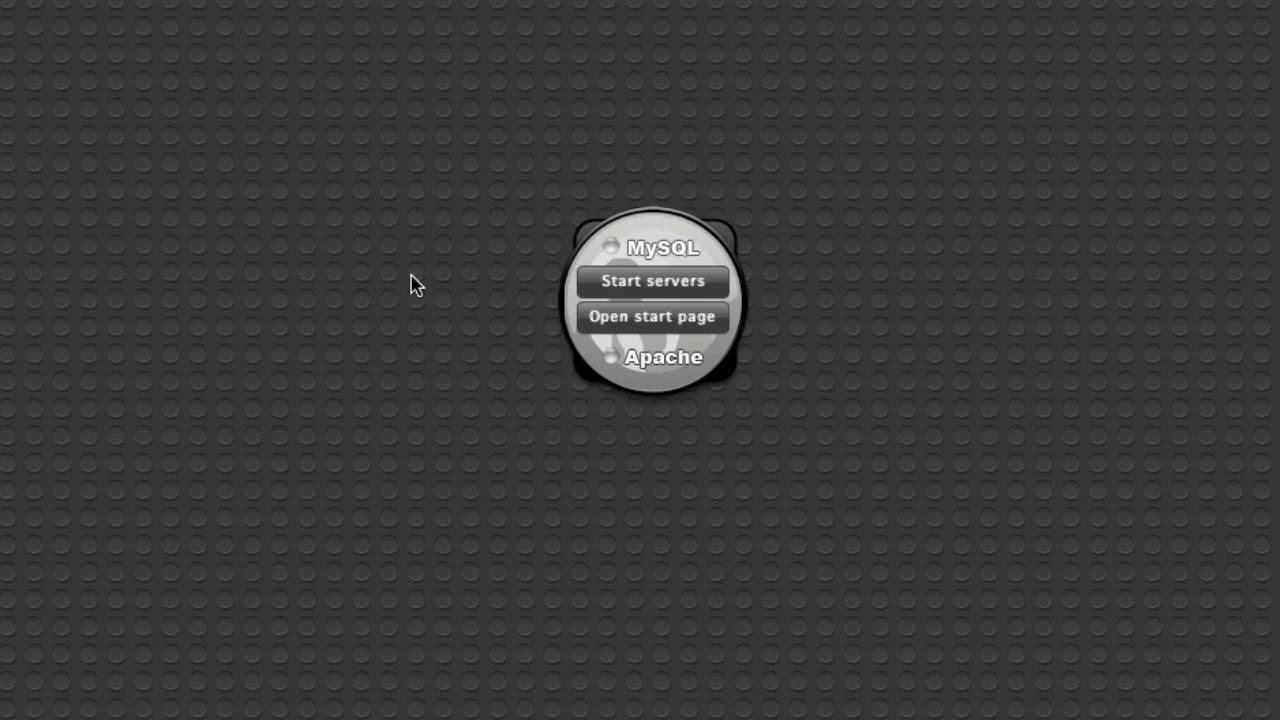
09:05 do is double click on it and install it on your dashboard and quickly you just go here and you click on start servers
09:13 okay as you see BAM it has a little status here we have a green for my
09:19 sequel an Apache if we go ahead and say open start page okay we'll see that mamp
09:27 did start okay so now i have my web server again i can go ahead if we go to
09:33 localhost HP here's my test page right that's inside my site folder so if we go
09:39 to finder go to my home directory and go to sites okay we'll see that I have
09:47 quite a bit of junk in here right but of course this index dot HTML file is
09:53 what's getting served up okay so when you launch map go to your start page most of the time it's going to be
09:59 localhost colon and then the port number that you've defined on inside your man
10:05 preferences so right up here we have port 8888 which was the Preferences that we set up originally in the map app okay
10:14 again I've changed my home directory for mamp to my sights folder okay so that I
10:20 have all of these sites here so if I were to go to localhost colon 8080 eight
10:26 here's if we see here here's a sandbox directory okay I can go to sandbox here
10:32 and we'll see here that I have a sandboxed website that was this was
10:40 published from rapidweaver okay and you see this is one of my new my new stacks
10:45 this is samurai okay or a beta version of it actually that duck currently
10:51 doesn't work so so let's go ahead and how do we use map in our day-to-day
10:57 world okay how can map be beneficial to us and our day-to-day runnings what can
11:05 we do with ma'am pin and how can it help me build my websites better with rapidweaver okay so there's
11:14 this effectively 11 way that map is really going to help us out here and
11:19 that's really with you're going to be using PHP okay um because most by
11:27 default most of your rapidweaver sites are going to be HTML based okay so you're going to have a file extension
11:33 called I'm go ahead and open up a rapidweaver file here really quick
11:39 they're going to have an extension of dot HTML okay such as this right here
11:44 okay so this is a test file that i did
11:49 of my latest act called samurai and as you see here it's just a very simple one
11:55 page site okay that runs samurai okay now if we go into the page info for this
12:02 page we'll see oh it's set to this page doesn't need be PHP its HTML okay now if
12:10 we see here we so we have an HTML page and a trick that I use all the time okay
12:20 to test things for my repartee four pages is instead of publishing my page
12:25 up to my web server so every time I make a change you can definitely go ahead and click publish that way you know you can
12:32 you know push it up to your web server and then preview things right now there are other things I've covered in
12:37 previous webcast such as using the little preview menu down here where you can definitely preview your pages and
12:44 the other web browsers directly so you can I can go ahead and say preview this
12:49 in Safari and then it's going to export this page and preview it directly in
12:55 safari for me and of course it opened it up and Safari over here again so here's
13:00 Safari right conversely i can also open this page in firefox right so I'm going
13:06 to Firefox Firefox will be launched and it's exporting it launching Firefox for
13:15 me and here's my page in firefox okay so as we see here with Safari we get
13:21 cool awesome 3d effects in Safari and we have fallback animations in Firefox
13:29 because Firefox doesn't support 3d transformations but the whole point of
13:35 this webcast is to really show you that HTML files can can be previewed without
13:42 really anything all you need to do is export your website and preview it
13:48 directly in a web browser okay so all we have to do is you know preview HTML
13:55 pages directly in a web browser they're really there's no there's no extra
14:00 special things that you need to do now in this method if you wanted to navigate to multiple pages that really wouldn't
14:07 work too well so what we could do is of course export our page okay so if we go
14:13 ahead and add a new page in here I'm going to add a new stacks page and what
14:19 we're going to do is we're going to call this blog and what I'm going to do is I'm going to add my tumblr stack on here
14:26 okay so if you use my tumblr stack before you'll know that it does require
14:33 PHP okay so i'm going to go ahead in here and we're going to change this to
14:38 be from index 2.html to index dot PHP okay and let's change the folder to
14:46 slash blog okay and and we're good to go now okay let's go ahead and configure
14:52 the stack I'll the default out-of-the-box configurations are fine now with the tumblr stack but you'll
15:00 probably know if you've used it that if you try to preview it inside rapidweaver itself all you gets a bunch of gibberish
15:07 right and the same thing is going to happen if you try to preview this in directly in let's say Firefox or if
15:15 we're going to try to directly preview this in Safari or any web browser okay you're just going to get a bunch of
15:20 gibberish because PHP requires that do you have the web server running to
15:25 actually interpret your code before it's displayed to the web browser
15:30 so therefore to be able to preview PHP files we're going to have to have something running now a lot of times
15:37 people will just publish up to their web server online and what if what if that's
15:44 all fine and dandy but what if your your page has issues what if you don't want your customer to cease this potential
15:50 thing right now right this this new page so you know exporting it or uploading it
15:56 directly to your web server online unless you have a test server and maybe a test domain like i do i use sandbox
16:03 joe or cornet and that's pretty much like my playground okay I use that to
16:09 upload you know various things to test across multiple browsers multiple os's things of that nature but a lot of times
16:16 it's just a lot simpler and easier to do it locally and let's go ahead and look at that now a one thing I wanted to
16:22 point out now that we've previewed this in Firefox if you go ahead and click on the other page it doesn't work right
16:29 because we've just we've just previewed this one page in firefox we can't really
16:35 navigate through the site okay so let's show you how you can actually do that so
16:42 rapidweaver has a full-blown export engine where you can go ahead and do file you can say export site okay or you
16:52 can do shift command e for export so it says do you want to save your file let's
16:58 say sure let's go ahead and save our file um it prompts you for what
17:05 directory you want to export your files to and remember we set our home
17:11 directory for our map web server to be in our home directory / sites so I'm in
17:17 my home directory I go to / sites and I want to publish this to a folder called sandbox okay now if you notice here this
17:26 actually already has some files in it and what rapidweaver will do is it will actually overwrite the contents of this
17:33 folder with the contents of this site so you don't need to worry about deleting the files normally I have a a site file
17:41 and I always export it you can say make this deep export folder for this site and
17:46 basically every time you export this site it will always export it to this one same exact folder okay so let's go
17:54 ahead and click export and exporting the
18:01 home page and the blog page and we're now we're done okay we're done um it
18:07 actually automatically opened the page for sinn Safari okay um but if you
18:13 notice what it did was it opened with this file extension okay so this works
18:19 great for HTML files but now if we navigate to the blog page as you'll
18:25 notice here it Safari says hey the I I don't I don't know how to read a PHP
18:31 page so what it did is it just kind of opened that blog folder for us okay um so what we need to do is let's go ahead
18:39 and I think we already have maps started
18:44 yes ma'am piz started okay so what we need to do is we need to go to HTTP
18:52 colon slash slash localhost colon our
18:57 port number and then we type in we published it to the folder sandbox okay
19:04 now here we have my sandbox page we have the homepage okay with a you know
19:11 everything here and then if we click on the blog page will notice that things
19:16 are working now right um now my styles are a little bit funky here it's because
19:22 I didn't copy some of the CSS / that I had in my home page but the point here is it noticed my PHP page okay and it's
19:30 fully functional just as if I publish this to my whip my web server okay if I
19:36 pulsion up to Joe or pin on net everything is fully functional these like buttons the tweet buttons
19:42 everything with this PHP page is fully functional now so this is pretty much
19:50 the extent of how I use map on a day-to-day basis right I can quickly start up a web server
19:57 um where I can export sites rapidweaver sites locally to a single directory I
20:04 can then easily open that directory inside uh my web browser just make sure
20:10 that you know we use a particular format here localhost colon the port that we
20:15 configured and then your directory okay and I can easily view my PHP pages and
20:20 it's as simple as that um so that really
20:27 is map and what I wanted to cover today there there are we can dig in and look at some of the MAMP configuration files
20:34 if you like please if you have any questions make sure you post them to the chat room so that we can make sure that
20:41 that we have all your answers questioned by the time we're done okay so I'm gonna
20:47 really quit here that that's the quick demonstration of vamp it's really simple um it's free so it's a no brainer to go
20:53 ahead and download it and you know use it to help test your PHP sites locally
20:59 and not having to really publish it's faster to export a site locally than it
21:04 is to of course publish it to your web server so your workflow should really benefit from this in terms of speed okay
21:11 so i'm going to go ahead and jump into finder we're going to locate our main
21:21 folder okay now in here you'll notice a
21:29 lot of times if you have maybe some errors on some PHP airs maybe you're you're um you have a syntax error in
21:36 your in your PHP if you would hand coded some things or or you have some issues going on okay uh you're you're
21:43 previewing things and you're getting some errors okay what you can do is map has a log file directory so again it's
21:51 just in your applications folder and then inside there's MAMP and inside this directory is logs okay and you as you
21:59 see here there's a patchy error log so this is of course all of the errors that will be going on if you have some errors
22:05 with your PHP in your site or things you know anything that's do with Apache okay
22:10 and if your we haven't really touched on how to utilize my sequel with with mamp
22:16 okay um this is more kind of a rapidweaver based stuff and and really
22:21 don't really have a use for my sequel to regularly unless you're doing a
22:26 full-blown maybe an e-commerce site or something of that nature we're not really going to dive into my sequel here
22:32 but we let's look at the apache errorlog can go ahead and open this not sure it's
22:40 kind of oh it's going to open up in consult appt um so whoa it so the
22:49 default log application for OS 10 is console okay it's in your applications
22:55 utilities folder this where you can actually view your log files kind of going off on a tangent here but this way
23:01 you can go ahead and view all your log files for really any app for OS 10 in general okay and then if you know your
23:09 is your apps how are having issues if you want to go ahead and type in you know rapidweaver okay you'll see some
23:16 errors that we see here and as you see we we have some PHP fatal errors because
23:22 it couldn't require these files okay so um and that's all because you know
23:29 rapidweaver doesn't have a built-in web server right so they couldn't find these files to go ahead and include but once
23:36 we published it to our site we're fine so while these are some errors that rapidweaver had they're not really any
23:43 errors that that's right believers fault but let's get back to the to the crux of
23:51 things we wanted to open up our PHP error log and if you noticed it's down
23:56 here at the very bottom of the list it through 8th route in here and you can quickly view this okay now you can also
24:02 view not actually what's kind of cool is if you have console open and you have
24:09 this log file open just keep it open while your web servers running and
24:15 you're testing things and you can actually it'll live update the file so as the file is getting updated here
24:22 actually go ahead i'm going to go ahead and and we'll stop apache here go ahead and stop and as you see it automatically
24:31 caught this sigterm shutting down okay so we'll see that you know this is live
24:36 updating so if you just have this file open in console as you're debugging or
24:42 you're doing some things you can see the errors live go you know login directly
24:49 into this file okay now you'll notice that there's there several different types of error categories with Apache
24:56 this is a notice so most of these these notices are going to be you know you can
25:01 ignore them they're just kind of informational it's a notice okay however there's other things like these errors
25:07 okay that definitely are something you might want to look at as we see here
25:14 when i launched this in August twenty-ninth when I tried to look at this sandbox site it's a file doesn't
25:20 exist that was because i forgot to change the default folder when i reinstalled map on my machine from this
25:27 htdocs from the default to my sights folder so that's what generated is error
25:32 okay and again this is just really a plain text file so if you don't want to
25:39 open it up in console dot log you can definitely right click and say open with and open it in your favorite text editor
25:45 okay it could be textmate it could be text edit okay but it is just a text
25:50 file okay but the again the the benefits of using console the console application
25:57 is that allows you to you know it auto updates that log file so as things are added to the log you know it will
26:05 automatically display those for you
26:11 let's see i have a question in the chat room about we're getting an error trying to open up ma'am servers specifically
26:18 the sequel any idea what am i what i am doing wrong here is the error message
26:23 got air 2002 can it connect to my sokol local equals equals equals server um so
26:36 make sure um you can go and check in these log files here make sure you check
26:43 in the my sequel error log if you open up this Oh open with console oops that's
26:54 not what I wanted to open it up with rats I want to go ahead and open with
27:03 console okay as you see mine is empty
27:11 but you know I I check the check the logs the my sequel error logs maybe my
27:16 sequel um you know didn't start up I mean to be perfectly honest with you if if what you're going to be using map for
27:23 is what I'm demonstrating for you here you really don't even need my sequel at
27:29 all um I don't I don't really use it to be honest with you I don't use my sequel
27:34 at least within mamp right I do have a my sequel instance on my my you know
27:40 production web server that I store things like serial numbers for customers and and other data right but um you know
27:49 for map really I use it a very simplistic approach I know again I'm not
27:55 really a power user of MAMP I know Apache 90 web servers you know which is pretty much what map is it's just an
28:02 Apache server however you know really what I use it for is to help me out
28:07 previewing my rapidweaver sites okay um so sorry I couldn't address or figure
28:14 out your exact question um you know a lot of times that's stuff like that did it you know kind of got to kind of jump
28:21 into it and and look at things but check out these log files on there's an error if you really need my
28:26 sequel check out these error log files maybe maybe something else is using the
28:31 port maybe try changing the my sequel ports or the Apache ports to something different and maybe everything will
28:37 start up okay because I'm kind of getting eunuch see here on the you know
28:43 every application or every process that runs in your machine uses a port so if
28:49 it's going to connect if anything is going to be connecting to it it needs to run on a port and a port is a specific
28:55 number and only one process can you utilize a port at any one point in time
29:03 therefore if if you're using a an application okay let's say you Jimbo
29:12 okay yo Jimbo is an app that I use to log all my you know some ideas and stuff
29:17 like that that I have and it has a web server now I'm not exactly sure what port it uses but let's say for instance
29:23 i launched yojimbo launched its web server its internal application web
29:29 server and it attached its web server to port 8888 okay if i were to go and try
29:37 to start mamp and left my port as 8888 man wouldn't be able to start because
29:43 something else is already utilizing that port so you know give give a chance if
29:49 if maybe you know you can look at these air logs if it's something around potential port if conflicts just go
29:54 ahead and simply go into map go into the preferences change your ports and and you should be go to good to go there
30:00 okay some other things some kind of some more maybe some hardcore I guess you can
30:06 maybe call it things here so there are
30:12 full-blown this is a full-blown apache web server so you have full access to um you know Pete configure your PHP ini
30:20 files here's your HTTP com file if we go ahead and open that you can see I'm not
30:26 going to start diving into all of the various potential configurations in here but you can load Apache modules on here
30:33 um and you know if you really wanted to go gung-ho um you know if
30:38 you wanted to change your port number here I recommend changing you while you can change your port number in this file I recommend changing it within the main
30:45 preferences ok i believe all the main preferences do is is modify this file
30:51 for you and modify this port but in the same thing with this document root ok um
30:57 you know those those things I'd recommend just changing those and the man preferences I'm instead of trying to
31:03 modify those directly in the HTTP calm because I do believe if you if you edit them here and you restart mamp may it
31:11 will take what it's in its preferences and then just override this file for file anyway so go ahead and those few
31:18 things such as port and your document root ok make sure that you edit those
31:24 inside your preferences there's also a php.ini file and i'm not exactly sure i
31:30 know it exists somewhere in here ok so as you see it's in MAMP in PHP and then
31:37 if you notice there's two and that's because there's two different PHP versions that we have that map as
31:42 running we're currently running the PHP 536 so if you look down here at my path
31:49 bar you'll see that this is the file for PHP 5 36 which is what we're using so
31:56 you can go ahead and open that in your in your favorite text editor here it opened up in PBB PBB edit and you can go
32:05 ahead and start tweaking the tweak in any sort of PHP files here that you want um you know maybe you want to change the
32:12 log files that it logs to or or you want to you know turn on debugging display
32:18 errors on the screen ok this is actually something that could be potentially useful by default display errors is
32:25 turned off or so basically errors are not displayed to the web browser ok so
32:32 if you just change this to on ok which is actually I actually want that right so I'm actually going to display that I
32:40 made this change on my laptop but I didn't change it here so I like um this
32:46 good thing I jumped into this file so display errors normally again default
32:51 display errors is turned off okay and the only place where you can look at look for any
32:57 sort of errors is going to be inside those log files that we see that we saw a couple minutes ago but if you go on
33:03 this in this file here and edit display errors equals and make that on okay then
33:09 not all they're still going to there might be some errors that will only that
33:15 will still only displayed to the log files so I still recommend you check those out but um you know errors will
33:22 also be displayed inside the web browser um you know that kind of helps you pinpoint some things maybe if an error
33:29 happens at its certain point in the page it could you know sometimes errors can be a little bit cryptic so kind of
33:34 knowing where in your page the error is happening and actually visually seeing
33:40 it inside the web browser is definitely helpful okay so this is something that I've actually I actually do change on on
33:46 my system this is a clean install of map that I have here so I forgot to change it here but display errors equals on is
33:53 definitely a good thing okay so i recommend doing that okay um let's go
33:59 ahead and save that file I'm and I'm not gonna really I'm not going to try to teach you php.ini file syntax is here or
34:06 anything like that but you know if if you're willing to tinker with this file
34:11 or learn some PHP and learn some web server zhu zhu zhu here be my guest now
34:17 it's a full-blown web server you have full control over the configurations here okay so that really does it for for
34:29 my when I planned on really going over today um simple short cast we're just add about probably 35 40 minute mark
34:37 something like that um thank you very much for joining everybody i hope i hope
34:43 this overview of MAMP you know kind of really helped you out a little bit we didn't dive too deep into it but you
34:49 know I definitely tried to give you a good overview on how it can help you in your everyday lives of building rapidweaver sites and I hope you enjoy
34:57 it until until next week I'll bid you adieu thanks everybody bye


