
Stacks Guru is born from the need to search the vast number of videos out there on stacks built for Stacks Pro and the Stacks 5 plugin for Rapidweaver.
We have scraped over 500 videos to get the transcripts for each in order to make the spoken word searchable.
Please use this free tool to help you learn and discover the awesome power that Stacks and the stacks made for Stacks have to offer.
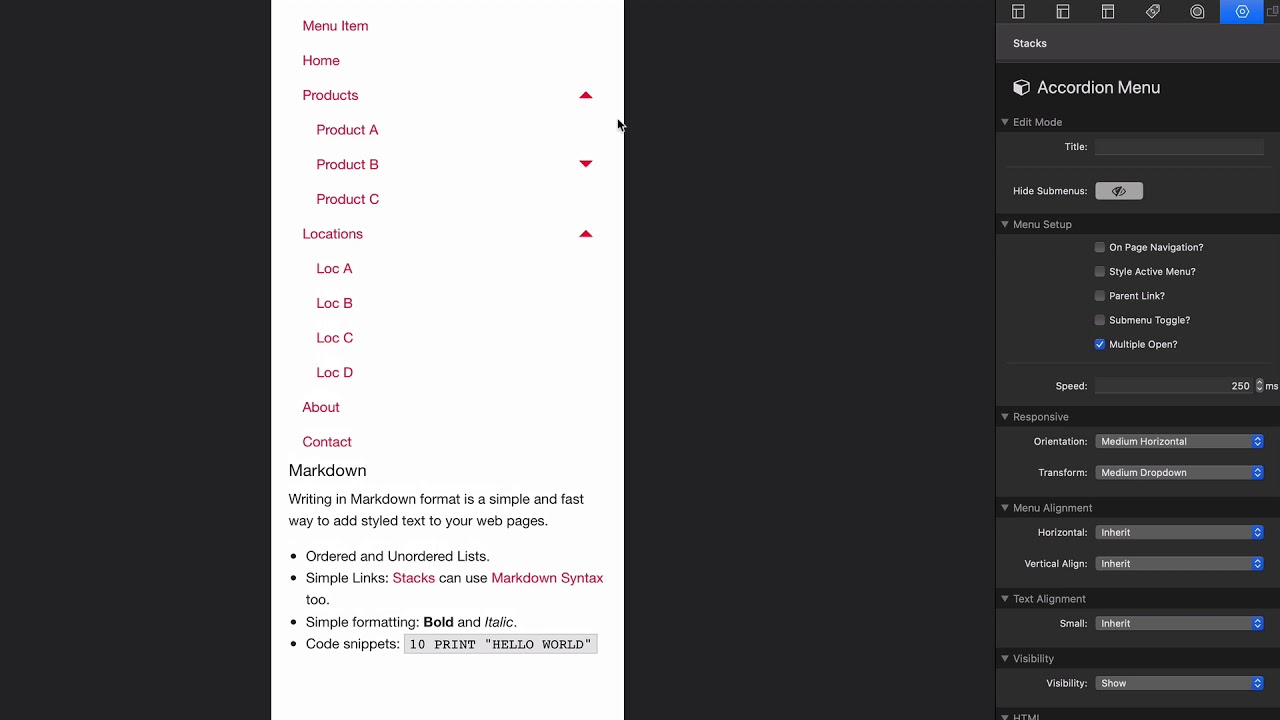
00:09 so let's dive into the accordion menu
00:11 it's a pretty simple stack to implement
00:13 um if you watch make sure you check out
00:15 the menu builder video um it goes over a
00:18 lot of the common settings across all of
00:20 the menus as well as how to build the
00:22 menus in here check out the page four on
00:26 page navigation the video on that if
00:28 you'd like um we can still style the
00:30 active menu just as we could inside the
00:33 menu builder video um and this next is
00:36 we have a few options that are specific
00:38 to accordion so the first is parent link
00:40 and this is similar to the parent link
00:43 option that we had inside the drill down
00:47 so we can click on products but if
00:50 products is an actual URL it puts it as
00:53 a sub menu okay so it's really up to you
00:56 on that that allows you a little bit of
00:58 flexibility especially if we're
00:59 transforming this menu from let's say
01:03 accordion on mobile to be a drop-down on
01:05 large devices we'll show you an example
01:08 of that soon next is you can do sub menu
01:11 toggle I don't personally care for this
01:13 um and what this does is it forces you
01:16 to get the seven you have to click on
01:18 the carrot to get the sub menu so if we
01:20 click on the words it doesn't do a thing
01:22 but you have to click on the carrot to
01:24 expand the sub menu I don't personally
01:26 like that I think clicking on the actual
01:28 menu item just makes more sense next is
01:32 you can have multiple open so if you
01:34 wanted only one section of the menu open
01:36 at a time if you uncheck that let's see
01:38 if I open locations and then I open
01:39 products it closes the locations right
01:42 so this allows you to only have one
01:44 section open at a time in case maybe
01:47 your menu just gets ginormously huge
01:52 next is the speed option so we can
01:54 change the animation speed if you like
01:56 and below that is just a lot of
01:59 responsive settings that we have in all
02:00 of our stacks right so the response to
02:03 here the orientation um let's go ahead
02:06 and transform this into a drop-down now
02:09 you see this is a vertical menu on
02:11 mobile so let's say on mobile we wanted
02:13 an accordion
02:15 but then on desktop we wanted a
02:18 horizontal menu all right so what we
02:20 could do is orientation we do medium
02:21 horizontal and transform to medium
02:24 drop-down okay and what that will do is
02:27 right now on mobile we have our
02:30 accordion and as we expand out we'll
02:34 notice that it then transforms into a
02:36 drop-down menu when we are on tablet or
02:41 desktop size devices so really cool very
02:44 convenient works really really well now
02:47 one caveat here let's say on on when we
02:51 went to a drop-down and we wanted it
02:52 we'd wish that many to be on the right
02:54 correct
02:55 and then on let's say you know that an
02:58 accordion we want it to be left right so
03:01 what let's try that let's reset the
03:03 horizontal alignment to be right okay
03:06 that gets our drop-down menu on to the
03:08 right side exactly where we want it to
03:09 be um but if we go down we'll notice
03:12 that that also makes the accordion menu
03:17 aligned to the right and so what can we
03:19 do to rectify that well to rectify that
03:23 essentially what you need to do is you
03:24 need to have two menus um you need to
03:26 have an accordion menu which you hide on
03:28 medium and then a drop-down menu that
03:30 you would then um style specifically to
03:33 how you want so while these responsive
03:35 settings are really cool it could save
03:37 you time um if you want to customize
03:40 some of those layouts it may be better
03:42 for you just to simply hide one menu on
03:45 one breakpoint and display the other
03:47 menu on a different breakpoint


