
Stacks Guru is born from the need to search the vast number of videos out there on stacks built for Stacks Pro and the Stacks 5 plugin for Rapidweaver.
We have scraped over 500 videos to get the transcripts for each in order to make the spoken word searchable.
Please use this free tool to help you learn and discover the awesome power that Stacks and the stacks made for Stacks have to offer.
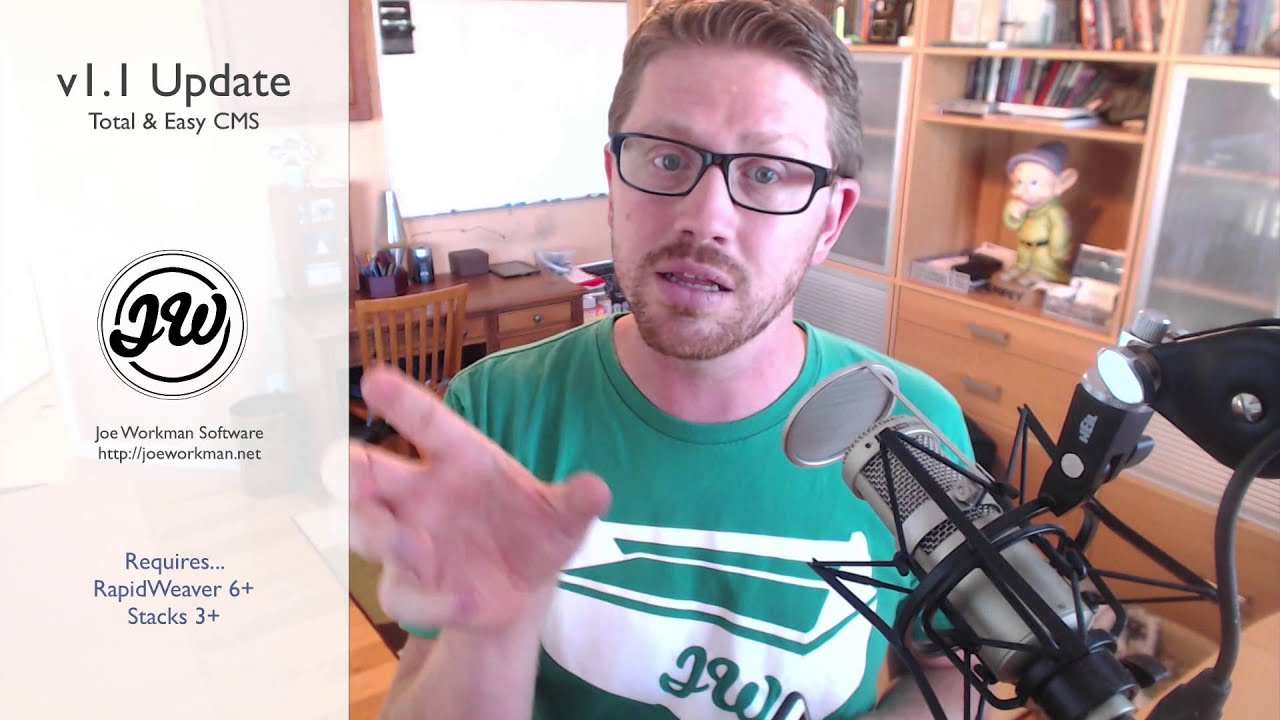
00:05 hey everybody this is Joe workman and in
00:07 this video right now we're gonna review
00:09 CMS version 1.1 this includes easy CMS
00:13 and total CMS now first we're gonna go
00:16 over some features that are specific to
00:19 easy CMS and total CMS and then I'm
00:22 gonna jump in and then we're gonna look
00:24 at some stuff that's just for total CMS
00:27 okay so right now let's go ahead now I
00:31 should add that you should check out the
00:33 release notes I'm not gonna go over
00:34 every single nook and cranny I'm only
00:36 gonna touch like the big features right
00:38 there was a lot of small minor bug fixes
00:40 a lot of smoothing of the surface for
00:43 this release right and it's our first
00:45 big update and of course there's some
00:47 new stacks in total CMS so some really
00:50 exciting stuff in this update and I
00:51 can't wait for you to play with it let's
00:53 go now here we are inside the easy CMS
00:57 demo file just to show you that we're
00:59 gonna be looking over some features that
01:01 have been added to easy CMS now all
01:03 these features that I'm gonna mention
01:04 right now also pertain to total CMS as
01:06 well okay so the first one we're gonna
01:09 look at is the text stack this is the
01:11 content text stack inside easy CMS and
01:15 as you probably know you can use this to
01:18 insert text from the CMS now if you set
01:22 the display to be format plus markdown a
01:25 lot of times people want to be able to
01:28 customize the colors and the sizing and
01:30 the alignment of these right so we've
01:34 added that basically inside a line you
01:38 can default which you'll inherit from
01:39 its parent or you can set it to left
01:41 right center or justify okay and also
01:45 you can do styles
01:47 now default will inherit from the theme
01:50 okay and if you have foundation
01:53 installed you can actually select from
01:55 the seven foundation styles as well from
01:58 the alternate and all seven swatches and
02:02 then you can also set custom so if
02:06 you're not using foundation or you want
02:08 to use a completely custom style for
02:10 this area you can set it to custom where
02:12 you can then define headers text and
02:14 link colors moving on to images we've
02:18 added a couple small
02:19 but very exciting features first we've
02:23 added a line which you can actually
02:25 align the image not so exciting right
02:27 but this is where it gets exciting there
02:31 is a new mobile image setting and when
02:34 you set this to thumbnail or square
02:36 thumbnail you can actually customize the
02:38 image that's used and use one of the
02:41 thumbnails on mobile devices this allows
02:45 you to you know leverage the CMS that
02:48 auto creates these thumbnails and you
02:51 actually use those smaller versions of
02:53 your image on mobile devices this is
02:56 very powerful because we get this nice
02:59 drag-and-drop of the CMS the CMAs
03:02 automatically generates these thumbnails
03:04 for us and now we can use those
03:06 thumbnails for a real purpose which is
03:09 mobile browsing now last on the list
03:12 here is inside the admin page inside
03:15 admin core you'll notice that there is a
03:17 new setting here for banner alerts now
03:20 you know when you save text inside the
03:22 CMS you get a nice little circle you
03:25 know either a check mark or a X stating
03:29 and whether or not it was successful or
03:30 failed now this was a little too subtle
03:33 for some people so if you enable banner
03:35 alerts inside admin core you'll get a
03:38 completely new alert and if you see when
03:44 I save this you'll get a nice really
03:47 bold banner at the top that really shows
03:50 you that it was successful and what does
03:53 is it Auto hides after the user has been
03:56 alerted so it doesn't stay there and be
03:58 annoying right but this is a much more
04:02 dare I say in-your-face way of telling
04:05 users that their save was successful now
04:07 the last big feature has to do with
04:10 these big boys right phones and editing
04:13 things on mobile now if you've watched
04:16 some videos in the past I've kind of
04:18 shown you how it was could be tricky to
04:20 kind of you know upload images from your
04:22 mobile device not anymore
04:24 I've really spent time optimizing that
04:26 so you just simply tap on the image in
04:28 the admin area and he will immediately
04:30 get
04:31 little pop-up context menu where you can
04:34 take a photo choose a photo from your
04:35 library and upload it directly to the
04:38 CMS and not only that but if you've ever
04:42 uploaded an image from your phone you
04:44 may have noticed that they're not
04:46 correct right there always rotated the
04:48 wrong way right
04:49 but now the CMS also automatically
04:52 detects which way you took the phone
04:55 when you or which way your orientation
04:57 of the phone was when you took the photo
04:59 and automatically corrects and rotates
05:02 the image for you this is really
05:05 exciting because now it really makes you
05:08 know uploading images from your phones
05:10 so much more powerful and again we can
05:13 update our CMS right from our phone this
05:16 is really exciting I'm really excited
05:18 about this right because while it was
05:20 cool before it actually works really
05:22 smoothly now the way it should have been
05:24 that launched but I'm glad that we fixed
05:27 it and it's awesome so test it out and
05:29 love it so now what we're gonna do is
05:32 we're going to jump into total CMS and
05:35 see some of the awesome new features
05:37 that total CMS gets in version 1.1 now
05:42 first on the list is a new integration
05:45 with total CMS and our impact stack now
05:49 I'm really excited about this because it
05:51 allows us to integrate not only with
05:53 galleries but feeds as well and it gives
05:55 us a new way of displaying those on our
05:59 websites so as we see in this example we
06:03 have a gallery that impact is pulling
06:07 the gallery from the CMS and if the
06:10 image has an alt tag like this one it
06:12 will actually overlay that on the on top
06:15 of the image as a caption and if that's
06:19 not cool enough
06:20 it also supports feeds in this demo with
06:25 total CMS and impact impact is actually
06:29 pulling all the content from a total CMS
06:32 feed it's using the image as the
06:35 background and it's overlaying the post
06:37 content right on top now we've actually
06:41 published a video on a little bit more
06:44 on how
06:45 this works and it's really super simple
06:47 and easy to use so make sure you check
06:50 out that video now we have three new
06:52 stacks that came in total CMS version
06:55 1.1 we have the toggle stack for the
06:59 admin as well as the content side and we
07:03 have a new select show stack in the
07:06 content let's see exactly what these are
07:10 now the next new stack is called the
07:12 total toggle stack and in the admin area
07:16 it is this little switch and when you
07:18 turn that switch on it's just a really
07:21 simplistic way of turning on and off
07:25 content that is in our content page so
07:29 right now I've enabled a Content area on
07:31 my content and then if I turn it off
07:34 that content will now no longer be
07:37 displayed it couldn't be any easier than
07:40 that now here on the content side we'll
07:43 see that I have a total toggle section
07:45 and when the toggle is turned on this
07:49 entire section is actually displayed on
07:51 the page and if I were to toggle that
07:53 off it obviously this content would not
07:56 be displayed we could do the same thing
07:58 with the new total select show stack we
08:01 have the ability based on the select
08:03 option that was chosen by the user we
08:07 can actually display content on the page
08:10 now the select show stack is a lot more
08:13 elaborate than just the simple toggle on
08:15 and off like we have with the toggle
08:17 stack because with the select show stack
08:21 we give it a CMS ID and the content is
08:23 actually compared so here I can say show
08:27 this if the content is equal to not
08:30 equal to greater than or less than if
08:32 the actual content was a number or you
08:35 can do it contains string so you can
08:37 actually search for a string inside the
08:39 content right so this gives us a lot of
08:42 flexibility for when we want to actually
08:45 display content now the next thing I
08:48 want to show you is some really an
08:50 overhaul of hip wig and we've really
08:53 fine-tuned it and gave you a lot more
08:55 options so inside admin core
08:58 notice that the new default for the hip
09:00 wig toolbar is static you can still use
09:03 the inline tooltip okay but the default
09:06 is now a static toolbar you also have a
09:09 little bit more configuration options
09:11 for in terms of adding dividers and
09:13 there are new Pro settings that allow
09:16 you to really hone down the exact
09:19 options or menus that you want now be
09:22 very very careful with these Pro
09:23 settings because syntax matters make
09:26 sure you don't have smart quotes on make
09:28 sure that you don't have a ending comma
09:31 at the very end right this syntax the
09:34 syntax to here that's there by default
09:35 works replicate that and you're golden
09:39 make any syntax errors and your page
09:42 will break so if you look now the new
09:45 hip flick editor has a beautiful inline
09:48 toolbar that will always be displayed at
09:50 the top of the text area this is really
09:54 really nice because it also makes it a
09:56 lot nicer to use on mobile because you
09:58 can actually tap the button first and
10:01 let's say you want to have a header or
10:02 bold you can just tap it instead of
10:04 trying to fiddle with the i/os tooltip
10:07 that also shows up right so the no
10:10 static toolbar and hip wig will really
10:13 make it a lot more powerful and a lot
10:15 more user friendly so that in a nutshell
10:17 is all the major updates that came in
10:19 total CMS and easy CMS version 1.1 right
10:22 now one other thing actually would total
10:24 CMS is you can now upload multiple
10:27 images and multiple files to galleries
10:29 and Depot's right before it was a little
10:32 unreliable but now uploading you can
10:35 upload 50 images and the CMS will chug
10:38 through one at a time and upload them
10:40 and process everything so it works
10:42 really really nice now so go ahead and
10:44 try uploading multiple images at the
10:46 same time and it should work beautifully
10:48 okay now there are a lot of other really
10:51 small changes and if you want to read
10:54 the release notes
10:54 go ahead there's a lot of little changes
10:56 and fixes right this update really
10:59 smooths things out as well as adds a few
11:02 really nice features right I think the
11:04 toggle and the new select show stack are
11:06 powerful right I've done videos
11:09 specifically on them so if you want a
11:11 little bit
11:11 more in depth on how toggle or the
11:13 select stack works go ahead and check
11:15 out those videos I've also done a video
11:17 on the impact and CMS integration as
11:20 well so if you want a little bit more
11:22 in-depth on how to do all of that go
11:24 ahead and check that video out so I hope
11:27 you enjoy this update it really helps
11:29 making total CMS a much more
11:31 user-friendly product more powerful and
11:34 I can't wait for version 1.2 blogs all
11:37 the way baby see you later everybody bye


