
Stacks Guru is born from the need to search the vast number of videos out there on stacks built for Stacks Pro and the Stacks 5 plugin for Rapidweaver.
We have scraped over 500 videos to get the transcripts for each in order to make the spoken word searchable.
Please use this free tool to help you learn and discover the awesome power that Stacks and the stacks made for Stacks have to offer.
00:06 hello everyone this is Joe workman and
00:08 today I'd like to introduce you to the
00:10 fit tech stack fit Tech's allows you to
00:13 dynamically resize your text based on
00:15 the size of the browser as you see on a
00:18 desktop site we have nice large headers
00:22 however as I shrink the browser window
00:24 down we see that the size of the text
00:26 dynamically changes to fit the size of
00:29 the browser window as you see when you
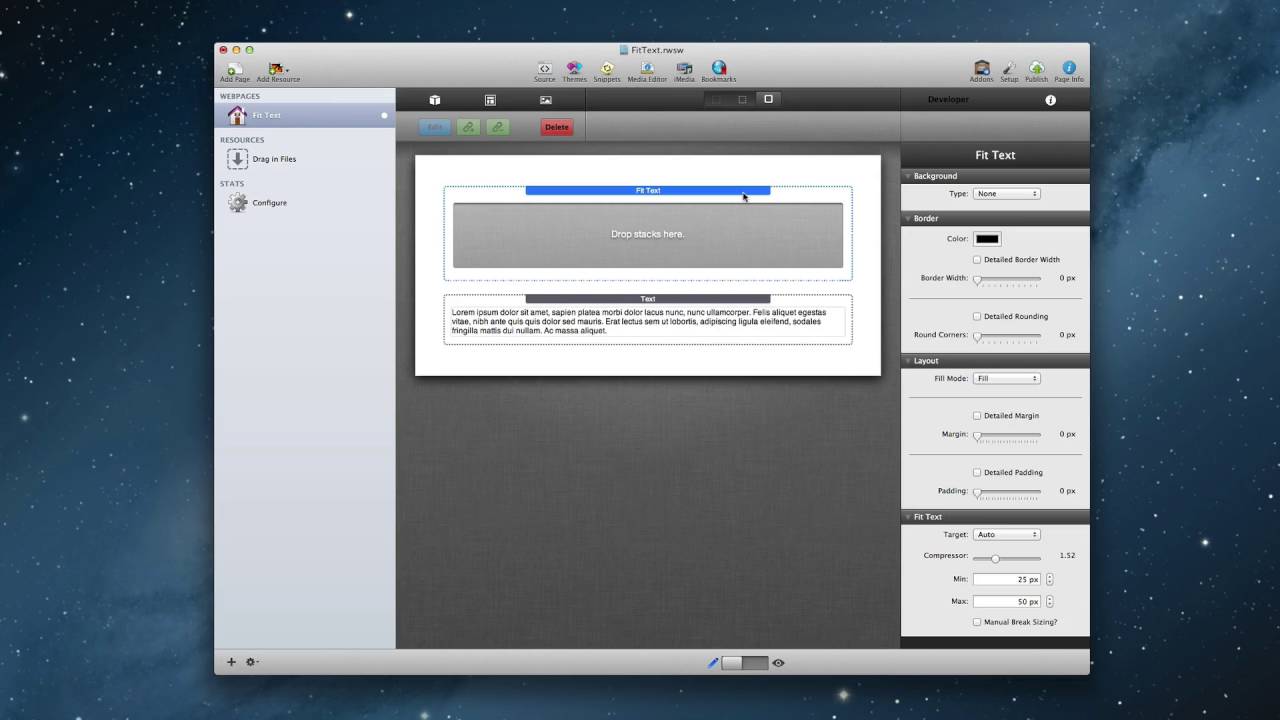
00:33 add fit text to your page you have a
00:35 generic drop zone area to drag any stack
00:37 that you want within it fit text will
00:41 then apply its styling to whatever text
00:44 is within that stack for simplicity here
00:48 we're just gonna use a header stack now
00:52 let's jump in and look at our settings
00:54 the target setting within fit text
00:57 allows you to pinpoint the exact text
01:00 that you'd want now auto will work in
01:03 most situations for you however if you
01:05 only want to target a specific HTML tag
01:08 you can easily specify that here next we
01:12 have the compressor now this is kind of
01:14 a magic setting that changes the actual
01:16 ratio in which the compression happens
01:19 when the compressor number is smaller
01:22 the rate at which the text sizes will
01:24 change will decrease and a larger
01:27 compressor will make this the text
01:28 shrink more drastically you can then
01:31 provide minimum and maximum sizes for
01:33 your fonts and lastly if you want
01:36 fine-grained control over the size of
01:38 your text on every single browser size
01:41 just use the manual break sizing this
01:45 will allow you to divine the actual
01:47 pixel size of your font at the default
01:50 browser size iPad a Kindle Fire iPhone
01:54 landscape and iPhone portraits I hope
01:58 that you find fit texts useful thank you
02:00 very much everybody
02:01 bye-bye


