
Stacks Guru is born from the need to search the vast number of videos out there on stacks built for Stacks Pro and the Stacks 5 plugin for Rapidweaver.
We have scraped over 500 videos to get the transcripts for each in order to make the spoken word searchable.
Please use this free tool to help you learn and discover the awesome power that Stacks and the stacks made for Stacks have to offer.
00:07 hi this is Ryan from rap Weaver
00:09 classroom comm and I'd like to introduce
00:11 you to the flash embed stack from Joe
00:13 workman this deck makes it easy to add a
00:16 flash file to the content of your web
00:18 page using the flash embed stack and in
00:20 this example we're having a little bit
00:22 of fun with the pac-man game that is
00:24 added as an SWF file to the stack and so
00:27 let's jump over to edit where I will
00:28 show you how this works in edit mode you
00:31 will see this view because flash is
00:34 disabled in edit mode you won't actually
00:36 see the content until you go into
00:38 preview but that's okay because we've
00:40 just seen what it looks like in preview
00:41 anyway so let's jump into the inspector
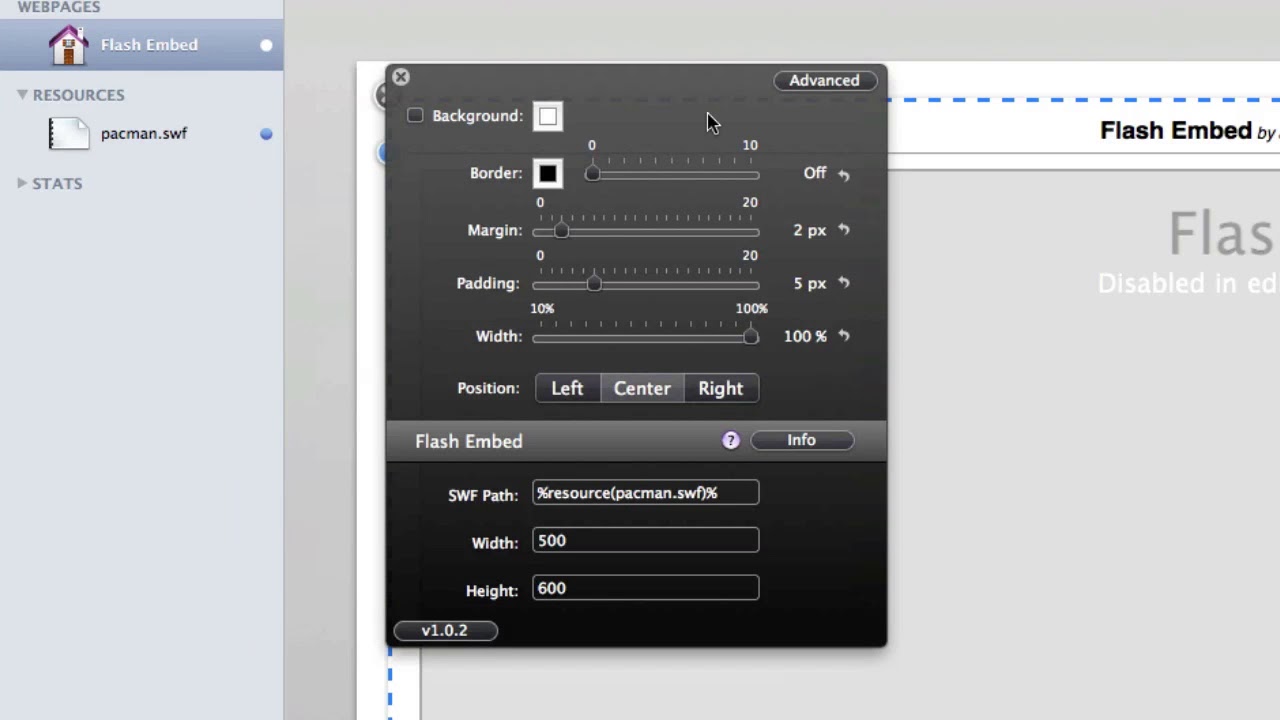
00:43 HUD or there's just a few simple options
00:45 that we have to add this file and so if
00:48 you have your SWF file you can add it to
00:51 rapid Weavers resources and use the
00:53 resource path to link to it or you can
00:56 host it online on your web server or
00:58 elsewhere and simply enter the full URL
01:00 to the file in that SWF path finally you
01:04 have the settings for width and height
01:06 so you can adjust those as necessary to
01:08 get the result you want and then when
01:10 you are done you preview and you see the
01:12 shockwave flash file embedded in your
01:15 site so it's very simple to use as you
01:17 can see and that is the flash in that
01:19 stack from Joe workman
01:29 you


