
Stacks Guru is born from the need to search the vast number of videos out there on stacks built for Stacks Pro and the Stacks 5 plugin for Rapidweaver.
We have scraped over 500 videos to get the transcripts for each in order to make the spoken word searchable.
Please use this free tool to help you learn and discover the awesome power that Stacks and the stacks made for Stacks have to offer.
00:06 hello everyone this is Joe workman and
00:08 today I'd like to introduce you to
00:09 floaties now to illustrate what floaties
00:12 is let's have a look at the
00:14 out-of-the-box float stack the
00:16 out-of-the-box float stack allows you to
00:18 drag and drop any stack content you want
00:20 and float that either to the left or to
00:23 the right of your textual content your
00:27 text will then flow naturally around
00:30 your bloated stack content now floating
00:33 adds a second drop zone area that lives
00:36 above your textual content it will then
00:39 be aligned to the top of your floated
00:41 stack content whether it is on the left
00:43 or the right let's see this in action so
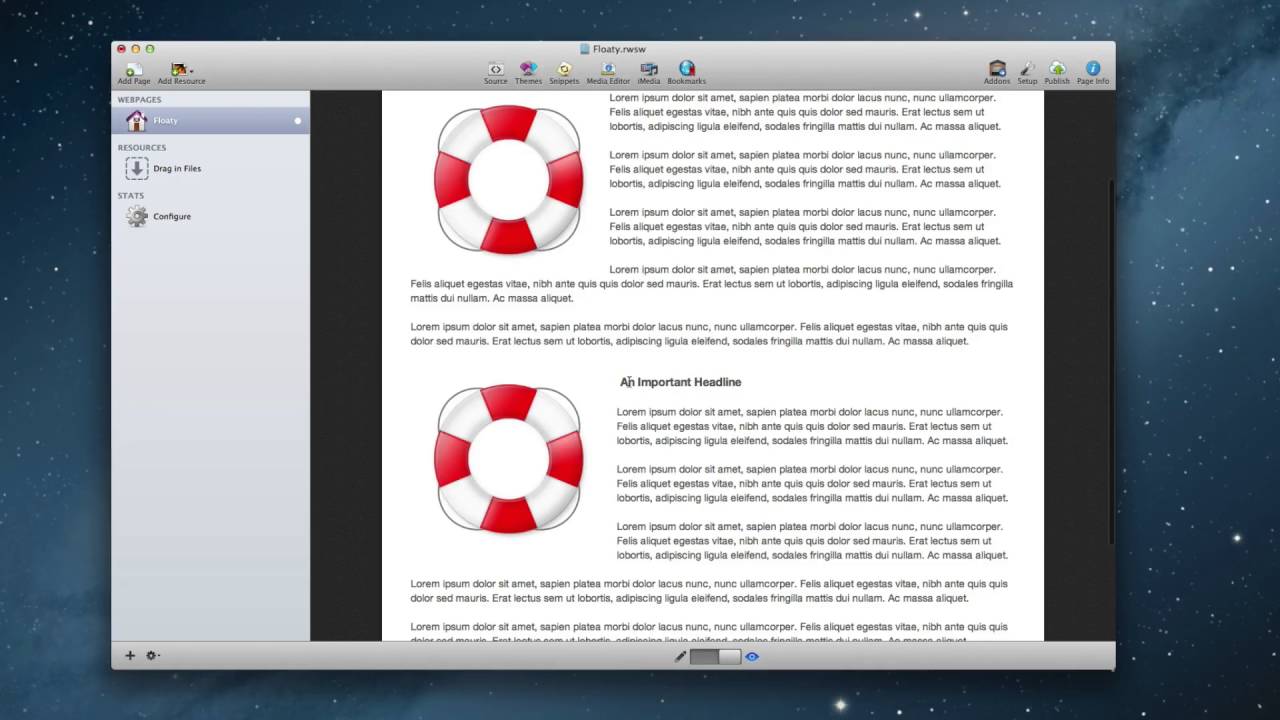
00:48 as we see in this example here I have an
00:51 image floated to the left of the regular
00:53 float stack and some text now in the
00:56 floaty stack I have a similar setup
00:57 however I've added a header to the extra
01:01 drop zone that floaty provides us let's
01:03 see how this looks now we'll notice in
01:05 the top float stack that I had my image
01:08 and the text flows around my image just
01:11 how I would have expected it now on the
01:14 floaty stack I have my header here as
01:16 well as my float image and all my text
01:20 that flows nicely now for simplicity
01:23 sake i just added a header however you
01:25 can add whatever you would like into
01:27 here maybe a slideshow or some images or
01:31 a video and floaty is really easy to
01:34 configure simply choose the alignment
01:36 that you'd like either left or right
01:38 choose the width of your float area
01:41 choose the gutter which is the gap
01:43 between your floated area and your main
01:45 content and whether or not you want
01:48 floaty to be responsive now when floaty
01:51 is used in a responsive design you'll
01:53 notice that it actually breaks its float
01:55 layout and the floated content is shown
01:58 in line with the main content now thank
02:02 you for watching today I hope you enjoy
02:03 floaties and I hope that it makes your
02:05 life a little bit easier thank you
02:07 bye-bye


