
Stacks Guru is born from the need to search the vast number of videos out there on stacks built for Stacks Pro and the Stacks 5 plugin for Rapidweaver.
We have scraped over 500 videos to get the transcripts for each in order to make the spoken word searchable.
Please use this free tool to help you learn and discover the awesome power that Stacks and the stacks made for Stacks have to offer.
00:08 hello everyone this is Joe workman and
00:10 today I would like to introduce you to
00:12 foot notes footnotes is a great way of
00:15 enhancing your textual data with richer
00:18 footnotes well notice in this paragraph
00:20 here that it already have a couple
00:22 footnotes to find and as we hover over
00:25 these will notice great tool tips are
00:27 displayed with our data now these
00:30 tooltips can contain more than just text
00:32 as we see here it can also contain
00:34 images now this is just one theme that
00:40 we have with footnotes the ability to
00:42 have numbers that launch tooltips let's
00:46 look at another option that we have so
00:48 instead of numbers we can also have
00:50 these great bullet points and as you see
00:53 here we also have the option to not only
00:55 just open in a tooltip but open in a
00:59 separate window that launches from the
01:02 bottom of the screen so as the user
01:04 selects different footnotes throughout
01:07 the page the contents at the bottom of
01:10 the for the footnote will be displayed
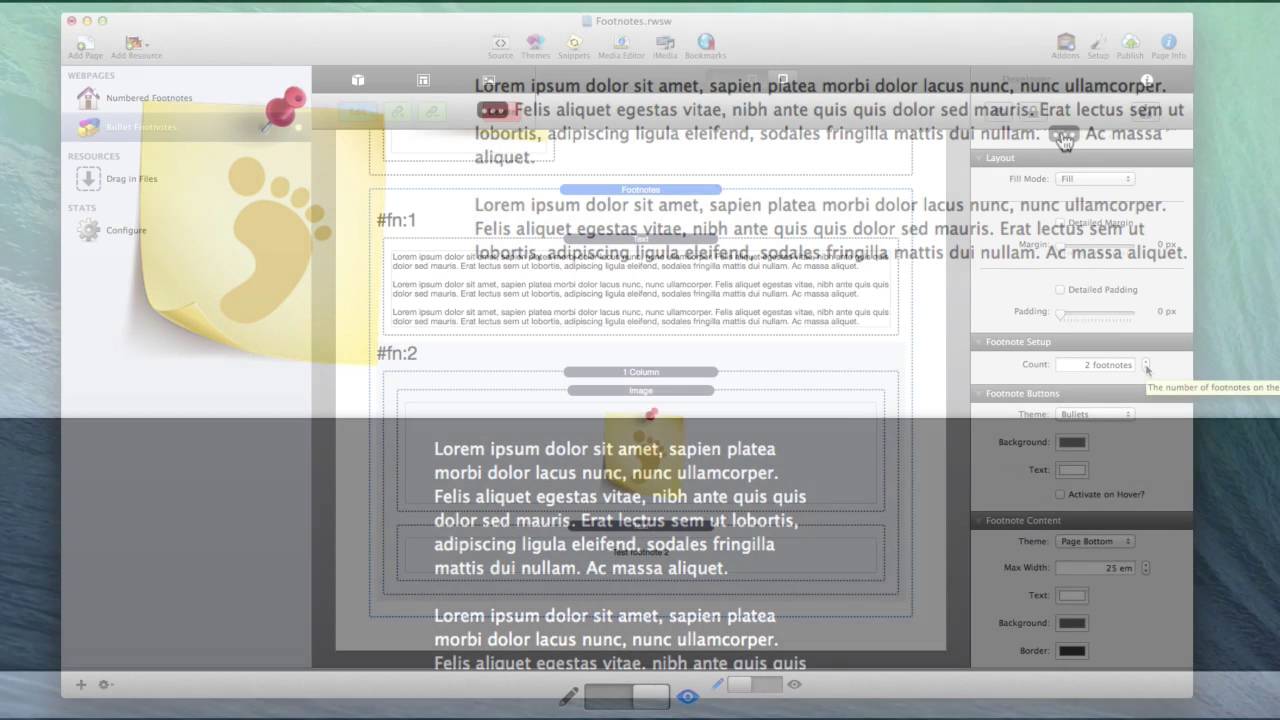
01:12 and changed now footnotes is really easy
01:15 to configure basically at first you
01:18 define how many footnotes you would like
01:20 to have on a page here I have to defined
01:22 then you define your theme whether or
01:25 not you want bullets or numbered of
01:27 footnotes within your text then you can
01:30 choose the background and text color for
01:32 your particular footnote buttons now by
01:35 default they're actually triggered on
01:37 click however you can act it have them
01:40 activate on hover next is choosing how
01:44 your footnote content will be unveiled
01:47 but the default is a tooltip however you
01:50 can also have them show up as the page
01:52 bottom like we saw earlier you then
01:55 define your max width and your color
01:57 settings for that particular footnote
02:00 content now creating links for your
02:03 tooltips is really easy now if you
02:07 notice inside edit mode for footnotes we
02:09 have these pound sign FN colon 1 and F
02:13 and colon 2 and as you were to add more
02:16 footnotes to the page you would see this
02:18 number increment then when you go to
02:21 edit your text simply inside your link
02:24 when you create a link you will simply
02:28 put in the exact representation for that
02:31 footnote inside your link once you've
02:35 done that click set link and you're done
02:37 so as you see footnotes is really simple
02:40 and powerful stack I hope that you enjoy
02:42 it and thank you for watching everybody


