
Stacks Guru is born from the need to search the vast number of videos out there on stacks built for Stacks Pro and the Stacks 5 plugin for Rapidweaver.
We have scraped over 500 videos to get the transcripts for each in order to make the spoken word searchable.
Please use this free tool to help you learn and discover the awesome power that Stacks and the stacks made for Stacks have to offer.
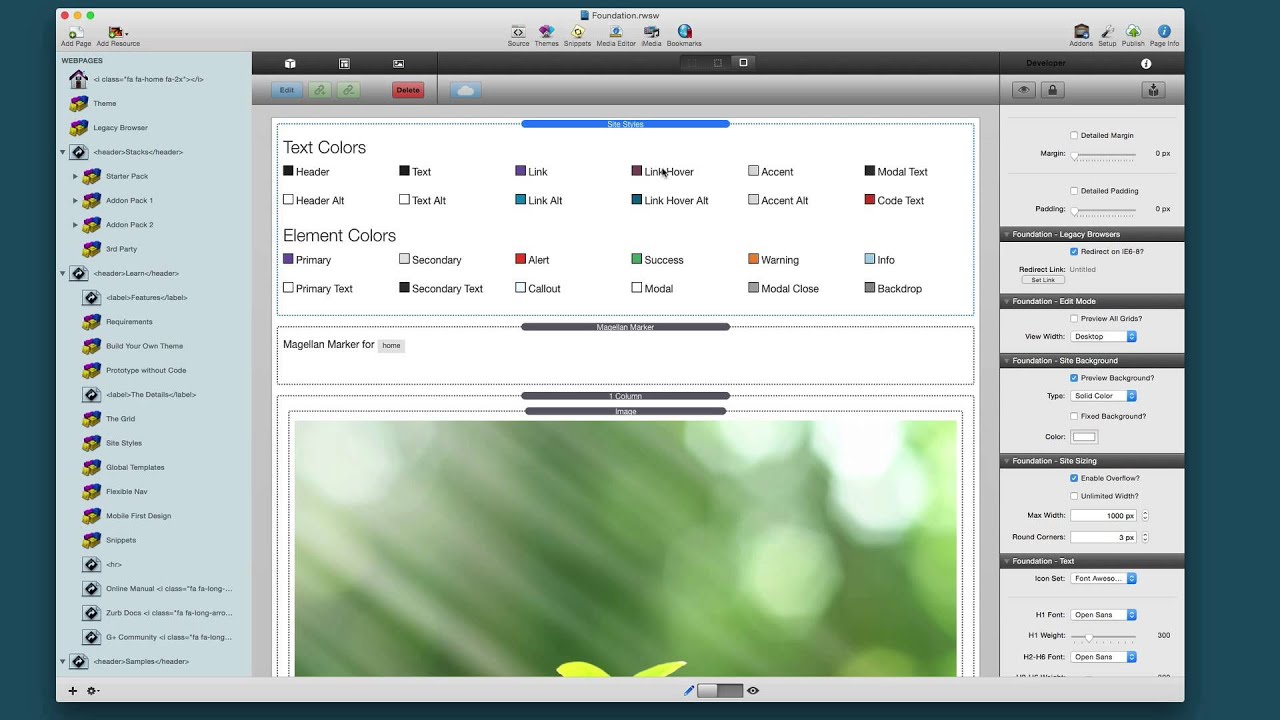
00:05 hello everyone this is Joe workman and I
00:08 am really excited today to release
00:10 foundation 12 for you we've been working
00:13 on it for over three months and I don't
00:16 want a jab you're off too much let's go
00:18 ahead and jump on in and see all the
00:20 exciting amazing new things come in so
00:23 Before we jump into some of the
00:24 highlights if you want all of the
00:26 nitty-gritty details check out our doc
00:29 portal and go to the foundation page and
00:31 then when you scroll down to the stacks
00:33 and stacks settings and release notes
00:35 sections you'll notice that we have
00:37 release notes for the starter pack and
00:39 then they to add on pack 1 and add-on
00:42 pack 2 there are literally hundreds and
00:46 hundreds of changes that occurred in
00:47 foundation 12 so if you want all the
00:50 details check it out there and without
00:52 further ado let's jump in and see all
00:54 the awesomeness so here's a sample web
00:59 page that we created with some of the
01:00 great new features in foundation 12 now
01:04 you can access this web page at any time
01:06 from the samples drop-down menu from our
01:09 foundation website and you can see how
01:12 we built it inside the foundation demo
01:15 file that you can download at any time
01:17 from our dock portal now the first thing
01:21 we want to show here is top bar and top
01:24 bar got a complete rework we added
01:27 pretty much every feature request wish
01:29 that every user submitted and one of the
01:33 awesome things that we did was we
01:35 integrated it with Magellan this means
01:38 that you can now use top bar for one
01:41 page websites now this web page is
01:44 actually built as a one page website
01:46 using Magellan and top bar so as I
01:50 scroll down the page take note of the
01:52 top bar stack the menu as you notice as
01:56 I scroll down the page the active item
01:58 is actually changing to be what part of
02:02 this page we are on and then obviously
02:04 if you click on a link it will take you
02:07 to that particular section of the web
02:09 page this is really
02:12 cool now the next part that we want to
02:16 show you is a completely new stack that
02:20 came with foundation and this is called
02:22 icon bar and what we've done here is
02:25 we've actually integrated icon bar with
02:28 the new mega drop down now the mega drop
02:32 down can be used from anything okay you
02:34 can use it from a button group you can
02:35 use it with top bar if you like however
02:38 the two here really make a great
02:40 compliment to building an awesome mega
02:43 menu the next section that we go down
02:48 shows you the awesome new switches that
02:51 we have for our forms these give a great
02:55 iOS style check box to your forms now
02:59 here we display the rounded version but
03:01 we also have rounded square and square
03:04 versions of the switches now this last
03:09 stack here called anime is really great
03:13 and to show you how cool this is let's
03:16 actually refresh the webpage so let's go
03:19 to home and if you notice when i refresh
03:24 this web page will notice that the page
03:27 title has dropped down this is done with
03:31 the animate stack now as I scroll down
03:34 to the page to the animate section will
03:37 notice that we have the actual content
03:40 inside this section animated in now
03:43 these are just a few examples but there
03:45 are over 50 animations available for you
03:48 to use oh and one last thing awesome
03:54 column dividers this allows you if you
03:57 have multiple columns to actually
03:59 provide a divider in between each column
04:02 and what's awesome is you can actually
04:04 adjust the actual height of the divider
04:08 so that it doesn't go the full height of
04:10 the column now let's quickly jump into
04:14 rap believer so they kind of see what's
04:16 changed and improved here now one thing
04:20 you'll notice is that edit mode much
04:22 more closely resembles preview
04:25 previously on the text size with in edit
04:28 mode was a lot smaller than what the
04:30 text size was when you actually
04:32 previewed the page that is no longer the
04:35 case text mode inside edit mode will now
04:38 really closely match exactly what you
04:42 will see in preview this will make quick
04:44 preview even more powerful for you so if
04:48 you use quick preview you'll see that
04:50 you know the text size here really
04:53 closely resembles my actual previewed
04:56 page now earlier i had mentioned forms
04:58 and how we can now have you know
05:00 internationalized localized languages
05:02 inside our email here's just a perfect
05:05 example where if you define a custom
05:08 email template will notice that we have
05:11 some special characters here and these
05:14 now work beautifully inside your email
05:16 you will no longer get funny characters
05:18 or you know the little square that says
05:21 invalid character things of that nature
05:22 all this data should be processed
05:25 perfectly and this is actually for all
05:28 form data as well so if your users enter
05:30 in you know some UTF or Unicode
05:33 characters inside of the any of the form
05:37 fields it should be properly translated
05:40 into the email for you now now let's
05:43 quickly review some changes that
05:45 occurred to foundation under the hood so
05:48 for all of you that love checking out
05:50 the dev inspector and looking at the
05:52 source code of the site you will be
05:55 happy to know that all of the HTML
05:58 comments that ship with our stacks are
06:00 completely gone you no longer have any
06:03 sort of HTML comments that say the stack
06:05 name and the version they are all gone
06:09 what we've done now is inside the page
06:12 header we've actually created some meta
06:14 tags that give you some useful
06:16 information about the version of the
06:18 stack installed instead so you can
06:20 quickly see the theme version the
06:23 foundation version the jQuery version
06:26 that is used as well as all of the
06:28 various stacks and their versions now we
06:32 hope to actually use this data to
06:33 provide you more useful tools to update
06:36 your sites in the near future
06:38 so I really hope that you enjoy the
06:41 foundation one not to update it's a
06:43 really powerful update and the feedback
06:46 that I've gotten from users that have
06:48 been using it has just been awesome so
06:50 thank you very much I hope you enjoy it
06:53 and have a great day bye


