
Stacks Guru is born from the need to search the vast number of videos out there on stacks built for Stacks Pro and the Stacks 5 plugin for Rapidweaver.
We have scraped over 500 videos to get the transcripts for each in order to make the spoken word searchable.
Please use this free tool to help you learn and discover the awesome power that Stacks and the stacks made for Stacks have to offer.
00:08 hey everybody its Joe workman and today
00:11 I am really happy to show you glass now
00:16 kind of the new rage right now is all
00:19 transparency right
00:20 transparent borders transparent
00:22 backgrounds so you can kind of see
00:24 things bleed through right I mean
00:26 Yosemite in OS 10 Apple it's all about
00:28 transparency right the UI it's about
00:30 letting stuff kind of bleed through the
00:32 background and whatnot so I thought this
00:35 was a perfect opportunity to develop the
00:37 glass stack and it is all about
00:40 transparency
00:41 it's about transparent borders
00:43 transparent solid color backgrounds
00:45 gradients background images right so
00:49 without further ado let's go check it
00:51 out so here we are on the stunning demo
00:55 page made for class and they're really
00:57 there's nothing else to this page except
00:59 for this example right here where we see
01:02 we have a dozen or so glass stacks all
01:05 overlaying each other
01:07 now obviously the overlay part is done
01:10 with my target stack and some others but
01:13 as you see the power of getting overlays
01:16 in there where we have transparent
01:18 backgrounds bleeding through the other
01:20 one mixing colors right and letting the
01:22 the background of the body bleed through
01:24 all of it so without further ado let's
01:27 jump into rapidweaver
01:28 and see how easy class is to use so here
01:32 we have the demo file that was actually
01:33 used to create that an amazing site that
01:35 we just saw now I'm not going to go over
01:38 the nitty-gritty of how that page was
01:40 constructed if you want you could just
01:45 as with any of our stacks you can
01:47 download this from our documentation
01:49 portal and see exactly how that page was
01:51 built but for now let's jump into class
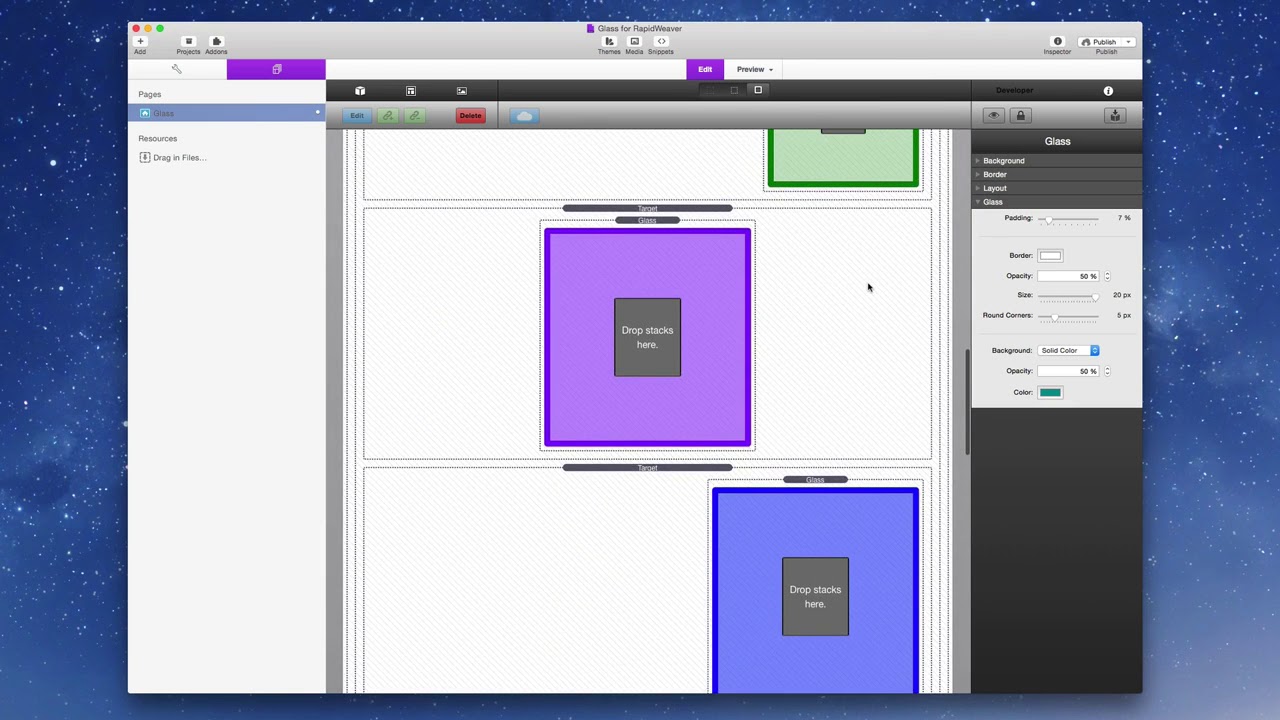
01:54 settings so if we look at the main glass
01:58 stack that's in the middle of that page
02:00 let's look at some of the settings so
02:02 the first setting we're gonna look at is
02:04 padding now this is responsive padding
02:06 and what this means is is the padding is
02:10 based on the actual width of the
02:12 container
02:13 so the wider the browser or the wider
02:15 glass the larger space it's going to
02:19 take up so that on mobile devices the
02:22 glass isn't actually taking up all that
02:24 much space right it's based on the
02:26 percentage of the browser next is our
02:30 border configurations you can easily put
02:32 in a color the opacity of your border
02:35 the size of your border and then you can
02:38 add round corners now the opacity of the
02:41 board of the borders is not going to
02:43 actually be seen inside edit mode it'll
02:46 only be seen in preview next we can do
02:50 backgrounds now glass supports solid
02:54 colors background images and gradients
02:57 all with the opacity so if we wanted to
03:01 switch to a gradient as you see here I
03:05 have full-blown gradient controls for
03:07 linear and radial gradients and I have
03:11 full opacity control as well now if we
03:15 choose a background image you know that
03:17 you can provide a different image for
03:19 mobile as you do on tablet and above
03:22 devices and obviously you can also
03:25 warehouse your images as well so if you
03:27 want to reference the warehouse image on
03:29 multiple stacks you can definitely do
03:32 that to take advantage of browser
03:34 caching now here's another interesting
03:36 tip if you use a the solid color
03:39 background with an opacity for glass
03:42 what if you were to also use a
03:44 background image for the underlying
03:47 stack as you see here I've actually
03:50 added a tiled image background to the
03:52 underlying stack and then I've added
03:55 with glass and overlay on top of it so
03:58 there we have it glass as you see is a
04:00 great way to add amazing things to your
04:03 site even you with glass can become a
04:06 hipster web designer so I hope you enjoy
04:10 glass I can't wait to see the beautiful
04:12 web designs that you make with it now go
04:15 forth and make your websites great thank
04:17 you very much everybody for joining
04:18 today I hope you have a wonderful day
04:20 thank you bye bye
04:29 you


