
Stacks Guru is born from the need to search the vast number of videos out there on stacks built for Stacks Pro and the Stacks 5 plugin for Rapidweaver.
We have scraped over 500 videos to get the transcripts for each in order to make the spoken word searchable.
Please use this free tool to help you learn and discover the awesome power that Stacks and the stacks made for Stacks have to offer.
00:07 hi this is Ryan from rap Weaver
00:09 classroom comm and I'd like to introduce
00:11 you to the image safe stack from Joe
00:13 workman the image safe stack protects
00:15 images on your website preventing
00:18 visitors from downloading them to their
00:19 computer you can see in this example
00:21 that I've got two images added to the
00:23 page and on the Left if I were to click
00:25 and drag this image you would see that
00:26 it begins to copy and I could simply
00:28 drag this to my computer and save that
00:31 as an image if I were to try the same
00:33 thing though with the right as I try to
00:35 drag you'll see that I cannot highlight
00:37 it I cannot drag it if I were to also
00:40 right-click on this inside of a browser
00:41 window it would not give me the option
00:43 to save it as an image and so the way
00:45 that's accomplished is with the image
00:47 safe stack so let's jump into edit will
00:49 see two columns the one on the left has
00:51 a simple image stack and the one on the
00:53 right uses image safe let's take a look
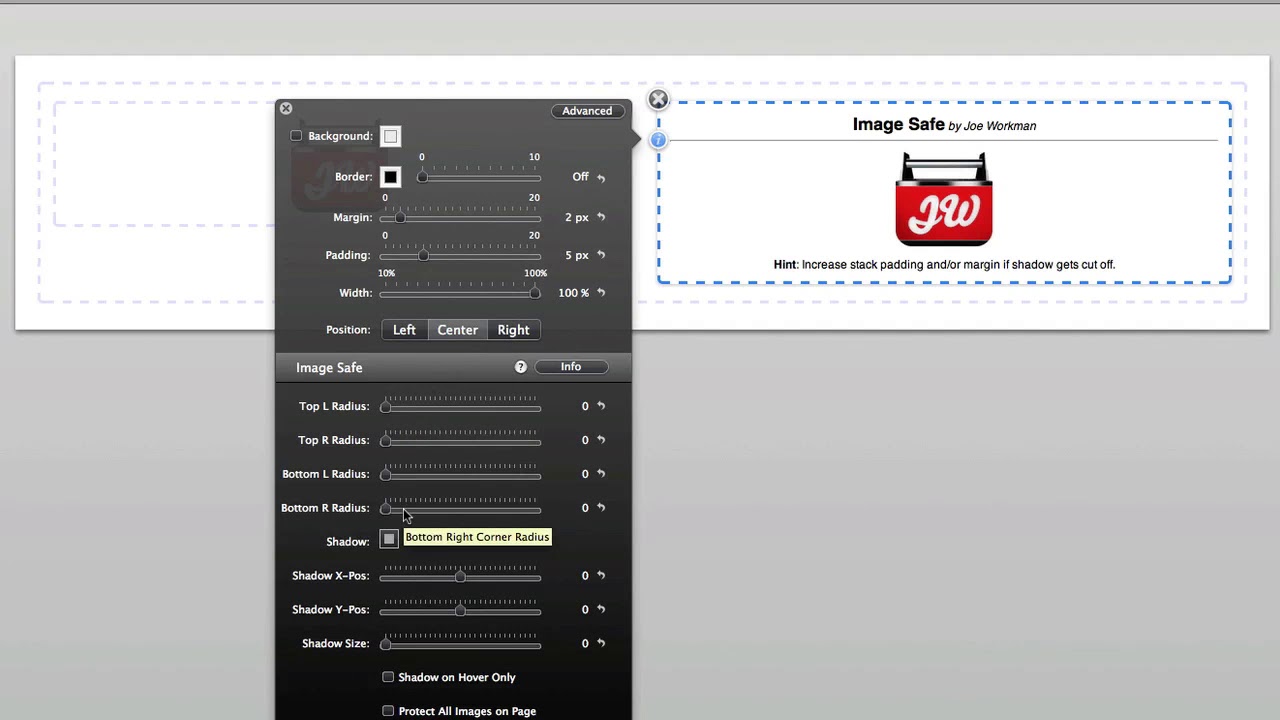
00:56 in the inspector HUD and look at the
00:58 options available we can apply it
01:00 rounded corners to all four corners of
01:02 our image using the radius here we can
01:05 also apply a shadow of any color to the
01:08 image and position that on both the X
01:10 and the y axis we can also give it a
01:13 shadow size and select an option to only
01:15 display it on hover finally you can
01:18 protect all the images on a page simply
01:20 with the check of this box preventing me
01:22 from having to use image safe for each
01:24 image on your page but you can add the
01:27 image safe stack multiple times
01:28 throughout the page and that will
01:30 protect all of the images contained
01:32 inside of those image safe stacks so
01:35 this is a great solution for
01:36 photographers graphic designers or just
01:38 anyone that wants to protect their
01:40 images from being downloaded by the
01:41 visitor and so that is the image safe
01:43 stack from Joe workman


