
Stacks Guru is born from the need to search the vast number of videos out there on stacks built for Stacks Pro and the Stacks 5 plugin for Rapidweaver.
We have scraped over 500 videos to get the transcripts for each in order to make the spoken word searchable.
Please use this free tool to help you learn and discover the awesome power that Stacks and the stacks made for Stacks have to offer.
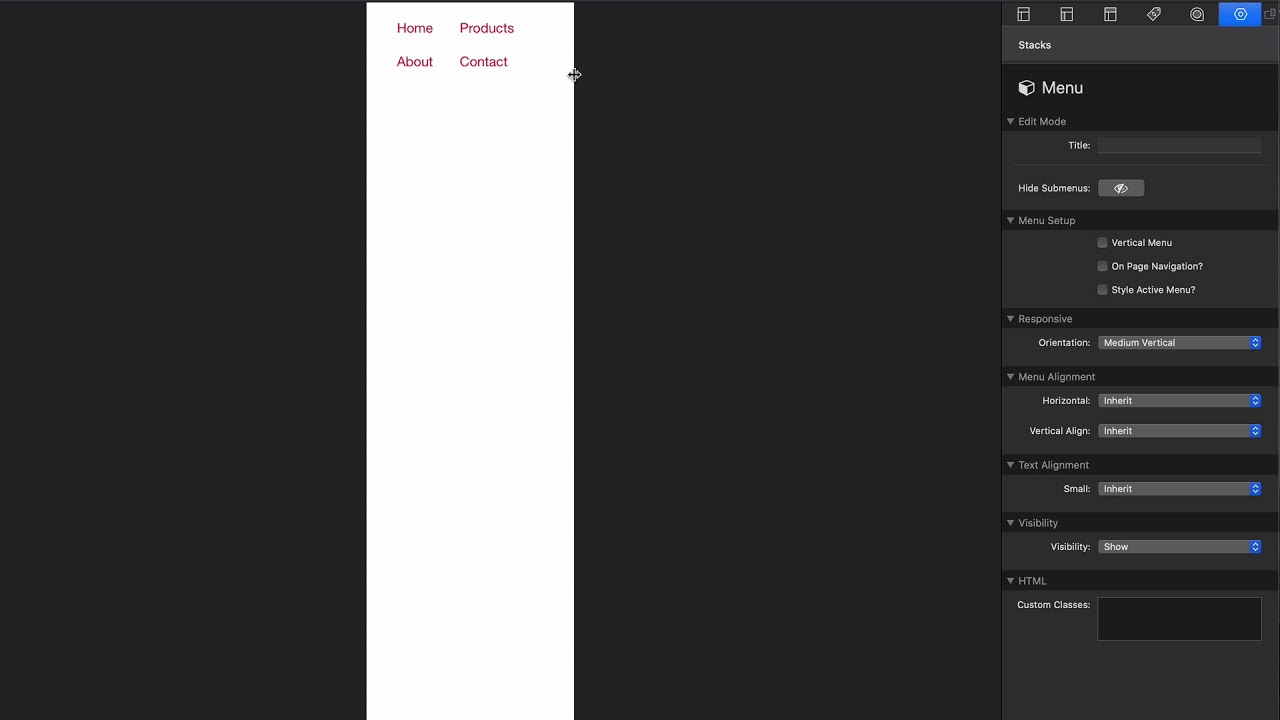
00:09 so the menu stack is the most basic
00:12 stack that we have for menus inside
00:15 foundation six it is just a static menu
00:18 there is zero animations to it it is
00:20 simple okay and we've already gotten it
00:24 going through the many builder if you
00:25 haven't watched that video make sure you
00:26 do that um let's just go through the
00:29 menu options there aren't too many here
00:31 right we can obviously make the a
00:32 vertical menu we can make it on page
00:36 navigation we have a specific video on
00:38 that we're not gonna review that here
00:39 make sure you check the video on on page
00:41 navigation um we can style the active
00:44 menu item um and here's something kind
00:47 of powerful as a lot of times you want
00:48 to convert a menu from maybe horizontal
00:52 to vertical version at a particular
00:54 breakpoint like for example maybe um on
00:57 we want this to be a horizontal menu by
01:00 default on small devices but maybe on
01:03 medium we want to make it horizontal
01:06 right so medium vertical
01:09 so maybe it makes sense on you know on
01:11 mobile to have this vertical so the
01:13 menus just kind of pile up on top of
01:15 each other but then maybe on tablet and
01:17 desktop maybe you have a two column
01:20 layout or something like that right
01:21 where you know you contents over here
01:23 and then you have a menu in your sidebar
01:25 right so this allows us to have one menu
01:28 that is just flexible and all the many
01:31 stacks have that feature the rest of the
01:34 day is pretty much generic settings that
01:36 we've seen so many times throughout all
01:38 the foundation stacks we have tons of
01:40 menu alignment options to Center it and
01:42 to write it and to justify it we can
01:45 vertically align stuff we saw that
01:46 especially of you doing you know that
01:49 SVG menu or your icon in the middle that
01:51 we've done inside the menu builder video
01:54 make sure you check out that many
01:55 builder video and then the visibility so
01:58 like necessarily you want to hide this
02:01 menu and then display a different menu
02:03 on a different breakpoint um you can
02:05 really do that easily
02:16 you


