
Stacks Guru is born from the need to search the vast number of videos out there on stacks built for Stacks Pro and the Stacks 5 plugin for Rapidweaver.
We have scraped over 500 videos to get the transcripts for each in order to make the spoken word searchable.
Please use this free tool to help you learn and discover the awesome power that Stacks and the stacks made for Stacks have to offer.
00:06 hello everyone this is Joe workman and
00:08 today I would like to introduce you to
00:09 the no script stack now we all have
00:12 website visitors that every now and then
00:15 they actually have their javascript
00:17 disabled within their web browser now as
00:21 you also probably know a lot of stacks
00:24 and wrap Weaver themes require the use
00:26 of JavaScript to actually do all the
00:28 effects and fancy things that make our
00:30 websites beautiful now if our users
00:33 actually have javascript disabled how
00:36 are they going to be able to enjoy our
00:37 website so what the no script stack does
00:41 is it allows you to actually display a
00:43 warning to your visitors when they have
00:46 javascript disabled within their browser
00:50 now it allows you to do one of three
00:52 things you can actually display custom
00:56 stack content where you can actually
00:57 drag out your stack content text or
01:01 images now you probably don't want to
01:03 add anything too fancy because if your
01:05 users have javascript disabled those
01:08 fancy javascript-based stacks aren't
01:10 going to work so probably is just some
01:12 text and some images would really be
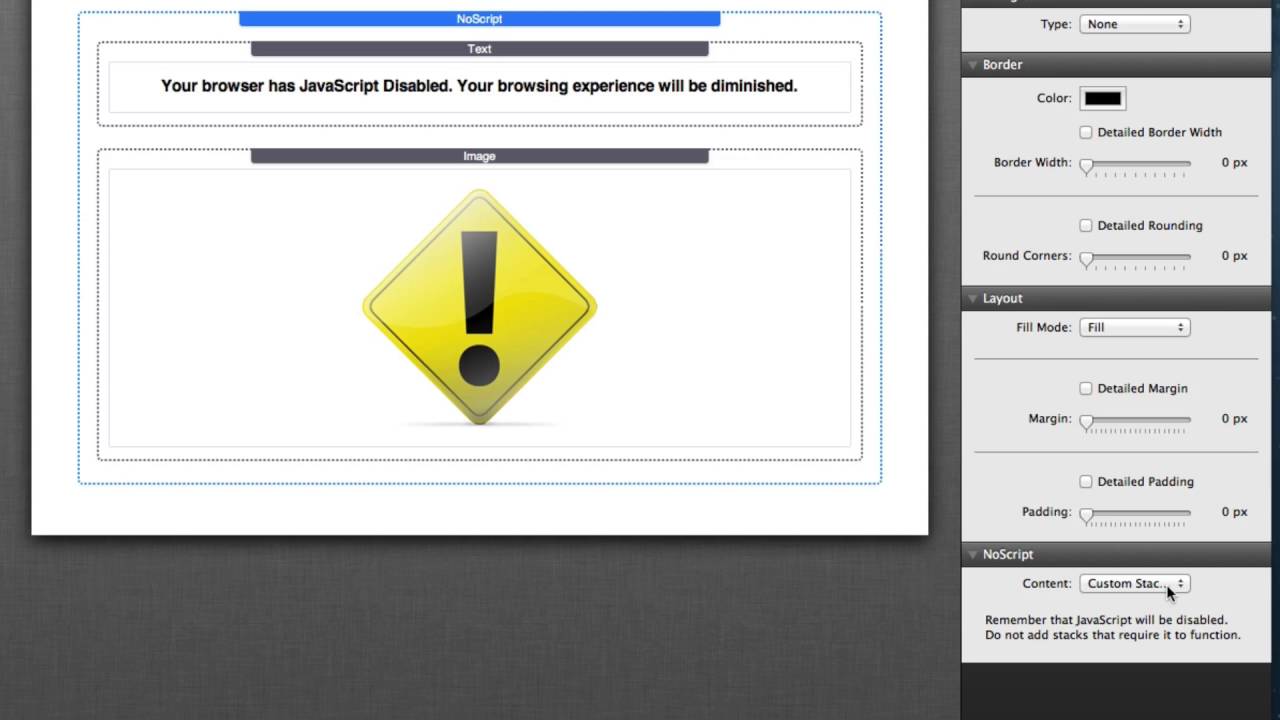
01:15 great as you see here I have a simple
01:18 message and an image displaying to the
01:20 users studying that JavaScript has been
01:22 disabled and that the browser experience
01:24 will be diminished now another thing
01:27 that we can do which is actually the
01:29 default behavior is to display a simple
01:32 warning message now this is a styled
01:35 text area so you can actually type in
01:37 whatever text you want and style it the
01:39 way that you would like and then just
01:42 that text will be displayed to your
01:43 visitor now the last thing we can do is
01:47 actually redirect the user to a
01:50 different URL let's say for instance we
01:54 we create a simple web page on our
01:56 website that just contains a nice
01:58 warning message and maybe some paragraph
02:00 and some images or maybe a completely
02:03 different website if you'd like to go
02:04 really far where the user can actually
02:07 read and see some content that maybe
02:09 they would missed on a different webpage
02:12 now previewing your no script stack
02:15 would actually be a little bit tricky
02:17 because as we'll see it does not work
02:20 within wrap Weaver preview the reason
02:23 for this is that rapidweaver actually
02:25 always has javascript enabled so what we
02:28 need to do is we actually need to
02:29 preview the web page within safari or
02:32 your favorite web browser then you need
02:35 to actually disable javascript within
02:37 that web browser let's go ahead and do
02:40 that moon safari bring up our Safari
02:42 preferences and go to the Security tab
02:44 and we will disable JavaScript close our
02:48 preferences refresh our window and we'll
02:52 see that now we have our context and our
02:56 message that we displayed within the no
02:58 script stack I hope you enjoy the no
03:01 script stack and I hope that you find it
03:03 very useful have a great day everybody
03:05 thanks bye-bye
03:13 you


