
Stacks Guru is born from the need to search the vast number of videos out there on stacks built for Stacks Pro and the Stacks 5 plugin for Rapidweaver.
We have scraped over 500 videos to get the transcripts for each in order to make the spoken word searchable.
Please use this free tool to help you learn and discover the awesome power that Stacks and the stacks made for Stacks have to offer.
00:00 site Styles page safe pro see my score
00:03 where do I put all these stacks let's
00:06 figure it out hey everybody Joker in
00:15 here and you know stacks has evolved
00:18 over time and there are now a lot of
00:22 stacks that actually don't put any
00:25 content on our page right there are
00:27 things like my page safe stack which
00:29 allows you to lock a page it's awesome
00:31 right then we have SEO helper from
00:33 foundation and we have site styles and
00:36 we have total CMS and easy CMS stuff so
00:38 they like the CMS core and the admin
00:40 course stack and then we have things
00:42 like pro which has font families and
00:45 font styles and none of these things
00:47 actually put content on our page so
00:52 where do we put these stacks what order
00:55 should they go in right do they go on
00:57 the bottom of the page they go on top
00:59 can I throw them in the middle right
01:01 does it does it matter if ones on top of
01:03 the other right so let's dive in and i
01:07 will show you what i recommend and how
01:10 to order all these things now obviously
01:12 all of the stacks that i mentioned in
01:14 here are our my stacks right um i don't
01:17 know i'm sure there's other you know
01:19 type of config stacks out there but i'm
01:22 just going to review all the things that
01:24 I know about and I'm aware of and the
01:25 order in which I recommend that you add
01:27 them in and why so let's jump into rap
01:30 believer and see why so here have
01:33 created just a sample rapid river
01:34 project file that contains all the
01:36 possible like non content-based stacks
01:39 from me okay and as you notice here
01:43 there's a lot of stuff here I I mean a
01:46 lot so what order do we need to put
01:50 these things in so let's go from top to
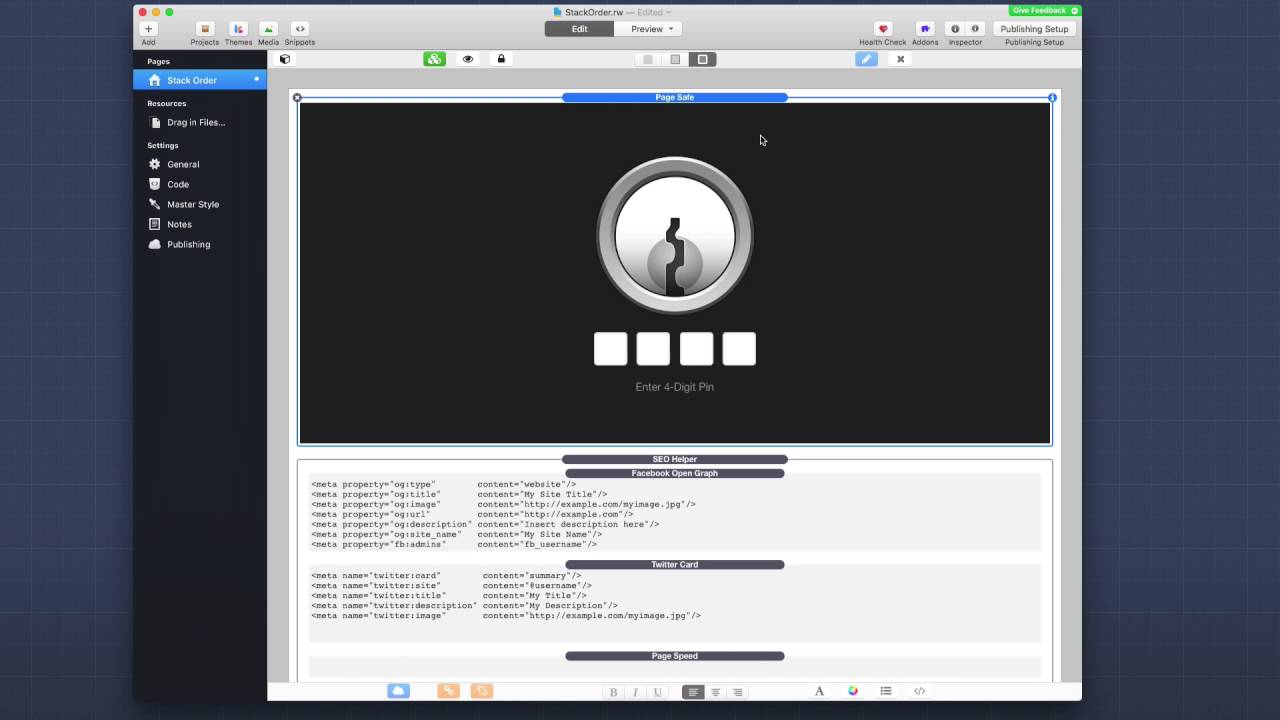
01:52 bottom now Paige safe I recommend that
01:56 if you're using page safe or if you're
01:58 using the CMS protect stacks so easy CMS
02:01 protect or total so you must protect
02:02 okay baby a very similarly to page safe
02:05 and I recommend that that be the very
02:08 first thing on your page okay so first
02:11 thing in a page that way
02:13 whenever the server is serving up the
02:15 page the eight knows immediately as soon
02:18 as possible whether or not it needs to
02:21 password protect this page so i
02:22 recommend without a shadow of a doubt
02:24 that if you're using protect or page
02:26 safe it is at the very top of your page
02:28 ok now it's great with a lot of these is
02:31 let's just go ahead and collapse that
02:33 right SEO helper this is the next thing
02:37 that I think should be on the page ok um
02:39 because it basically takes your meta
02:41 tags and inserts them into the head the
02:44 page header right which is above your
02:46 page content anyway right so let's just
02:49 go ahead and insert SEO helper um
02:51 towards the top of the page if you're
02:53 not password protecting the page SEO
02:55 helper is going to be right at the top
02:57 ok um you can't have multiple SEO
02:59 helpers on the page um if you're
03:01 partially things and all of that
03:03 strategy right but um so SEO helper is
03:06 next next if you're using um easy CMS or
03:13 total CMS I recommend putting the CMS
03:15 core just towards the top as well to be
03:18 honest this particular stack could
03:19 really be anywhere um but I recommend
03:23 just throwing it up at the top if you
03:24 have a lot of other content kind of type
03:26 of stacks or non-content stacks like
03:28 site styles and stuff just throw it up
03:31 towards the top and then it'll kind of
03:33 be up where everything else is ok next
03:37 up is site styles and this is obviously
03:39 with foundation and so if you're using
03:42 foundation this is going to divide all
03:44 your style defaults for your entire site
03:47 or this web page right so site styles is
03:50 very important this kind of the first
03:53 place where we start defining actual
03:56 styles ok um and that's an important
03:59 differentiator ok because the next stack
04:03 on this list is admin core and this is
04:07 um if you're using easy CMS or total CMS
04:10 this is going to be that you you only
04:12 add this to your admin pages right you
04:14 won't add this to your content pages but
04:16 if you have a admin page for the CMS I
04:19 would then add your admin court below
04:21 site styles this is so site Styles can
04:24 set the defaults and then admin core
04:27 then inherit those and maybe override a
04:29 few things that it needs to make sure
04:33 that the admin interface looks correct
04:35 okay so admin core should be directly
04:37 below site styles next up is going to be
04:42 font pro so font families okay um this
04:46 is important that it shows up after site
04:48 styles okay because if you happen to
04:51 define anything inside styles font Pro
04:54 will then override that with these
04:56 settings that you need inside font pro
04:58 ok so again site styles and then font
05:02 families are in font Pro and that
05:04 includes font families and then font
05:06 styles all right now does it really
05:08 matter if you have font families and
05:10 then font styles or font styles and font
05:12 families not really I just think setting
05:15 the families first just makes sense in
05:17 terms of an order right um and then so
05:19 you have your families and then your
05:21 font styles so here's everything in the
05:24 list right we have page safe SEO helper
05:26 CMS core site styles admin core Hutt
05:31 families font styles whoa that's a lot
05:34 of stacks right now how do we
05:38 potentially like that's a lot just even
05:41 when I collapse them has taken up quite
05:42 a bit of space inside edit mode right so
05:45 obviously a strategy is you're gonna
05:47 want to partial these things because
05:48 chances are you're going to want to
05:49 utilize a lot of these settings across
05:52 multiple pages so what you can do is as
05:55 you see I throw in all of these into a
05:56 one column and then you just simply
05:58 partial that click the partial button
05:59 and we're going to create a partial
06:01 based on that right now it's cool is
06:04 once you're actually in the partial you
06:06 probably can can expand all of these
06:08 right so on you go through and you can
06:11 expand all of these then once you're on
06:14 your page all you need to do is simply
06:16 collapse your partial so now I have all
06:20 of my like page site configs inside of a
06:22 single partial that if I ever need to
06:24 access that or preview it I can just
06:26 unhide it and see all of the contents
06:28 inside there and obviously like a
06:30 partial you can double click it and then
06:31 you can actually go into the partials
06:33 editor to edit those settings in those
06:36 stacks wait so as you see um that
06:40 kind of the order right and there's a
06:41 lot of stacks right but I hope you like
06:43 that partial idea right and obviously
06:45 maybe you have a couple partials
06:46 depending on your strategy on how you're
06:48 importing content on what pages right
06:50 but you know the order is pretty
06:54 important right some things are less
06:55 important than others right but
06:57 hopefully this gives you some clarity
06:59 and you know makes you more comfortable
07:01 in terms of where you should order
07:03 things on your page so i hope you found
07:06 this video useful i will talk to you
07:08 guys later take care bye


