
Stacks Guru is born from the need to search the vast number of videos out there on stacks built for Stacks Pro and the Stacks 5 plugin for Rapidweaver.
We have scraped over 500 videos to get the transcripts for each in order to make the spoken word searchable.
Please use this free tool to help you learn and discover the awesome power that Stacks and the stacks made for Stacks have to offer.
00:06 hello everyone this is Joe workman and
00:09 today I'd like to introduce you to the
00:10 placeholder stack then the placeholder
00:12 stack is really simple basically it
00:15 allows you to add in random images into
00:18 your web page mock-ups this is a great
00:21 way if you're designing a sample web
00:23 page for customer or you just want to
00:24 you know throw an image on a page and
00:26 don't know exactly what you want yet
00:28 it's a great way of just randomly
00:30 throwing images out there and it uses
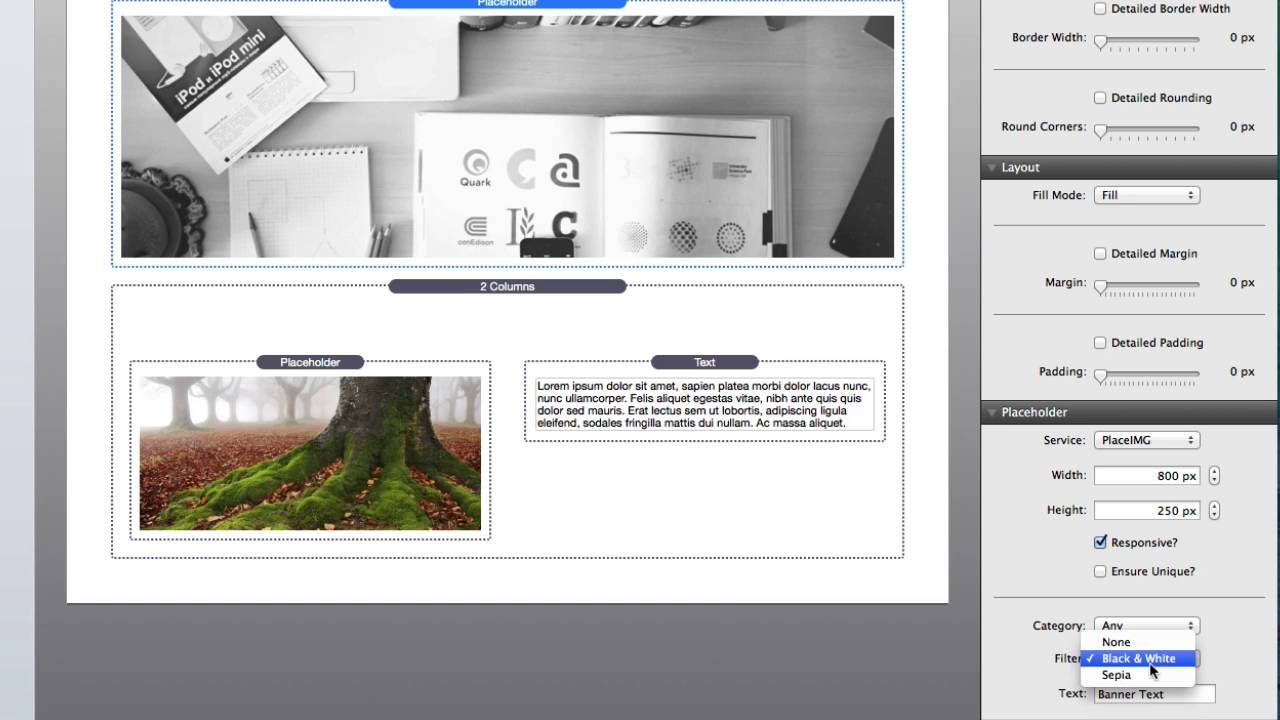
00:33 two different services so when you add
00:35 the stack to the page you can configure
00:37 your stir your service right now we're
00:39 going to use the place image service you
00:41 can define the width and height of the
00:44 image that you would like to be
00:45 displayed you can check whether or not
00:48 you want that image to be responsive
00:50 okay then you can also ensure unique now
00:53 if you have multiple images on the page
00:56 that are there going to be the same size
00:59 if you don't check the ensure unique
01:02 chances are the browser is going to
01:04 actually use the same images for every
01:06 single one because as it downloads the
01:08 first image it will realize that the
01:10 other URLs are exactly the same and it's
01:13 going to use the cached version and
01:14 it'll use the same image it'll be a
01:16 little bit faster but if you do want to
01:18 ensure unique images make sure you check
01:20 ensure unique now for place image we
01:25 have categories you can select what
01:27 category and if you want to actually
01:28 apply a filter to the image you know you
01:31 can actually apply a black and white
01:32 filter or a sepia filter okay now if we
01:37 were to choose the service of place hold
01:39 it as you'll notice we get a completely
01:41 different look and feel right it's still
01:43 define the width and height whether or
01:45 not you want it to be responsive but now
01:47 it's basically a very basic image where
01:50 you have a solid colored background and
01:52 then some text now by default the text
01:57 will actually be the width and height of
01:58 that image but you can actually define a
02:01 custom text so that you can actually
02:03 define your own text within the image
02:05 now while this looks you know like
02:08 actually just pretty much like a styled
02:10 in with some text it actually
02:12 is an image on the web page so that's it
02:15 that's placeholder I hope you enjoy it
02:17 and have a great day thanks bye bye


