
Stacks Guru is born from the need to search the vast number of videos out there on stacks built for Stacks Pro and the Stacks 5 plugin for Rapidweaver.
We have scraped over 500 videos to get the transcripts for each in order to make the spoken word searchable.
Please use this free tool to help you learn and discover the awesome power that Stacks and the stacks made for Stacks have to offer.
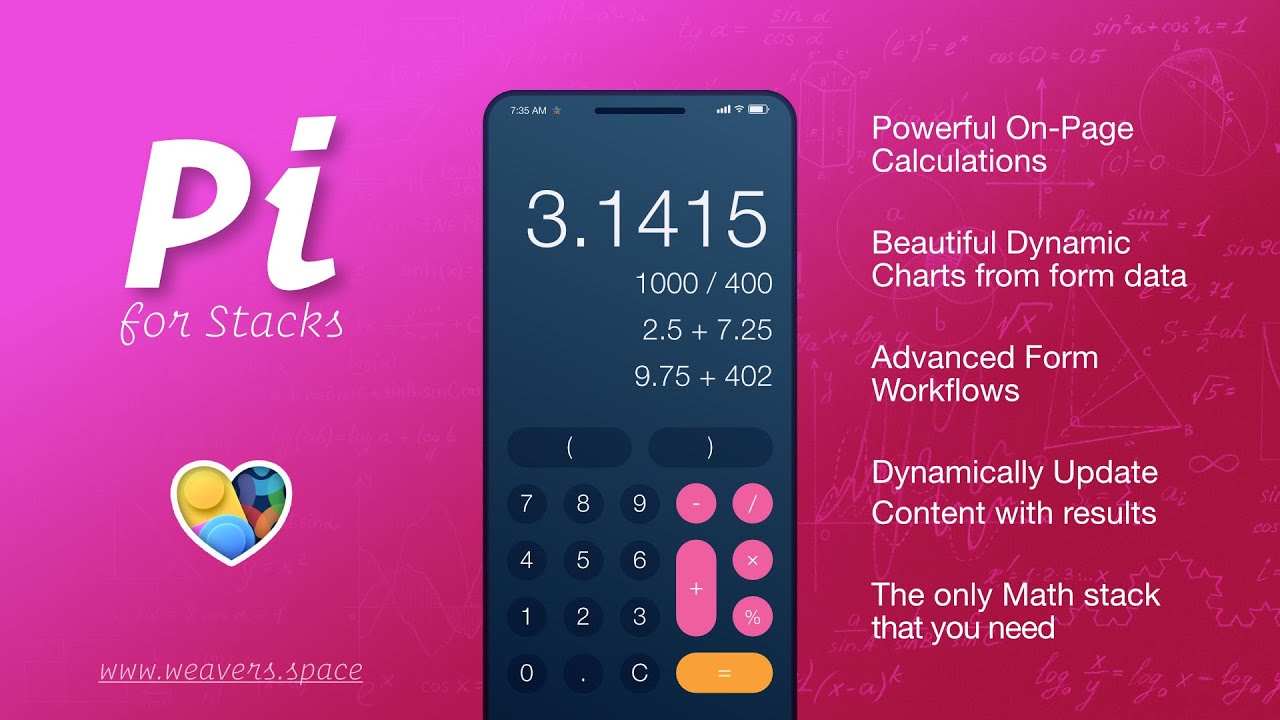
For more information about Pi, head over to https://www.weavers.space/stacks/pi
00:09 hey everybody Joe here and today I'm
00:11 really excited to introduce you to Pi
00:13 version 2 and as you know Pi is the
00:17 advanced form workflow tool that allows
00:21 you to do all kinds of things and in
00:24 this version two we've added a ton of
00:26 amazing updates with charts the ability
00:29 to show and hide to do Advanced
00:31 workflows to autosave your form content
00:34 and a lot more so without further Ado
00:37 let's dive in and look at some of the
00:38 amazing demos and what pi can do for us
00:42 so in the first demo we'll see that Pi
00:43 gives us the ability to actually display
00:46 amazing beautiful colored charts where
00:50 the data is derived from the user's
00:52 input which is really cool and there's a
00:55 lot of customizability here uh where you
00:57 can have a single data multiple data
00:59 arcs within our charts um we can show
01:02 percentages we'll notice that the colors
01:05 can actually change based on the value
01:08 some really amazing stuff here uh that I
01:10 know will really add some extra spark
01:13 and make your forms more usable for
01:15 users because they can actually
01:17 visualize their
01:19 input make sure to check out the actual
01:21 video that we've done on the gaug stack
01:23 to see all the really cool features
01:27 here one of the next new features of is
01:30 the show hide stack where you can
01:32 actually based on the user settings show
01:35 and hide either more actual form
01:37 settings or change the actual content on
01:41 the page so here I'm actually uh just
01:44 toggling a select box but down here I
01:46 can actually go ahead and choose a
01:48 different
01:49 date and based on the date that I choose
01:53 the actual content can be displayed
01:56 below and again you can show and hide
01:58 any content either's other form fields
02:01 or actual stack
02:04 data now let's dive into all the really
02:07 cool stuff that we've had for years
02:09 using pi version one and that is the
02:12 ability to watch any form input and then
02:15 output do some calculations or do
02:17 whatever we would like um and then
02:19 output that data to the page or do a lot
02:22 of other things so here we're just
02:25 simply incre incrementing the pixel
02:27 account here and it's actually just
02:28 doing a rem conversion
02:30 okay pretty cool so in this demo here
02:33 we're actually just moving this slider
02:34 and just doing some various math
02:36 algorithms and displaying that to the
02:38 content now further down here we're
02:40 actually using um the font size and
02:44 actually modifying the styles of content
02:47 on our page based on a form input so
02:51 this could be used for accessibility not
02:53 necessarily a form like a contact form
02:55 on your site but maybe you want to give
02:57 the user the ability to actually modify
02:59 that value and what's cool is you can
03:01 actually use this with the new Autos
03:03 save feature so that when um the user
03:06 changes the value that value gets
03:08 autosaved and then it can be restored
03:10 next time they actually visit the
03:11 browser which is pretty
03:14 cool here we have the ability to show
03:16 you that we can actually use multiple
03:18 inputs um to actually do some
03:21 mathematical equations here um then
03:24 update uh content either within a form
03:26 or again as you see here within content
03:29 within our page
03:31 as you see you'll you'll play around
03:32 there's a lot of really cool real world
03:35 examples in here um this one uses
03:37 multiple data inputs to do some
03:41 calculations further down here's another
03:43 example where we're actually um doing
03:46 calculations and modifying Styles all at
03:49 the same time which is kind of crazy so
03:51 here we're actually um adjusting the
03:53 color value based on some sliders and
03:56 then based on that we're then you know
03:58 modifying the actual col we're using
04:00 that color to modify the color of the
04:02 text down here which is pretty
04:05 cool here's a amazing uh demo where
04:09 we're let's say this an example where
04:11 you have a reservation form or a
04:13 ticketing system for an event where he's
04:15 saying the number of people that are
04:17 attending that modifies the price what
04:20 package they have right so that affects
04:22 the price and then maybe the number of
04:23 add-ons that they have will then affect
04:25 the price even further so this is a
04:28 great way as you see to really make
04:31 realworld um Advanced workflows with our
04:36 forms here's some example where we can
04:38 do some time-based math as well as date
04:41 math so we have a start date and end
04:44 date and as I change this as you see we
04:47 can actually do math where we can find
04:48 the difference between these two dates
04:51 and then display that on the
04:54 page uh we have some great Integrations
04:57 with some financial calculators so you
04:59 can quick do Amor amortization for
05:01 mortgages or loan payments so you see we
05:04 have the loan amount the interest rate
05:06 as well as the terms and based on all of
05:09 that the your monthly payment is
05:10 dynamically done this is all done with a
05:13 single line of a code within Pi it's
05:17 pretty amazing and last but not least
05:20 we've shown you a lot of math but Pi can
05:22 actually do uh some text based stuff as
05:24 well so as you see as I'm actually
05:26 checking these boxes it's actually uh
05:28 applying a little bullet list down here
05:31 of all of the items that I've
05:34 checked so as you see Pi is super
05:38 powerful it allows us to do math and
05:40 text manipulation to actually make your
05:43 forms exactly what you need it's really
05:46 cool amazing stuff version two has the
05:48 new charts the uh new autosave feature
05:52 um as well as the um the show hide the
05:55 ability to actually kind of do um
05:58 branches and trees and actually enhance
06:00 the user's experience based on the
06:03 actual answers that they give inside
06:05 your forums really cool stuff I can't
06:07 wait to see what you build with version
06:09 two you guys have already built some
06:11 amazing stuff with pi 1 so I can't wait
06:14 to see what you take your forms to the
06:15 next level with with the new version two
06:18 stack take care I hope you enjoy pi and
06:21 go out there and make something great
06:22 bye
06:29 [Music]


