
Stacks Guru is born from the need to search the vast number of videos out there on stacks built for Stacks Pro and the Stacks 5 plugin for Rapidweaver.
We have scraped over 500 videos to get the transcripts for each in order to make the spoken word searchable.
Please use this free tool to help you learn and discover the awesome power that Stacks and the stacks made for Stacks have to offer.
00:05 hello everyone this is Joe workman and
00:07 today I'm excited to show you the new
00:09 preloader stack preloader allows you to
00:13 as you scroll down dynamically load the
00:16 images on a page as they are shown
00:18 you'll notice as I scroll down this page
00:21 the images are dynamically loaded and
00:23 they are not downloaded until the
00:25 content is shown to the user to set up
00:30 preloader simply drag and drop your
00:32 desired image into the preloader stack
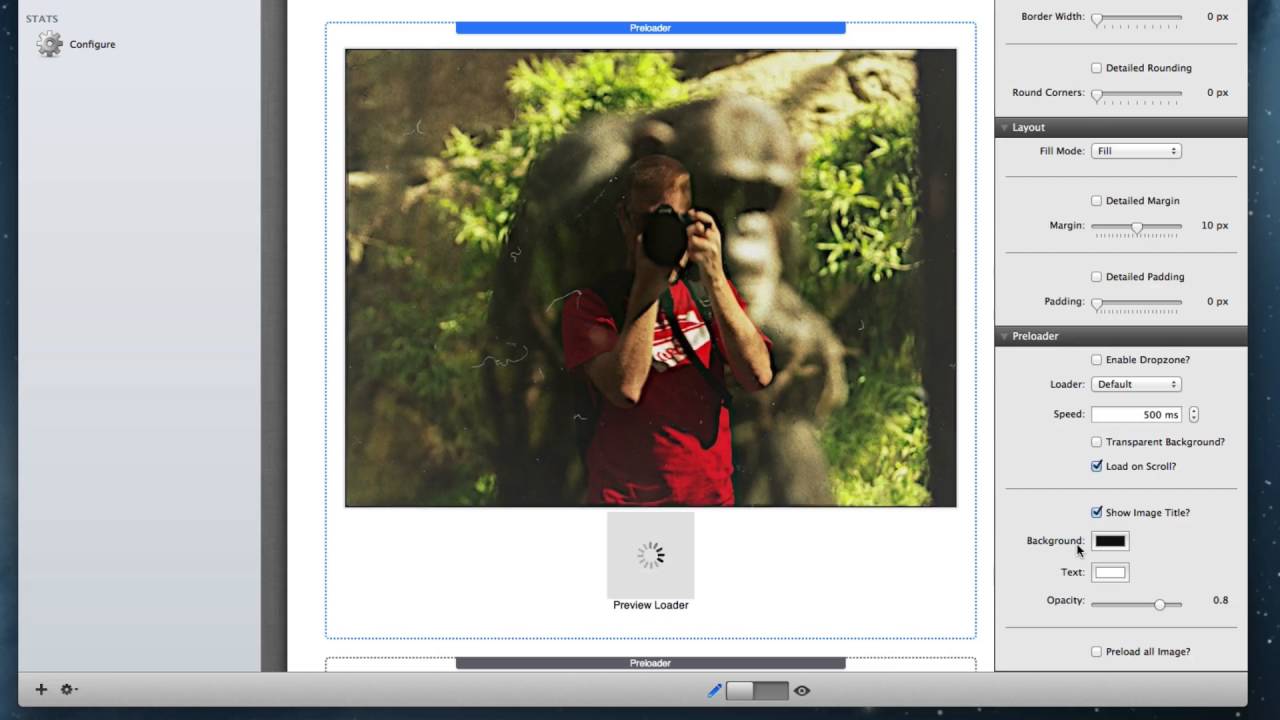
00:35 now in edit mode preloader will show you
00:37 a preview of what your loading image
00:40 will look like inside the settings head
00:42 you can actually configure this to be
00:44 many different default images or you can
00:47 actually provide your own custom loader
00:48 image if you have one you can also
00:51 change the speed at which the the images
00:54 fade in once they are loaded you can
00:58 have a transparent background on your
00:59 preloader image you can turn on or off
01:04 loading of images until the user Scrolls
01:08 to see them it can also show the image
01:12 title and what this will do is it will
01:14 take the title tag of an image and it
01:17 will display it as a caption on top of
01:20 the image now some more advanced options
01:22 are available with preloader at the very
01:25 top of the preloader settings you won't
01:26 see enable drop zone what this does is
01:30 it allows you to drag in any other stack
01:33 content that contains images and the
01:36 images contained within those stacks
01:38 will be pre-loaded for you this is great
01:42 because it doesn't limit you to just an
01:44 image let's say you want a fluid image
01:47 stack in there or maybe you have an
01:49 entire gallery that you would like to
01:50 add and preload you can easily do this
01:55 by dragging and dropping all of your
01:57 stacks that you'd like to preload images
01:58 for within the preloader stack another
02:02 option with this stack is to pre load
02:04 all images and what this will do is it
02:07 will look at every single image on your
02:09 web page and apply the pre-loading
02:12 technic
02:13 weeks to them now if you're going to be
02:16 using the pre load all images technique
02:18 you actually don't need to add anything
02:20 to the preloader stack just leave it
02:22 empty and throw it at the bottom of your
02:24 web page I hope you enjoy the preloader
02:27 stack now go forth and make your
02:29 website's great thank you very much
02:31 everybody bye-bye
02:39 you


