
Stacks Guru is born from the need to search the vast number of videos out there on stacks built for Stacks Pro and the Stacks 5 plugin for Rapidweaver.
We have scraped over 500 videos to get the transcripts for each in order to make the spoken word searchable.
Please use this free tool to help you learn and discover the awesome power that Stacks and the stacks made for Stacks have to offer.
00:07 hey everyone Jill workmen here and today
00:09 I'm really happy to introduce you to the
00:11 new quick flip three stack and now
00:14 Quickflix been around for quite a long
00:16 time it's been around since i believe it
00:18 was around 2009 it was first developed
00:20 and this is going to be a complete
00:24 rewrite of the entire thing it uses
00:27 beautiful css3 animations and as you see
00:30 it's just a phenomenal stack to use so
00:33 without further ado let's jump on in and
00:35 see it now the basics of quick flip is
00:37 that you have two sides to your content
00:39 and when you hover over that content the
00:41 other side is revealed so here we have a
00:44 great example of how you can hide your
00:47 share buttons now let's look at all the
00:49 animations that are available and what a
00:51 better way than flipping the quick flip
00:53 icon so as we see as we hover over all
00:56 these icons will notice that there's
00:58 different flip animations and as you
01:00 hover in and hover out they flip back
01:03 and forth now you can control the speed
01:06 of all of these as well as the direction
01:10 now you can also do one-sided flipping
01:13 animation where basically only have one
01:15 side content you there is no back but
01:18 the content when you hover over it flips
01:20 it basically does a 360 so that it does
01:23 a full rotation so that the content is
01:25 shown again now since we were using some
01:30 CSS animations I baked in a couple other
01:32 animations that I've always wanted to
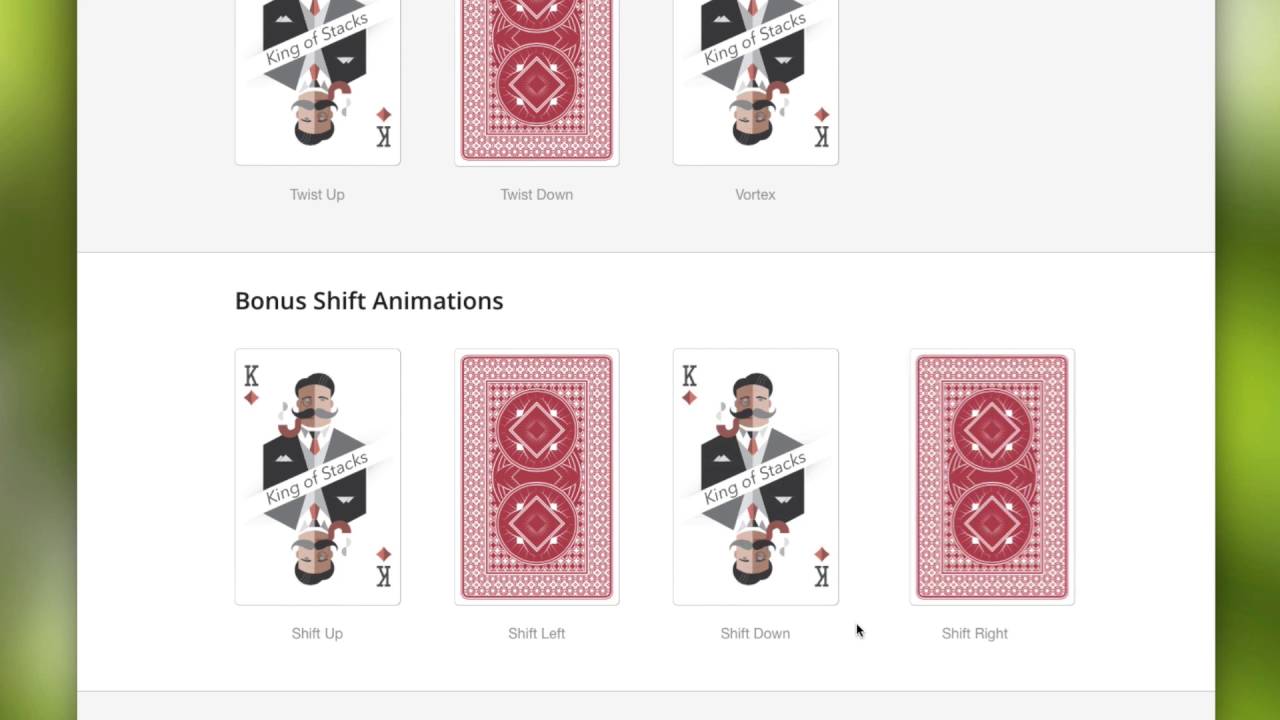
01:35 add to a stack so here we have some
01:37 bonus shift animations and these really
01:40 have nothing to do with flipping the
01:41 content so I thought it would be a
01:43 really good thing to add as a bonus
01:44 feature to the quick flip stack now
01:49 these animations can be doing a lot more
01:51 than just with images right you can add
01:54 anything you want as you see in this
01:56 card here I have two columns of text and
01:59 images really there is no limit to what
02:02 you can actually add to each side of
02:04 quick foot it's just a generate a nur
02:08 that whatever you put inside of it will
02:10 flip
02:11 now quick flip is really easy to set up
02:14 and use simply when you add quick flip
02:17 to your page you'll notice that there is
02:18 a drop zone for the front side and the
02:21 back side all you do is you add whatever
02:23 content you want inside there now inside
02:26 the settings pane you can configure
02:27 whether or not you want one or two sided
02:29 you can configure what animation that
02:32 you want the speed of your animation if
02:35 you're using the shift animations of the
02:38 distance for that particular animation
02:40 you can also add round corners to the
02:43 front and back so if you're adding a
02:46 background color to the front and back
02:47 you can actually round those corners and
02:50 lastly you can really easily add a drop
02:53 shadow and that does it for quick flip I
02:56 mean it's a pretty brilliant stack right
02:58 I love stacks like this that are just
03:00 generic animating containers where it
03:03 actually doesn't form at any of your
03:05 content for you at all by not doing that
03:08 it makes it such a generic stat that you
03:10 can use in so many situations through
03:13 whatever stack you want in it and all
03:16 quick flip does is animate it for you so
03:19 I am really excited to see exactly what
03:21 everyone does with this stack um the
03:23 possibilities are really really cool
03:25 with it so I hope you enjoy quick flip
03:28 and I hope that you use it to make your
03:31 websites great thank you very much
03:32 everybody have a great day bye
03:41 I


