
Stacks Guru is born from the need to search the vast number of videos out there on stacks built for Stacks Pro and the Stacks 5 plugin for Rapidweaver.
We have scraped over 500 videos to get the transcripts for each in order to make the spoken word searchable.
Please use this free tool to help you learn and discover the awesome power that Stacks and the stacks made for Stacks have to offer.
00:06 hello everyone this is Joe workman and
00:09 today I'd like to introduce you to the
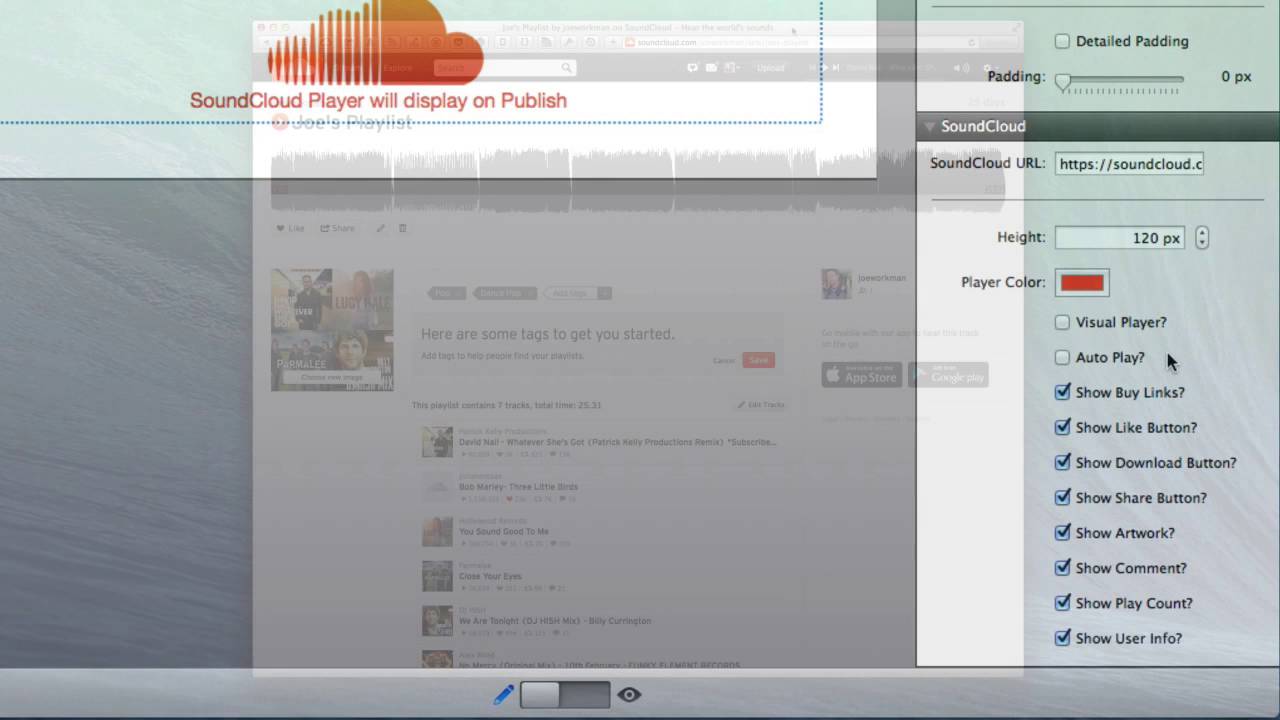
00:10 SoundCloud stack now the SoundCloud
00:13 stack integrates with the awesome audio
00:15 service called soundcloud it's
00:18 essentially youtube for audio files and
00:21 this stack allows you to easily embed
00:23 not only single audio tracks but also
00:26 full-blown playlists directly from the
00:29 SoundCloud site now as of right now
00:32 because of some technical hurdles
00:34 soundcloud stack will only work once you
00:36 publish the page but let's see how easy
00:40 it is to set up essentially you're going
00:42 to give it a SoundCloud URL now we'll go
00:44 over that in just a little bit you can
00:46 then provide the height of the player
00:48 now obviously for a single track you're
00:50 going to want it shorter and if you have
00:52 a playlist you're going to want that a
00:53 little bit taller the player will always
00:56 take up a hundred percent with and it is
00:58 fully responsive so that it will look
00:59 great on all of your devices you give
01:03 them provide the actual player accent
01:05 color that you'd like to have and then
01:07 the rest of the settings pretty much
01:08 turn on and off various components of
01:10 the player now you can also obviously
01:12 autoplay so if you want visitors to
01:15 listen to a particular song then it will
01:18 auto play once the user has visited that
01:21 web page now getting back to the
01:24 SoundCloud URL it's really easy to get
01:28 this information let's jump over to
01:30 SoundCloud and do this now we wanted to
01:33 make it really easy for you to embed the
01:35 data that you want from SoundCloud so we
01:38 don't make you search for IDs or
01:41 playlist names or so on and so forth
01:43 simply find the web page in soundcloud
01:46 that contains the music that you want
01:48 copy that URL and paste it into the
01:51 stack and then the stack will figure out
01:53 the embed code that you would want for
01:56 that particular content for example here
01:59 here's a playlist that I've created all
02:02 I need to do is copy the URL from the
02:04 URL bar paste that into the stack and
02:07 then I would instantly have a playlist
02:09 embed for my web page of this
02:13 exact playlist if you wanted one
02:16 particular song simply go to that song
02:19 again just copy the URL to this song
02:22 paste it into the stack and you'll have
02:25 the embed exactly for the song that you
02:27 want it couldn't be any simpler and
02:31 that's really it with the soundcloud
02:33 stack it's dead simple to use as you see
02:35 to embed the exact content that you want
02:38 and what's awesome with this is that as
02:40 you update things and add new audio to
02:44 soundcloud you can actually have it
02:45 automatically update your website with
02:47 your playlists so if you or your
02:50 customers have content that you're
02:52 constantly adding to a particular
02:54 playlist this is a great way to
02:56 dynamically update your website with
02:58 your latest audio content I hope you
03:01 enjoy this stack have a great day thank
03:03 you
03:10 you


