
Stacks Guru is born from the need to search the vast number of videos out there on stacks built for Stacks Pro and the Stacks 5 plugin for Rapidweaver.
We have scraped over 500 videos to get the transcripts for each in order to make the spoken word searchable.
Please use this free tool to help you learn and discover the awesome power that Stacks and the stacks made for Stacks have to offer.
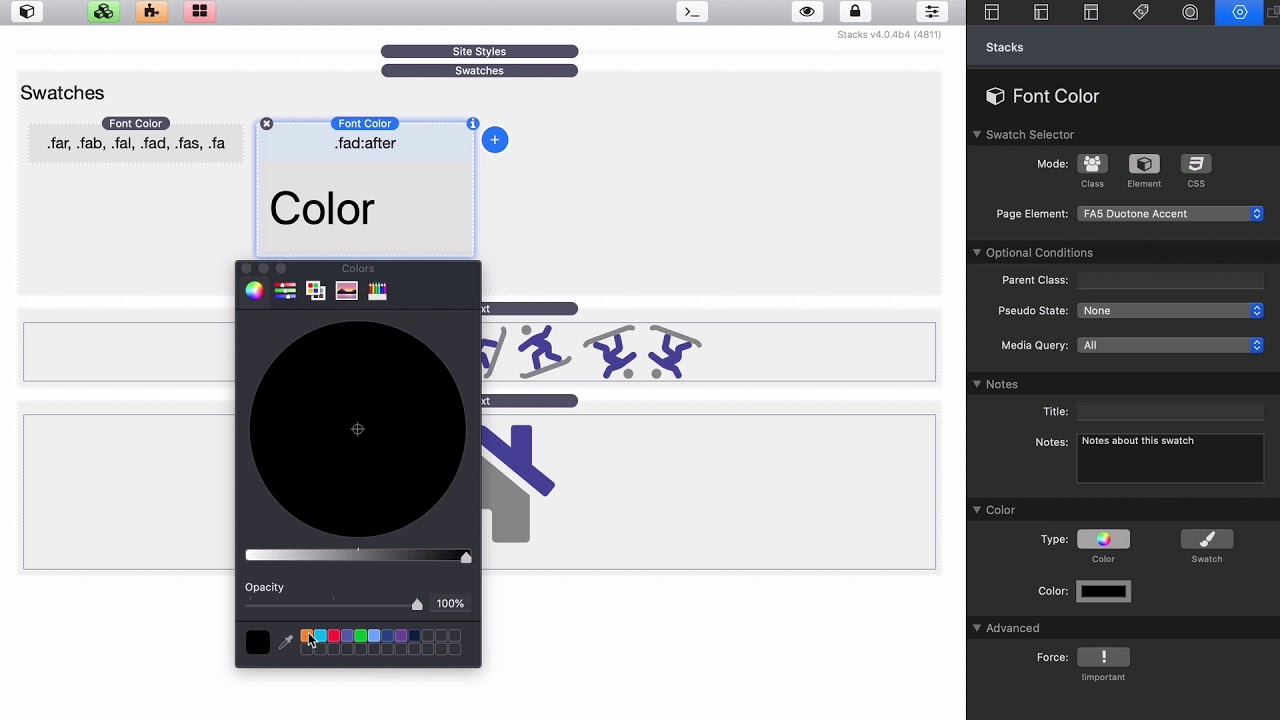
00:09 so in this video I wanted to go over how
00:12 we can style font awesome duotone icons
00:15 so if you notice duotone icons actually
00:18 have two different colors and let's
00:20 learn how we can style those so first
00:23 off as we've seen you you can color
00:26 want awesome icons with the font color
00:29 stack right so I'm just going to go
00:31 ahead and go element font awesome icons
00:33 and let's give it a color
00:38 okay as you see here um that actually
00:41 changed in the duotone icons both colors
00:44 one is the color and and the other one
00:46 is like a 40% opacity version of that
00:49 color okay cool well what if I wanted
00:53 the the accent color to be completely
00:56 different right what can we do there
00:59 let's go ahead and we could add a new
01:02 font color
01:04 let's go to element and you'll notice
01:06 that um in the elements there is a
01:09 duotone accent so for accent color you
01:12 can also target the primary um that's
01:14 the same thing as just using the default
01:16 color though but if you wanted you could
01:18 target that primary color specifically
01:20 but in our case I just did a default
01:22 font awesome icon color okay well let's
01:25 target the accent color right now so
01:27 we're gonna target the accent color and
01:28 let's go ahead and make that orange
01:32 and there we go right you see that the
01:35 accent colors are now orange the primary
01:37 colors are purple
01:39 and the next question is well um that's
01:41 still kind of transparent it's not the
01:43 actual color right well that applies to
01:47 no pass and I did learn that font
01:49 awesome actually has a class that earns
01:50 some settings that you can do to add to
01:53 the snippet okay but I think there's an
01:55 easier way to do it with a swatch let's
01:59 go ahead and add an opacity swatch and
02:01 just like the others we're gonna go
02:03 ahead and choose the element do do a
02:05 tone accent and what we'll notice is
02:08 actually in edit mode it doesn't get
02:10 applied but if we preview this page
02:12 we'll notice that right here in preview
02:15 mode it actually applies the opacity so
02:19 now we have orange with our primary
02:22 color is purple and if we want you know
02:26 you can change the opacity you don't
02:27 need to be one we can make it you know
02:29 like you know 68%
02:33 preview that and that you know that
02:35 gives it a slight opacity a little bit
02:37 less harsh color yeah so that's the easy
02:40 way of styling duotone icons in font
02:45 awesome
02:55 you


