
Stacks Guru is born from the need to search the vast number of videos out there on stacks built for Stacks Pro and the Stacks 5 plugin for Rapidweaver.
We have scraped over 500 videos to get the transcripts for each in order to make the spoken word searchable.
Please use this free tool to help you learn and discover the awesome power that Stacks and the stacks made for Stacks have to offer.
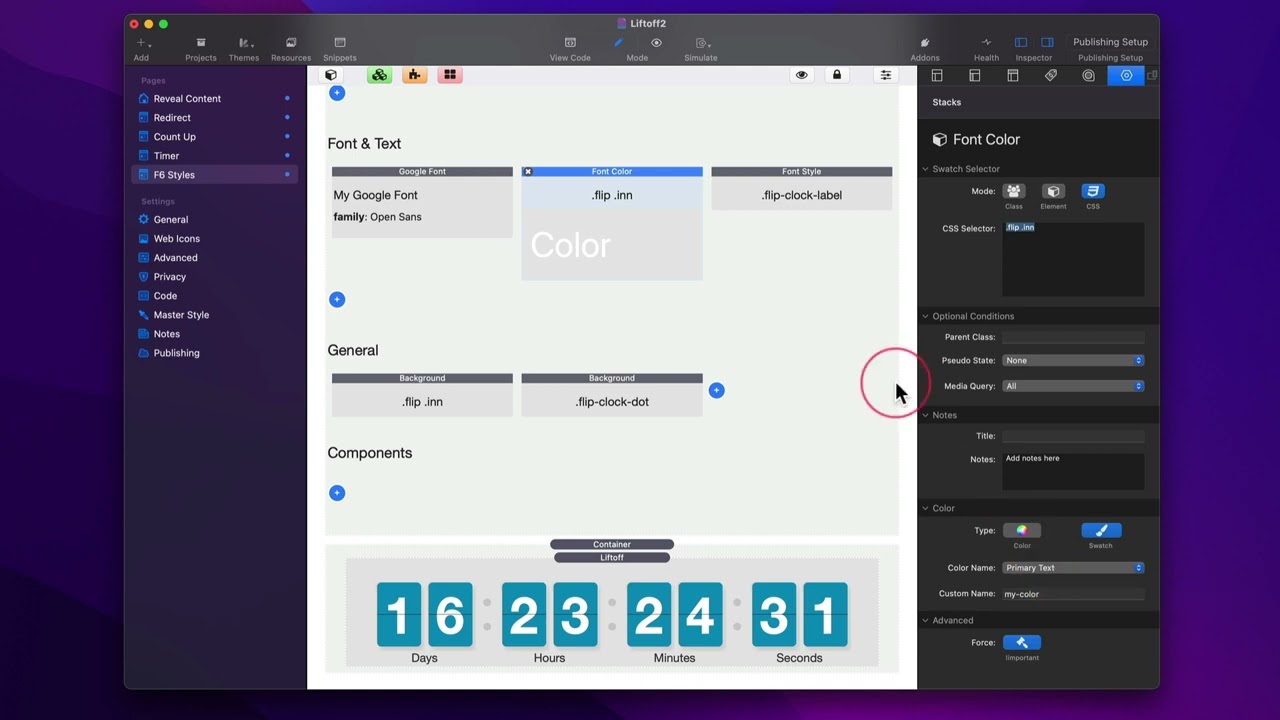
00:09 hey everyone in this video we're gonna
00:10 be showing you how you can use
00:12 foundation six to style your liftoff
00:15 stacks so inside liftoff at the very
00:17 bottom you'll notice that there's a
00:19 reference of css values
00:22 and here we have three different classes
00:24 or css selectors that we can use we have
00:26 it for the labels for the dots and then
00:29 for the digits
00:31 okay
00:32 so what can we do so in this particular
00:34 example i actually am using foundation
00:37 six to i customize the font that is on
00:39 the digits to open sans
00:42 i
00:42 leveraged some foundation six built-in
00:44 color values i'm using the primary color
00:47 as the background
00:48 the primary text color on the top i'm
00:51 using the medium gray color set in sight
00:54 styles as the dots
00:55 as you see we can do a lot of
00:57 flexibility and we can um let's dive in
00:59 to see exactly how this was done
01:03 so i'm just leveraging these classes so
01:05 inside uh
01:07 foundation site styles i have a i added
01:09 a google font
01:11 i just copied the digits css selector
01:14 from the liftoff stack
01:16 and then i go into google fonts and i go
01:18 to swatch selector css and i paste it
01:21 right there
01:22 at that point i could just configure
01:24 whatever font i want here i'm just using
01:26 the default open sans for a google font
01:29 and uh it worked work like a champ
01:32 next up we want i wanted to customize
01:34 the color right so i just again i took
01:36 that css selector from
01:39 liftoff
01:40 i pasted it into the css selector in my
01:42 swatch
01:44 i then go down and i set the
01:46 text color to be the primary text
01:50 you could also just set a font color
01:52 here as you notice all these changes
01:54 actually happen inside of edit mode
01:56 right but i want to use a swatch color
01:58 so i'm going to go ahead and set swatch
01:59 and set it to be the primary text color
02:03 and here we'll use a font style swatch
02:06 here's an example i i took the class
02:09 from the liftoff to affect the labels
02:13 and i went ahead and customized the
02:15 sizes of those labels
02:19 now one thing i should note is that you
02:21 may need to apply the force option
02:24 for your particular thing that you want
02:27 to style so always make sure if you're
02:29 using liftoff and you want to override
02:31 the styles that are inside the liftoff
02:33 stack you're probably going to have to
02:34 use the bang important as you see here i
02:36 have it i set it here and for this
02:38 background color for the digits i also
02:40 set the force
02:43 let's look at a couple other things i
02:44 want to customize the background
02:46 of the digits so again i just took the
02:49 css selector for the uh digits pasted it
02:53 into this my swatch
02:54 and i set the background color to be the
02:56 primary color
02:58 in my swatch
02:59 and last i wanted to change the
03:01 background color of our dots
03:03 so i took that class
03:05 and i applied the medium gray
03:07 from our predefined colors
03:10 in our
03:11 background swatch
03:14 so you see it's really simple to style
03:16 lift off it's just the power of css and
03:20 that is why
03:21 um site styles and these swatches are so
03:24 great because we can really just take um
03:26 a little bit of data that we have here
03:29 and apply it and really make things
03:31 custom and exactly what we want to match
03:34 our designs


