
Stacks Guru is born from the need to search the vast number of videos out there on stacks built for Stacks Pro and the Stacks 5 plugin for Rapidweaver.
We have scraped over 500 videos to get the transcripts for each in order to make the spoken word searchable.
Please use this free tool to help you learn and discover the awesome power that Stacks and the stacks made for Stacks have to offer.
00:08 so see top bar is um really just a
00:12 simple way of laying out menus now let's
00:15 look to see what we can do to actually
00:17 style top bar a little bit
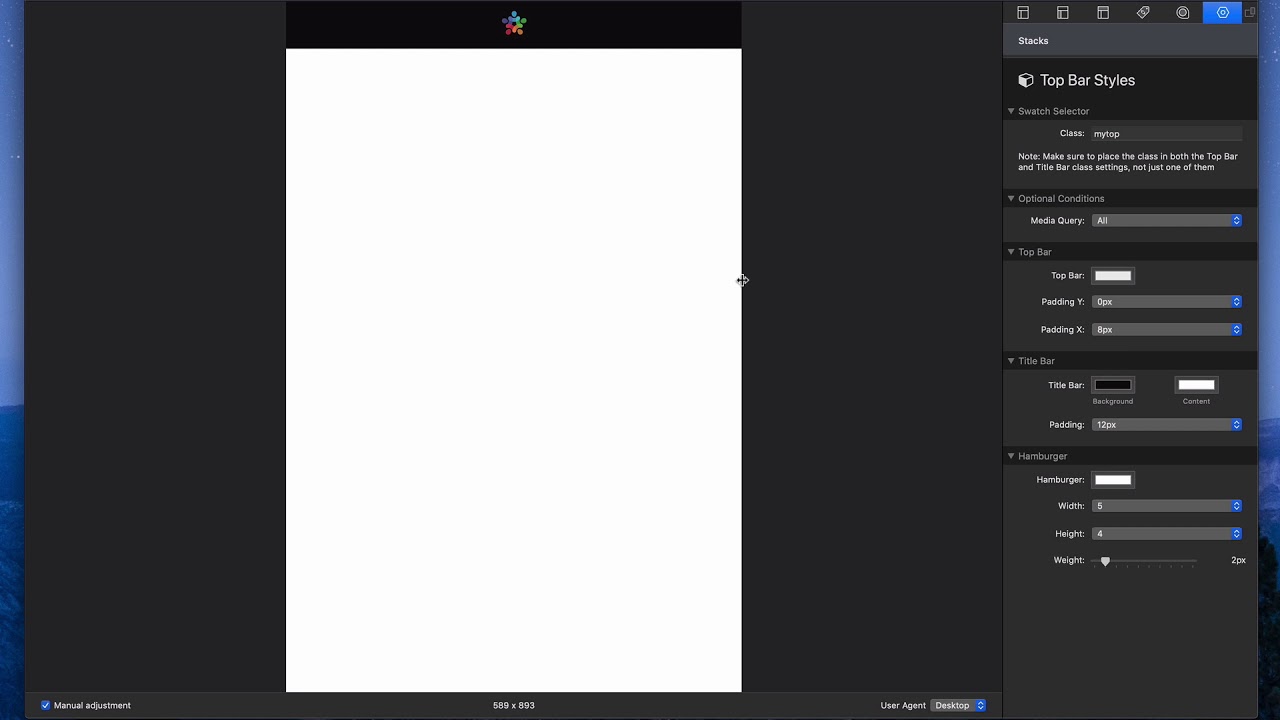
00:19 so inside site Styles you'll notice that
00:21 we actually have a top bar Styles swatch
00:25 so we have a swatch specific to top bar
00:28 now when when you create this top bar
00:32 swatch you give it one class okay and as
00:35 this little note says you have to make
00:37 sure if you want to apply these styles
00:38 to both top bar and title bar on you
00:42 have to actually put the class in both
00:44 locations as I showed you earlier so
00:47 here we can we can add some media query
00:49 stuff if you want
00:50 not sure how useful that is to be honest
00:52 but it's here if we need it
00:54 then we can define the background of top
00:57 bar
00:59 we can define the Pat the top and bottom
01:03 padding as well as the left and right
01:06 padding of top bar right so that's kind
01:09 of independent
01:11 now if you're curious um why be padding
01:15 is zero for y let me show you let's add
01:19 this as 16 okay and let's go ahead and
01:22 preview if you notice when um that that
01:25 makes top bar a lot taller okay it does
01:28 but um if you look the menu items don't
01:32 actually stretch to the top and bottom
01:35 of top bar right and then the the
01:38 submenu is kind of hover over now if you
01:40 want that style that is great um but a
01:42 lot of times what people want is they
01:44 want the vertical padding to be zero
01:45 this way the menus actually take the
01:49 entire height of top bar
01:56 and of course the patting X controls the
01:59 padding on the very ends of top bar so
02:01 that way our logo in our menu here don't
02:04 actually go all the way to the edge of
02:06 the browser
02:10 next up is our title bars styling and
02:13 that's pretty basic right so we have our
02:15 background color obviously and our
02:17 content color so if we remove the text
02:20 label in the menu label but if we had
02:23 kept that there the content would be
02:25 would be displaying there then we can
02:27 control the padding around all around
02:30 that all around the title bar and lastly
02:33 is our hamburger options let me go ahead
02:35 and put that hamburger back now that we
02:38 got a hamburger back you can actually
02:39 see what's kind of nice about the top
02:41 bar swatch I didn't mention before is
02:43 you can actually see the preview of top
02:45 bar right here in edit mode right so we
02:48 can see our title bar um if I were to
02:50 change you know the colors let's say I
02:53 want the title bar to be purple you know
02:56 we can do that we see it right here
02:58 inside the swatch and top bar is below
03:01 and title bar is on top right so we have
03:04 a lot of flexibility there um in terms
03:05 of seeing the styles um so that's really
03:08 nice now the hamburger um we can give
03:10 that a custom color if we like so let's
03:13 say I give it like a light blue oh that
03:16 doesn't look great but whatever
03:20 hey so we can customize the the color of
03:22 our hamburger and then we can customize
03:24 both the width and the height okay um so
03:28 if you notice as you change the width
03:30 and height settings you could you could
03:32 try to loop that doesn't look good
03:34 um so you know maybe you want a really
03:37 thick hamburger like maybe you wanted it
03:39 in the center right um so if we centered
03:42 this that could look nice right if we
03:45 like deleted the menu label and centered
03:49 it there we go now we got like a really
03:51 fat menu right a really fat hamburger
03:55 that that could look good right so we we
03:57 have a lot of options for sizing the
03:59 hamburger the way we want and defining
04:00 the custom color um straight inside the
04:02 top bar styles


