
Stacks Guru is born from the need to search the vast number of videos out there on stacks built for Stacks Pro and the Stacks 5 plugin for Rapidweaver.
We have scraped over 500 videos to get the transcripts for each in order to make the spoken word searchable.
Please use this free tool to help you learn and discover the awesome power that Stacks and the stacks made for Stacks have to offer.
00:06 hello everyone this is Joe workman and
00:09 today I'd like to introduce you to the
00:10 new sweet button stack the new sweet
00:13 button in one word is sweet so basically
00:16 it is a beautiful button that allows you
00:19 to add any link that you'd like there
00:22 are tons of great settings that allow
00:23 you to really customize the button to
00:25 exactly how you'd like it to be you can
00:29 definitely change the size of the button
00:32 through text and padding you can add
00:35 rounded corners let's say you wanted a
00:37 round button or if you wanted a
00:39 perfectly square button the sweet button
00:42 stack will take care of you there now
00:44 what's ultimately really unique about
00:46 the sweet button stack is it has 9
00:49 different icons that you can choose for
00:52 the content area here it's very easy to
00:55 change the icons to do is to be exactly
00:57 what you want now if you notice there is
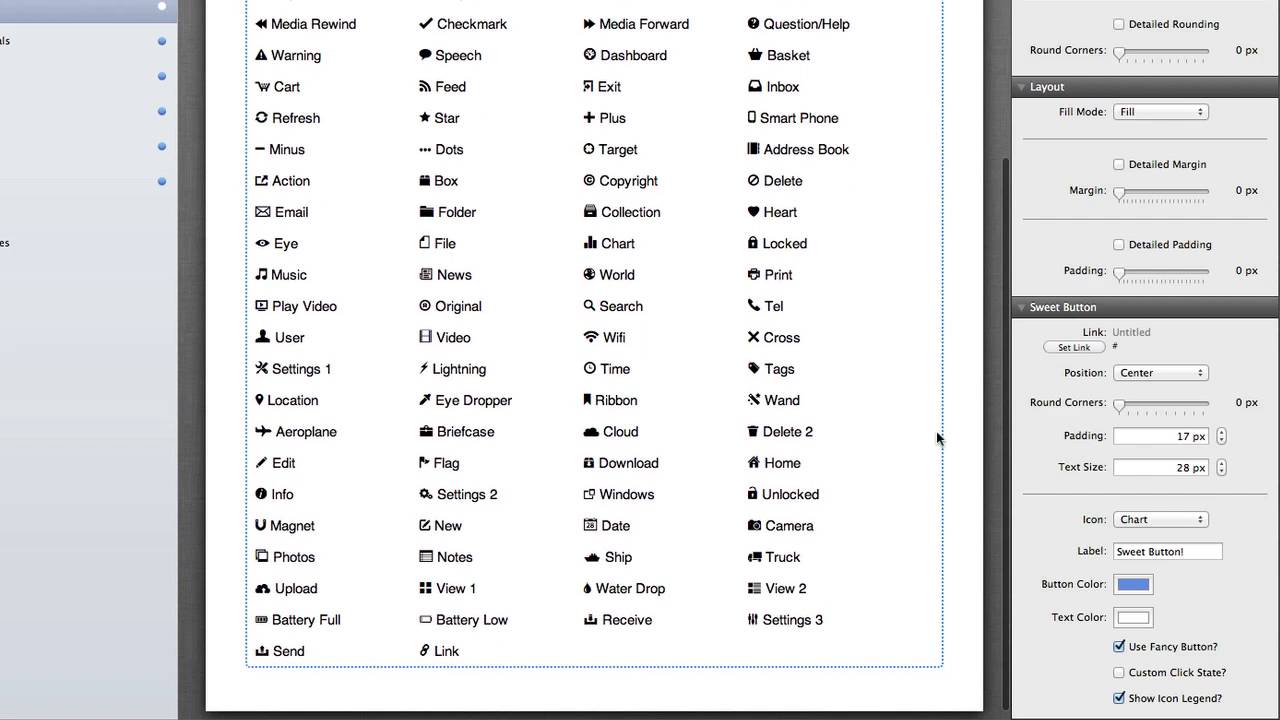
01:00 a large list here in the settings that
01:02 shows us exactly everything but this
01:05 list is quite large so we added in the
01:08 night a nice little legend directly into
01:10 the end of the stack so you can pick and
01:12 choose exactly the icon that you want as
01:15 you see there are icons for everything
01:19 okay now one last really cool feature
01:23 about this stack is that allows you to
01:25 have a custom click state and what that
01:28 means is you can actually change the
01:30 look of the look and feel of the button
01:32 after a user has clicked it so let's say
01:36 for example after a user has clicked
01:40 this button I want to display a thank
01:42 you message and we can definitely do
01:45 that we can add display custom icons
01:47 custom text custom color and then we can
01:51 also preview this inside edit mode and
01:55 of course if we preview our button and
01:58 we click on it will see that we get our
02:01 great thank you message now for all of
02:04 you power users that would like to you
02:06 know use this to launch a light box or
02:08 something of that nature to do that
02:10 simply add in the particular class or
02:12 rel values or
02:13 trapeze that read that you require to
02:16 launch your lightbox and you're ready to
02:18 go and that is the new sweet button
02:20 stack I hope you like it and enjoy it
02:22 thank you very much everybody bye-bye


