
Stacks Guru is born from the need to search the vast number of videos out there on stacks built for Stacks Pro and the Stacks 5 plugin for Rapidweaver.
We have scraped over 500 videos to get the transcripts for each in order to make the spoken word searchable.
Please use this free tool to help you learn and discover the awesome power that Stacks and the stacks made for Stacks have to offer.
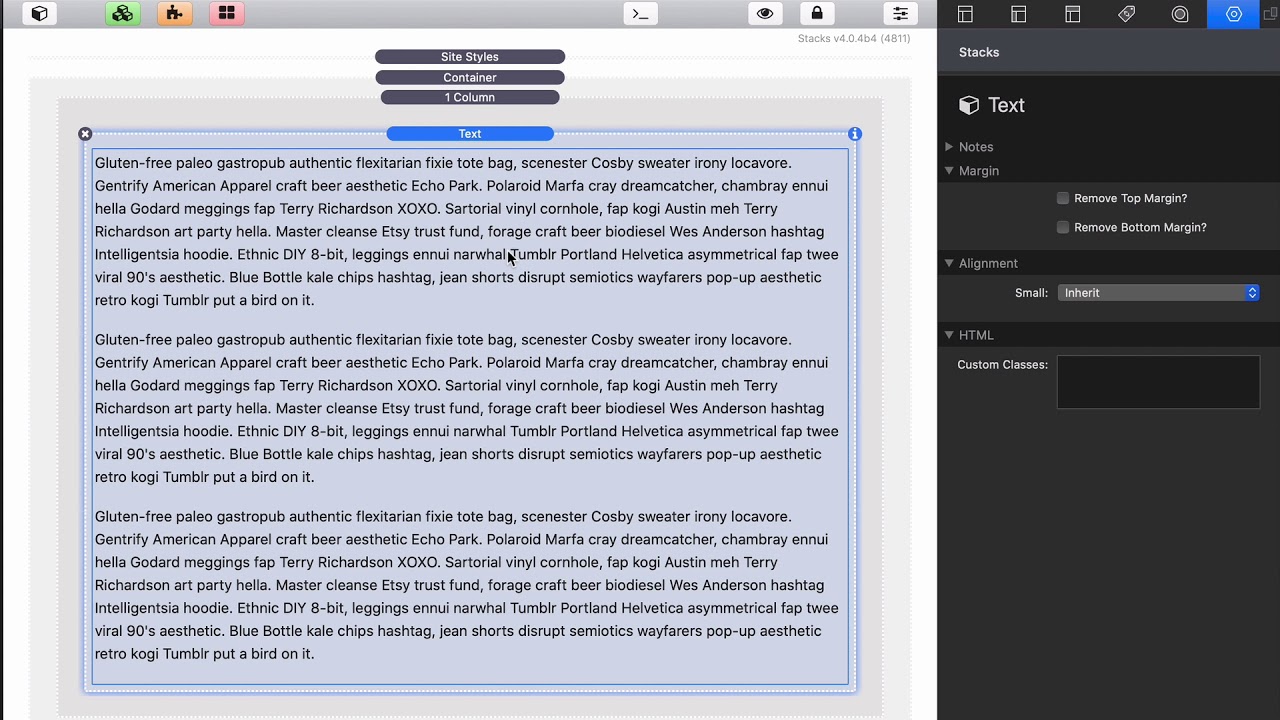
00:09 so you probably already noticed that the
00:12 text stack inside foundation six does
00:15 not support styled text it uses markdown
00:18 and the reason for this is because well
00:20 markdown produces really nice clean code
00:24 that the browser understands and is easy
00:26 and properly styled
00:27 with CSS style tex
00:30 has a lot of issues and sometimes
00:33 overwriting the styles of it um
00:35 especially if you copy and paste things
00:37 from the web or from a document a lot of
00:41 times those those doc those documents
00:43 bring along their styles and it's very
00:47 difficult sometimes for us to override
00:49 those styles and you get inconsistent
00:51 styles on your web pages we don't want
00:53 that so we've gone with markdown insight
00:56 for text now I know this is really
00:59 concerning for some of you because maybe
01:01 you're scared of that markdown syntax
01:03 but let me show you why you shouldn't be
01:06 okay if you don't want to learn how to
01:09 do a header in markdown or things of
01:11 that nature
01:12 you know that's okay you can still just
01:14 use the text stack as text right so that
01:18 times what we want to do is we just want
01:20 a paragraph and you know what you need
01:22 to do for markdown to write a paragraph
01:23 you just write a paragraph right and you
01:27 could have as many as you want and the
01:31 paragraphs produced by the tech stack in
01:34 foundation 6 are so much better um for
01:38 your websites then style text it's just
01:42 just type as if you were typing a normal
01:44 paragraph forget all about markdown
01:48 now if you want a header that's easy you
01:50 don't need to use a markdown for the
01:51 header guess what you could just build
01:53 things how we have four years just add
01:55 the header stack above it and you're
01:57 good to go
01:58 do you guys I mean this code there's
02:00 really no benefit to using the markdown
02:02 headers over the header stack um it's
02:05 the same amount of code in the end be
02:07 honest um in fact the header stack gives
02:09 us a lot more flexibility because we can
02:11 actually style the header independently
02:14 we can do a lot of other things with the
02:16 header that we can't if it's if it's
02:18 buried inside of a text stack but it's
02:21 great that we have the option right it's
02:22 great that we have that option if we
02:24 want to put it in the text dock and all
02:27 have another video for text if we want
02:30 to dive into a little bit more about the
02:32 markdown inside text in this video I
02:35 just wanted to get you used to the text
02:37 and then not be scared if you just want
02:39 a paragraph of text you know go ahead
02:41 and use the text stack and if you just
02:44 need a header go ahead and use the
02:46 header stack
02:48 let's look at some of the options that
02:49 we have in both of these so in the
02:52 header stack we have the ability to
02:54 define whatever header we want as well
02:56 as some other things you might notice
02:58 that are odd we see we could actually
02:59 use the header stack as a paragraph and
03:02 some span and some figure captions and
03:04 whatnot
03:05 these are great for if you just want to
03:08 have um you know a small sentence maybe
03:11 a caption underneath something a lot of
03:14 times this might be just be a little bit
03:15 nicer than using the text stack because
03:17 um it just gives us a little bit more
03:20 flexibility okay so you can go ahead and
03:23 set your header to be a paragraph and
03:25 then type in your content in here
03:27 however you like
03:34 now just like previous versions of
03:36 foundation you can actually add a small
03:37 segment to the header so if you notice
03:40 here we have a small segment and if we
03:41 preview this you'll see that it adds a
03:44 small segment to the kind of the end we
03:47 have the ability to change the size and
03:49 the styling of this small segments
03:51 inside cite styles
03:53 you can add a link to your header you
03:55 can change the alignment options um we
03:58 have a nice new underscore feature as
04:00 well where if you just want to kind of
04:01 do a little accent line underneath your
04:04 headers you can easily do that next we
04:07 have the ability to truncate the text
04:09 which means um depending on how long the
04:12 line is
04:13 it'll have the little ellipsis the three
04:15 dots and it won't allow this line to
04:17 actually go more than one line of text
04:19 that's really useful feature then we
04:21 have the ability to define it as a sub
04:23 header which kind of gives us an
04:24 alternate style for our header text now
04:27 the settings in the text Act are super
04:29 simple I'm essentially we have the
04:30 ability remove the top and bottom
04:32 margins depending on the content that
04:34 you add into the text stack you might
04:36 have some top and bottom margin so this
04:38 allows you to trim that really easily um
04:40 and then we have an alignment option
04:51 you


