
Stacks Guru is born from the need to search the vast number of videos out there on stacks built for Stacks Pro and the Stacks 5 plugin for Rapidweaver.
We have scraped over 500 videos to get the transcripts for each in order to make the spoken word searchable.
Please use this free tool to help you learn and discover the awesome power that Stacks and the stacks made for Stacks have to offer.
00:00 total CMS 1.2 and the blog can you say
00:07 party
01:00 hey everybody Joe workman here and as
01:03 you see we are really excited about
01:05 total CMS 1.2 and total blog it really
01:09 changes the face of how we use
01:11 rapidweaver
01:12 on our everyday lives right we're no
01:15 longer constrained to rapidweaver for
01:18 blogging or some third-party solution
01:21 that we have to try to figure out how to
01:22 integrate in right we have a full-blown
01:25 integrated blogging solution with
01:27 powered by a full-blown powerful CMS
01:30 behind it right that's fully
01:32 customizable and fully integrated
01:34 directly into rapidweaver so this total
01:38 CMS 1.2 update has been in the works for
01:40 a very long time right it's been about
01:44 eight months since we released total CMS
01:46 and version 1.2 it's essentially kind of
01:49 like version 2.0 this version not only
01:52 brings some definite power improvements
01:55 and bug fixes and new features to the
01:57 existing CMS but it brings an entirely
02:00 new suite of stacks to build your own
02:03 blog directly into the CMS this is
02:07 really amazing and I can't wait to show
02:09 you everything that we have so without
02:12 further ado let's jump into rapidweaver
02:14 and see all the amazing new features
02:16 that we have in total CMS 1.2 now here
02:20 we are on the CMAs for rapidweaver
02:22 website and if you go and check out the
02:24 demos they've been updated to use total
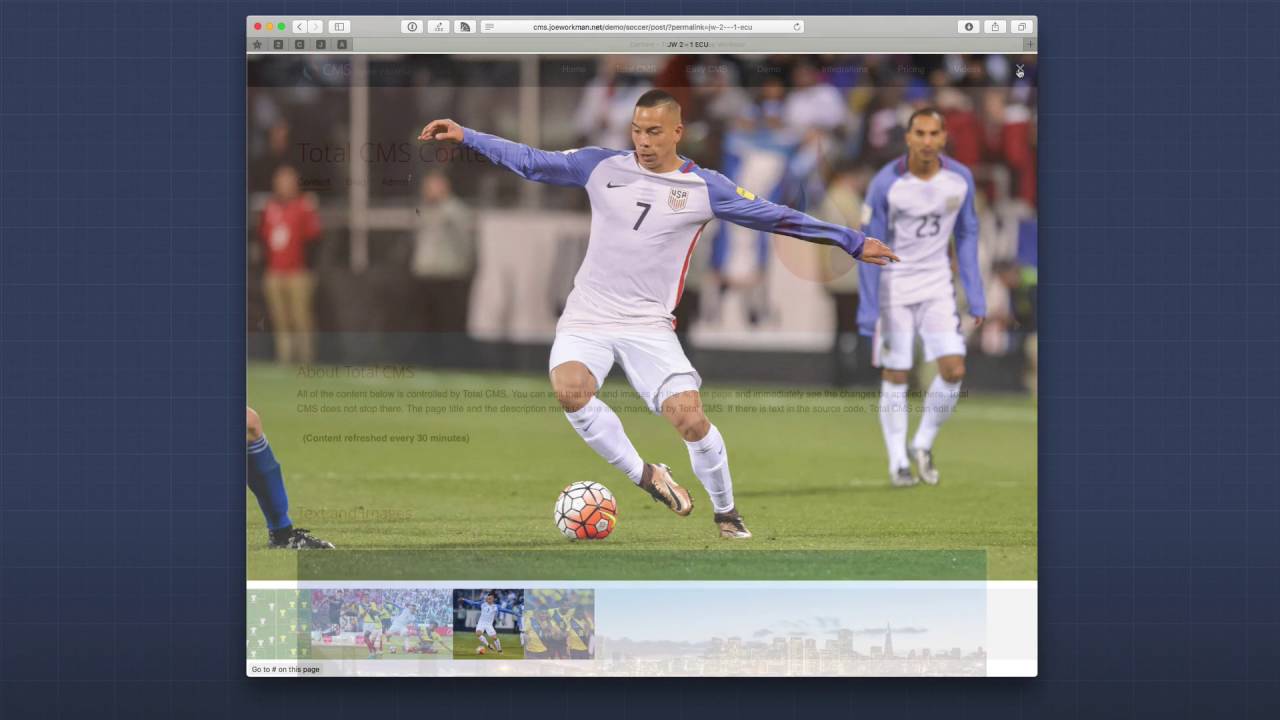
02:26 CMS 1.2 as we see in the soccer demo if
02:30 we scroll down we'll see that we now
02:31 have a recent game section which is
02:33 powered by our new blog and as you see
02:37 we have a beautiful card layout and we
02:39 can view the individual match details or
02:41 a blog post so in the sidebar here we
02:44 have related matches which is related
02:46 blog posts as you see we have the
02:49 ability to fully customize the layout of
02:51 our blog post pages just as we could
02:54 with a normal Stax page and every single
02:57 blog post comes with a built in gallery
03:00 so you can include as many images as you
03:03 want inside each and every blog post if
03:07 we head over to the blog on the general
03:09 demo you'll see that in the sidebar we
03:11 have
03:12 blog search abilities as well as the
03:15 ability to filter through our blogs
03:16 based on tags authors and categories now
03:22 if we dive into rapidweaver you'll see
03:24 that there is a new CMS course stack now
03:26 this is a key new feature in total CMS
03:29 1.2 this will replace what we were using
03:32 the text stack for previously where
03:36 you'd have to add that page in order to
03:38 use macros
03:39 now the CMS course that takes care of
03:42 all of the macro processing for us and
03:44 it should be added to every single
03:47 webpage that you want to use total CMS
03:50 on now as you notice inside the CMS
03:54 course stack there are also a lot of new
03:56 macros that we can leverage there's also
03:59 a new syntax this syntax allows us to
04:03 actually get more detailed and more
04:06 in-depth macros while also providing us
04:10 faster and more reliable text processing
04:13 now if you are using the old macro
04:16 syntax it will continue to function
04:18 however I encourage you to migrate all
04:21 of your macros to use this new syntax
04:24 because you'll see drastic performance
04:26 increases now the CMAs tech stack still
04:30 exists however its sole responsibility
04:33 now is for inserting Texas store it into
04:36 the CMS onto your web pages there are
04:40 also three new blog content stacks for
04:44 the blog filtering blog list and blog
04:47 post and I recommend that you check out
04:49 our blog overview video that we've
04:52 already posted and it goes pretty much
04:54 into depth on how you can implement blog
04:57 and all of its amazing features the new
05:01 date admin stack allows users to use a
05:04 date picker to select the exact date and
05:06 potentially a time as well and then that
05:10 could be integrated with stacks on your
05:12 web page for instance our TARDIS stack
05:15 is already integrated with total CMS
05:18 dates which allows your users to control
05:20 the times at which content can be
05:23 displayed or hidden
05:25 on their web pages now keep a lookout
05:28 for other great new stacks in the future
05:30 that will integrate with the new date
05:31 feature in total CMS and the last admin
05:35 stack that is new here is the debug
05:36 stack and this stack allows you to
05:39 basically debug and help you give some
05:41 debug information on your total CMS
05:44 instances now when you add the debug
05:47 stack to your page a server check stack
05:49 is automatically added to the page for
05:51 you and this will actually display
05:53 actual tests that are ran on your server
05:56 for potential issues that could happen
05:59 with total CMS now this debug
06:01 information will only show in preview
06:03 and will never get published however you
06:06 can also add a CMS log information and
06:10 this will add actual log data from your
06:14 total CMS instance on the server
06:16 now this particular CMS Log stack can be
06:20 published and it could be useful if you
06:22 wanted to display this information for
06:25 your end-users now before we go I want
06:27 to review one hidden but extremely
06:30 powerful feature of total CMS 1.2 and
06:33 that's it's amazing integration api's
06:36 that we provided for third-party stack
06:38 developers if you go to the integrations
06:41 page on their CMS for rapid eevr website
06:43 you'll scroll down and see some amazing
06:46 third-party stacks that have been
06:48 integrated directly into total CMS as
06:52 you see here we have some amazing
06:54 third-party stacks to integrate with
06:55 images galleries text integration we
07:00 have some great integrations with depos
07:02 for the playlists or stacks and then we
07:04 have date integration that we mentioned
07:06 earlier with tardis we also we also have
07:10 some amazing project and theme
07:12 integrations that really show the power
07:14 of total CMS and what it can do for your
07:17 websites and if we scroll down we can
07:19 see some of the great general
07:20 integrations that could be done with any
07:23 third-party stack using the powerful CMS
07:26 macros that we saw earlier and I'm
07:29 really excited to see more third-party
07:31 stacks come available with even more
07:34 powerful integrations with total CMS and
07:38 there you have it I
07:39 really only touched base a little bit on
07:41 what total CMAs 1.2 has right there are
07:45 a slew of more minor bug fixes and
07:48 feature enhancements to the existing
07:50 stacks as well but blog and some of the
07:54 other new stacks are really the the meat
07:57 behind this update and I wanted to just
07:59 give you a quick overview of what this
08:01 update entailed
08:02 now obviously blog is huge and there are
08:06 multiple videos already done just on
08:09 blog itself now also remember that
08:12 you're gonna want to make sure on
08:14 existing total CMS installs that when
08:16 you migrate to total CMS 1.2 this update
08:19 you're gonna want to make sure that you
08:20 add the CMS course stack to every single
08:23 page that displays CMS content this will
08:28 contain all the external libraries all
08:31 in one place so thank you very much for
08:34 being a user of total CMS I hope that
08:36 it's making you and helping you build
08:38 greater more powerful websites and now
08:41 with blog you have full control over
08:43 generating a lot of content for your
08:46 websites so go forth and make your
08:49 websites great thank you very much
08:51 everybody bye
09:00 you


