
Stacks Guru is born from the need to search the vast number of videos out there on stacks built for Stacks Pro and the Stacks 5 plugin for Rapidweaver.
We have scraped over 500 videos to get the transcripts for each in order to make the spoken word searchable.
Please use this free tool to help you learn and discover the awesome power that Stacks and the stacks made for Stacks have to offer.
00:07 hi this is ryan from wrap Weaver
00:09 classroom calm and I'd like to introduce
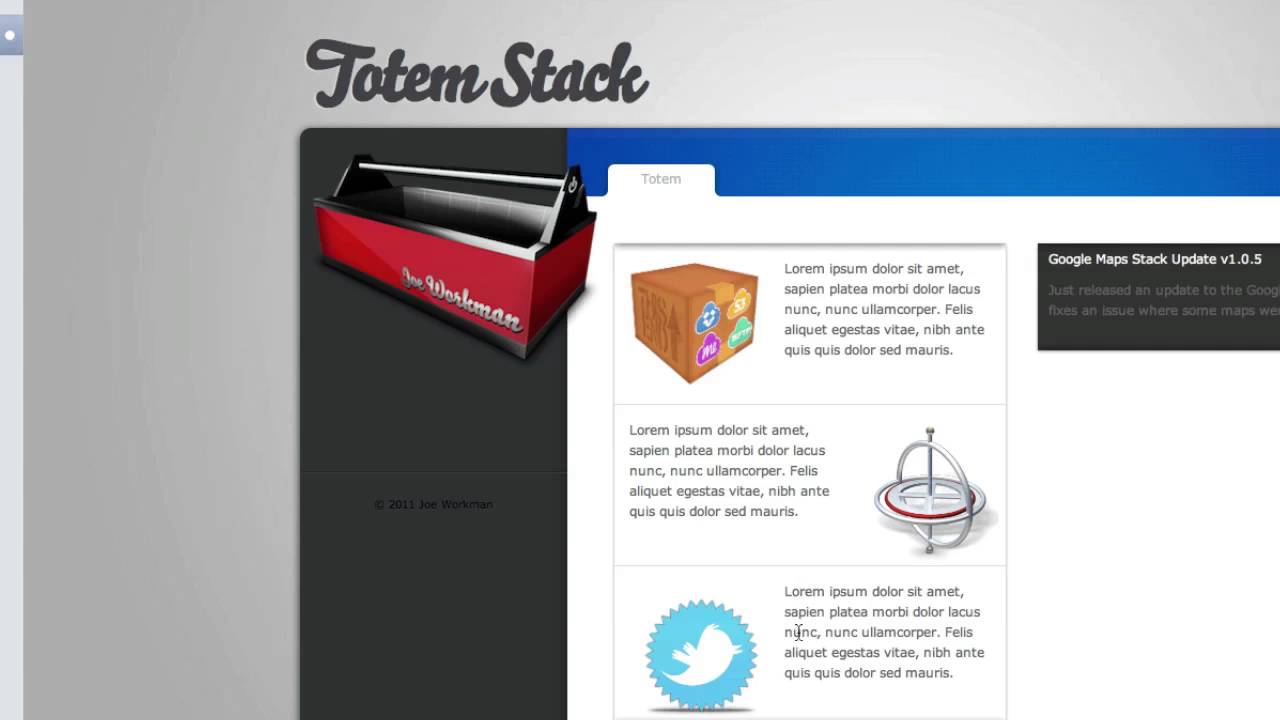
00:11 you to the totem stack from Joe workman
00:13 totem introduces a vertical animated
00:16 ticker to your website that can be used
00:18 to either display regular content or an
00:22 RSS feed of your choosing and so it
00:24 comes in both of those flavors you'll
00:25 get two stacks with the purchase in
00:27 order to display regular content as is
00:30 shown here on the left or RSS content
00:33 from your RSS feed which is just played
00:35 here on the right so let's take a look
00:37 at the edit mode to see how these are
00:38 set up and what our options are with
00:40 each stack to begin with on the Left we
00:43 have the totem stack that allows you to
00:45 add regular content using stacks from
00:48 your library and so in this example we
00:50 have two column stacks with images and
00:53 text going down the page and so if I
00:56 jump into the inspector HUD we can take
00:58 a look at the options available for this
01:00 stack first is the count of the amount
01:03 of content available so we're looking at
01:05 four areas of content that are added to
01:08 this stack we can go all the way up to
01:11 25 areas and so if I were to scroll down
01:14 in the content here you would see all
01:15 these open drop stack areas where you
01:18 could add more content into totem I'll
01:21 drop that back down to the four and
01:23 we'll continue on to the next item here
01:25 which is the number of items to show at
01:27 one time and so while you may have up to
01:29 25 different items of content you can
01:32 choose to only display a certain number
01:35 at a time and so in this case we have it
01:37 set to 3 and so in the preview you will
01:40 see that just three at a time are
01:42 displayed and that they will rotate
01:44 vertically in the stack next we have the
01:48 row height and so this is the height of
01:50 each individual row and so you can set
01:53 that here and this is in pixels next is
01:55 the speed of the animation as it moves
01:59 and then the amount of time that passes
02:02 between each transition and so the
02:05 positive will allow you to set that
02:07 finally there is a separator that is
02:09 placed between each row of content
02:12 and you can define the color of that
02:14 separator here with a color picker let's
02:17 look at the RSS options here for the
02:18 totem RSS stack this displays an RSS
02:21 feed from your blog and many of the
02:24 options at first are the same you have
02:26 the number of items to show the row
02:28 height speed and pause interval as well
02:30 as the separator option for color and
02:32 then you have the field to place the URL
02:35 of your RSS feed and so you'll want to
02:38 plug that into this field and then you
02:40 can set the number of items to display
02:42 and so 10 is displayed for this example
02:45 and then if you would like to show the
02:47 description or summary of the entry you
02:51 can do so here and set the number of
02:53 characters allowed to be displayed
02:55 inside of the stack if you have links
02:58 inside of the stack you can have them
03:01 display in a new window or linking to
03:03 the blog title itself or the RSS entry
03:06 will open a new window as well if you
03:09 select that option if you would like to
03:11 show the post content you would leave
03:12 the option checked you can also disable
03:14 that in which case it would just display
03:16 the titles of each entry if you have
03:19 links in the content and you're showing
03:22 that content and you can disable those
03:24 links as well if you wish with this
03:25 option you can wrap the text bold your
03:29 fonts and also display a font size or
03:32 choose a font size using the slider here
03:34 and then finally the options for font
03:36 colors and hover color are available as
03:38 well and so a good amount of options
03:41 there for the RSS stack and you can see
03:43 that it really displays a very
03:45 nice-looking vertical ticker both
03:48 regular content and for all of your
03:50 updates that you provide through a blog
03:52 with an RSS feed and so that is the
03:55 totem stack from Joe ortmann
03:59 you


