
Stacks Guru is born from the need to search the vast number of videos out there on stacks built for Stacks Pro and the Stacks 5 plugin for Rapidweaver.
We have scraped over 500 videos to get the transcripts for each in order to make the spoken word searchable.
Please use this free tool to help you learn and discover the awesome power that Stacks and the stacks made for Stacks have to offer.
00:07 hi everybody this is Joe workman and
00:10 it's inevitable you've heard that stacks
00:11 to is here and with that comes a ton of
00:16 updates ok I have released over 6
00:20 updates for stacks to users already and
00:22 have a lot more coming however I wanted
00:26 to do a quick little video and kind of
00:27 give you a run-through on how the update
00:30 process works so that you can handle it
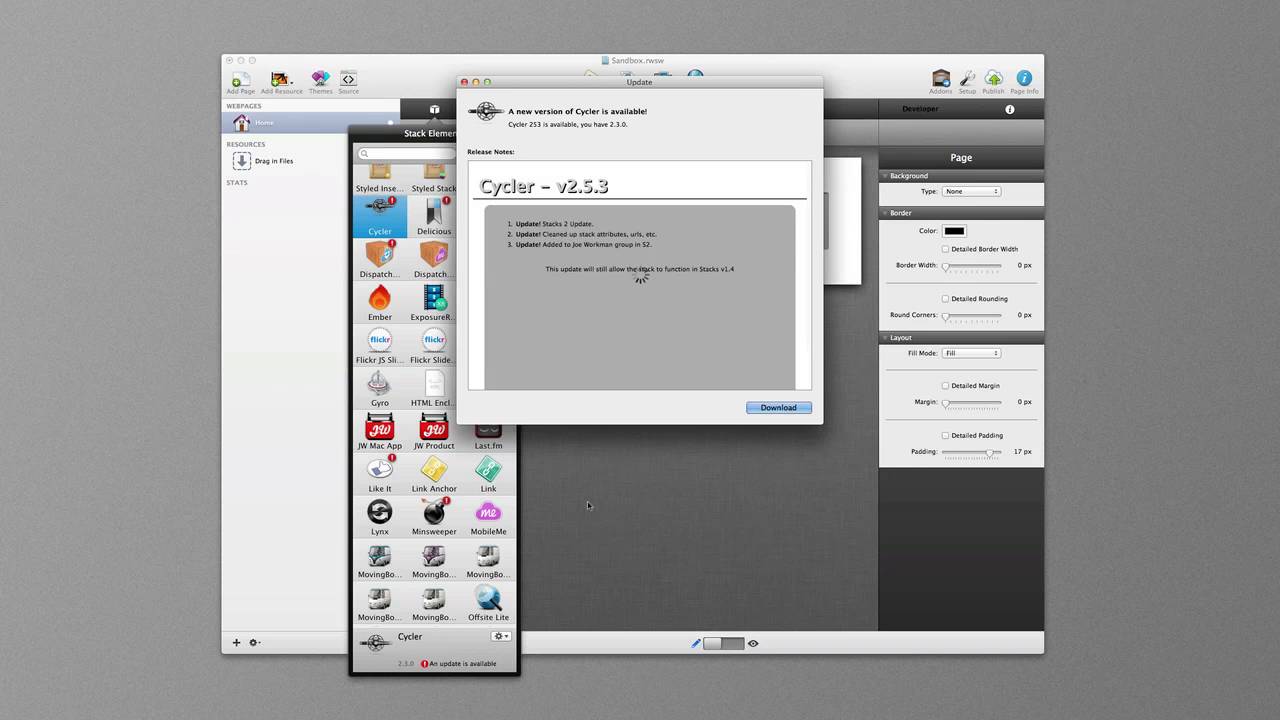
00:31 properly ok so as we see here we have a
00:35 stacks to window now stacks will
00:37 automatically check for updates with all
00:39 of your stacks ok however it won't
00:41 prompt you like it did before you won't
00:43 get a little window so how do you know
00:44 whether or not you have updates ready to
00:46 be installed to do that you basically go
00:49 to your stack elements window ok which
00:51 is you click on the first stack this is
00:53 your now our new stacks library ok and
00:55 what you'll notice is there are a bunch
00:58 of red exclamation marks on top of
01:01 stacks ok and that means that that stack
01:05 has an update available for it
01:08 essentially to install this update it's
01:10 really simple if you want to install a
01:12 single update for a particular stack all
01:14 you need to do is highlight that one
01:16 stack then go into the bottom gear box
01:20 at the bottom and click install update
01:23 ok when you click on install update that
01:27 will open up the release notes for that
01:29 particular stack you can then go ahead
01:31 and say download it will download new
01:34 update and then you click install and
01:37 your stack is automatically up reloaded
01:41 in your library you don't need to
01:42 restart rapidweaver you don't need to do
01:44 any of that how cool is that ok but
01:48 there's even something cooler because as
01:50 you see here I have a ton of updates ok
01:53 so there's a second option here for
01:56 installing all updates and what this
01:59 will do when you select this stacks will
02:01 go through all of this all of the items
02:03 that you have flagged for update and
02:05 then display its release notes
02:07 individually and you can select download
02:09 and install just as we did before so you
02:12 can click download
02:13 it downloads the stack and when you
02:15 click install it will then install of
02:18 that install that stack and then what's
02:20 tax will do is it will go into the next
02:22 stack in the list display its release
02:25 notes where you can then download
02:26 install you kind of get the drift lather
02:29 rinse repeat so basically you would do
02:32 this for every single stack that's
02:33 available make sure that you do peruse
02:36 the release notes in case there is
02:37 something that you actually need to do
02:38 or maybe if there is some
02:40 incompatibility with a website that
02:42 you're currently doing so it is
02:44 important that you actually review these
02:45 release notes so once you've gone
02:49 through and actually updated all of your
02:51 stacks you will notice that stacks
02:53 plugin takes care of reloading its
02:56 library for you and you do not need to
02:58 restart rapidweaver at all this is a
03:00 huge plus from users of version one
03:03 where we had to actually restart
03:05 rapidweaver every single time so a huge
03:07 win here for four stacks users now as of
03:10 this recording there is a known issue
03:11 where if you do the install all updates
03:14 um it will crash from time to time your
03:18 head is aware of this issue and they are
03:20 working on it so please be patient I
03:24 hope you enjoyed this quick little
03:26 tutorial and I'll talk to you later bye
03:34 you


