
Stacks Guru is born from the need to search the vast number of videos out there on stacks built for Stacks Pro and the Stacks 5 plugin for Rapidweaver.
We have scraped over 500 videos to get the transcripts for each in order to make the spoken word searchable.
Please use this free tool to help you learn and discover the awesome power that Stacks and the stacks made for Stacks have to offer.
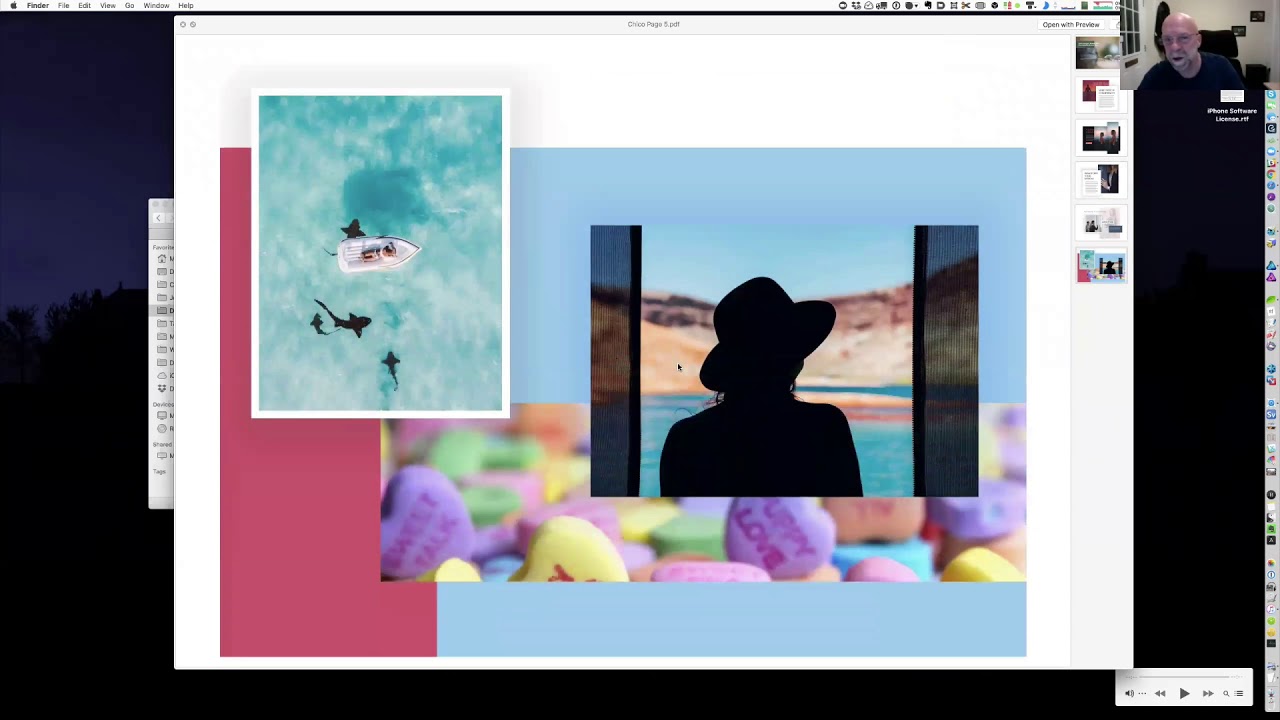
00:03 I'm gonna give you a sneak preview of what we've got so how do I share my
00:10 screen with a green button at the bottom there we go again while I was doing his
00:22 thing if you could just like mute mute your uh meteor your zoom window so we're
00:29 not many background noise so everyone else can avoid it ooh me no not you everybody else okay okay so can you hear
00:44 me all right yep we're great okay so
00:52 okay right well we're gonna talk about
00:57 today is a is my maximal design some of you will have attended Joe's week's
01:07 conference and day will have had to have suffered all the way through my
01:14 torturously slow presentation and in
01:19 which I produced a few principles along the line of maximal design okay so here
01:30 we have the home page now this is a sneak preview if you go to maximum design right now you won't be able to
01:38 get in a huddle because it's a lockdown and requires a password until it's all ready to go so what you're seeing today
01:45 Rick is is a sneak preview okay so I'm
01:51 just run you slowly through the three you know a few of the pages as you can
01:58 see I've given way to a little bit of
02:04 color in my site as you know I'm usually very restrained in my designs and this
02:12 site is is no different so here we have a quick
02:18 explanation of what these maximal design
02:24 style modules do and if you don't mind
02:30 me reading from the page it's mostly design style module solve a common
02:35 problem from rapidweaver web designers needing to stand out they're a highly competitive market in other words how to
02:42 quickly and easily add real professional style and individuality to project so
02:48 that they give you engaging your competitors okay so that's though that's
02:55 the core the core selling point quickly easily a professional style and give you
03:03 about individuality to to your projects and and these modules are certainly at
03:10 this point they're aimed specifically targeted specifically at you guys in
03:17 other words they're you know the intermediate-advanced foundation users
03:25 now what these modules are and they in a nutshell again I'll just read from the
03:31 screen each meticulously crafted module is powered by a combination of clean
03:36 white ducks most resourceful ingenious facts and of course you're all very much
03:47 aware of traps brilliant sweetest facts so I don't really need to say too much
03:54 about them except that these modules are built pretty much you know apart from a
04:02 few Joe stacks pretty much extensively with tabs with big white ducks sweetest
04:09 stacks each of the modules is fully responsive highly configurable and is a
04:16 self-contained section of the page that can then be copied and pasted in it into
04:21 any snacks page so you know more or less there than what partials but there you know
04:26 like partials you can you can just copy and paste them drop them to any page and
04:33 they will work right off and each of
04:39 these these modules per stand-alones has it they each have their own individual style can vary a professional first
04:48 impression of a web designer at the top of their game okay not to you guys so
04:54 here we have fair overview that's why I'm working on at the moment you should
04:59 have finished Saturday Sunday if I'm not still moving house and here is what you
05:09 get or what you're gonna get in the in the plumbing dock now these bundles and I'm made up of as you can see across the
05:18 top here and made up of five plaques and because you know because we're dealing
05:28 with big white duct then it's very obvious that I should use box supers
05:34 that is a concept to carry the whole project and as such we can use the Marx
05:44 Brothers names for each of the pack so we got Chico Harpo Groucho Gummo and
05:50 Zeppo so the bundle now the big white duck
05:58 suit bundle which is all five of these individual packs contains a hundred and
06:03 seventy five modules actually that's a lie I need to change now it's 150 for
06:09 each pack that's say for instance Chico is a pack contains between
29:57 style
06:17 modules so each pract contains a project and each
06:29 here we can have a look at the listen this is what you get essentially if you buy the bundle you get Chico grown-up
06:37 children well Harpo and Zeppo right so in each of these pranks you get a
06:43 foundation version of the project file and the universal version which to make
06:51 that work you're gonna need to download Joe Whitman's free black theme and URL
06:58 there so also inside each pack we have all the
07:06 images that I've used in the in the modules and these are all optimized and
07:12 they all have a uniform width of 1400 pixels in most cases they're 1400 pixels
07:20 by 933 and all of these images are sourced from unsplash and in the
07:31 documents here you can see all the credits for the individual photos so if
07:37 you're if you're looking for a particular style of photo they're all here and credited and they will lead you
07:45 right to okay here we have in the
07:50 documents folder we have again more instructions a list of all the
07:55 applications plugins and stacks that need to be instant have to be installed
08:02 in order for these modules to work perfectly okay so again all the information you
08:10 need there to get you up and running okay and in these chief goals so it's
08:15 there's a an overview folder here which has five yes so neither PDF is a page of
08:25 okay there's not talking we were talking at the back anyway
08:34 be chairman each year each each of these PDFs can be
08:41 just brought up on laying a quick view and so you can get a quick overview of
08:47 what modules are available on that particular project page okay so if we if
08:54 we go back here here's for instance his at the Chico this is the Chico project
09:02 when you open the project file this is what you get as you can see here we have five pages on the left five pages full
09:10 of modules okay and once it's previewed
09:17 as you can see so you have five pages and these excuse me these these PDFs as
09:35 I was saying each of these represents all the modules on that particular page
09:43 in that particular pack okay and as you
09:49 can see there's some of these a bit colorful some of them are not that all
09:56 of these are constructed and they with the big weight stack big white ducks
10:03 sweet tooth stacks okay so what else do I need to show you in here again like I
10:12 said this is this is the overview this is how I use them and I do use these
10:18 regularly when I'm building a new client or a situation like that I find these
10:26 very handy just to put a quick mock-up together you know certainly I find gives
10:33 you an advantage with your clients or a potential client comes to you and says
10:39 you know I'm checking out various web designers and
10:48 would like to see you know we'd like to discuss what you can offer you know you can very easily and quickly put together
10:54 a pretty stylish well it's better than a wireframe so it's more like a mock-up
11:00 you can put that together and put it under the nose of your client very quickly and I've found in that way you
11:08 can really engage them you know before any of your competitors for instance
11:15 come along and you know whatever before they can even do that if you get one of these mock-ups under their eyeballs then
11:23 you know I think it gives you a distinct advantage because because they replete
11:30 with style they give her a sense of indigent individuality they don't look like templates you know they don't look
11:37 like you're very not you know you see these sights all over the place but they don't look like them and so you know
11:44 right from the right from the start they you know they make your project in your style and your skills stand out and I
11:50 think I've found that they really help in that you know initial onboarding you
11:58 know part of the process you can get them interested they can start seeing
12:03 elements of you know their old website or the website that they have in mind
12:09 they can start seeing it you know visually in in these let's say if you
12:16 know they come to you and they're a business and what you can do and that's what I'm going to try and do the live
12:24 now I'm going to do it this way because I haven't prepared anything so I want to
12:31 see if this is possible that's in quick question one yeah all your PDFs seem to
12:38 be doing showing the examples you know at full screen device website or iPad
12:44 sighs do you have also PDFs of them in mobile size because point who's who's
12:51 asking this questions Brian is hi Brian you know I hadn't even thought of that
12:58 because you know as you know the moving to mobile first now like this
13:04 year I think they said 50% of all mobile of all sites reviewed first on a mobile and that's only how I got I let saluting
13:12 that's the beauty of these these modules brings up you know because I've been working with them myself for so long you
13:24 know that I've concentrated very hard on making their responsive 'ti as easy as
13:33 possible and so and although I don't have PDFs of them in mobile view I think
13:45 that's a very good point and I shall hastily make a note of it
13:50 and see what I can do see if I can get them into the into the packs before we
14:01 release so let me just make a note of that and that'd be very helpful you know
14:06 also to look at and see yeah we've often
14:12 been down this road before about you know designing sites in the group here it's like I've always believed if it's a
14:18 site that's gonna be mainly seen by mobile phones you design it that way first and then beautify it on the way
14:25 out you know bigger absolutely that's that's the way to do it and if I take a
14:32 look at this page here right so we can have this you know I mean the PDFs that
14:40 you're right that's full screen so here we are at what 1500 pixels wide let's
14:45 take it down to that's it's about 1100 okay we're down to about 700 level now
14:56 and as you can see I need to bring this up okay like that so as you can see they
15:08 all break down very nice with a good sense of balance in some of
15:17 the images if they're you know if they're big and not necessary or
15:24 relevant on a mobile then I've hidden them ok quite simply and some of the
15:31 layered effects as well you know be good because that's the beauty of of chance
15:36 specs is you know give you so much they give you so much scope to you know hide
15:44 each element on you know on the various devices so you know as we go through the
15:49 projects and you know I can do that now and just skip with a few of these pages you'll see that you know every instance
15:58 where I can I've tried to you know to live up to my claim of design every
16:06 element ok in this case I think it's probably over design in every element but I don't you know there's another
16:15 there's another strand to my to mine yeah philosophy I'd liked if you like to
16:21 call it there's a strand to that that you know will become quite evident as we
16:27 you know as we go through the through the site and and it's you know I'm not
16:33 that in any way suggesting that these
16:39 modules you know should be used in such a way as you see them here what I'm
16:45 suggesting is that we're we used you
16:52 know we we pay attention to things that change to changes and you know we become
16:59 so used to you know the you bit you ubiquitous kind of rather by and
17:06 websites that are out there at the moment that all look like templates that
17:13 you know you can find yourself looking at a site that you're actually
17:18 interested in buying or something and you're just not paying attention
17:25 there's nothing really there design-wise that snags your attention and stands out
17:31 so mum you're not there for me anyway the the principle of these modules is
17:37 apply you know maybe one of these to a page possibly two and so there and then
17:46 put your you know your most important features all most important section of
17:51 content in them so that so that as a section as a module it stands out and
17:57 you know it adds a sense of indu individuality to the page and draws
18:07 attention to say you know whether it's a call to action or or a feature or a benefit to what have you then but it
18:14 draws attention to that because it stands out from you know the rest of the content which you know may may not have
18:21 such a priority in that particular you know place on the page so it's actually
18:28 that that's what I'm that this is how I use them especially when I'm doing sites for
18:34 clients you know I mean many people have
18:41 asked you know whether I design corporate you know type website as a
18:47 mainstream and because because they see the you know the kind of website I do
18:55 for the community on the rapid week of community like rapidly potential and then and even you know this one here
19:03 maximal design you know where I use a lot of color and a lot of darkness and a
19:10 lot of contrast and and and nothing and nothing looks like anything she's ever seen before you know and the fact is I
19:21 and this is where I get chance to play you know on these sites my own sites you
19:28 know I can indulge in myself and do all the kind of things all the crazy things
19:34 that content sites hey Martin miss Joe how do
19:41 you how do you envision people using these well this is how I'm gonna show
19:46 you this is what I tend to show you or try to show you just now I know I'm using these in their normal workflow
19:56 like I said just now to to break up the more to to to snag attention you know on
20:07 an otherwise you know another wise shall we say yeah mmm conventional kind of
20:16 content flow so and you know like I said
20:22 earlier I I tend to use them quite often in the in the initial stages of you know
20:31 trying to get a clinic on board so so what what I'm gonna suggest now Joe me
20:39 to give you an idea of the how I use in the workflow is get someone from the
20:49 audience to to give me a client to give
20:59 me a client type I first want to speak up client type our restaurant rest are a
21:10 bar talk about mobile use that's that's
21:15 all that goes there and it's all bars
21:21 restaurants it's way over fifty percent 65 sometimes that's what we're hungry
21:31 okay all right well let's let's see how I'd go about doing this and let's add a
21:40 new document let's add a new project approach
21:49 okay none of these tax page yeah they'll
21:55 cool it what's the rest uncle Martin's
22:10 well gee I miss spelt it fortunes ah
22:17 okay so Martin's right let's call that Marcus okay so probably the first thing I'd do is in each of these will use the
22:27 cheek of just to get us started okay a better treat going a bit of I
22:33 think this episode let me just open up settle as well some yeah Zippo okay okay
22:50 so I'm going to save that okay so what
22:59 we're going to do here now is just copy copy the Chico styles and menu okay
23:08 we'll copy that across face placed it in here nice thing that's the site styles
23:16 that's the site styles yeah okay that didn't work so let's try to quite often
23:27 I just do this I'll just drag a page across from tab to tab and let's just
23:40 open that up so you can so you can all see it that's a partial now in each in each of the these packs this is what
23:47 you'll get we'll get this is just I mean you Chieko styles and menu so we can
23:57 open that up and we will see that it is chromic pro I don't know you know
24:04 that's a kromagg would work just as well but I'd use chroma Pro so that it covers
24:13 that particular base you know we've got site Styles here now now a few of the
24:21 things that you're gonna see here you'll probably think oh I haven't seen that yet but that's because pav is going to
24:29 release them in a few days time okay so this really is a preview so we've got
24:35 the site styles here that you all recognize when I come as you can see
24:42 this all set up to font Pro although in the majority you know most of you like me will have
24:48 fun Pro and use it avid but all of these modules are set up so
24:56 that every header and you know paragraph
25:01 is actually a Google font okay so you can use one or two I'd like to use a
25:08 mixture of the both in my projects but anyway you have the site styles here here's the pro styles with a button plus
25:18 to master and that's for the menu any of the button bar menu there there's the
25:26 toggle menu and that's about it so that's that's the first thing you can do
25:36 you don't have to use these in any of your projects but you know this is again
25:41 this is for display purposes and looks perfectly fine so let's put this in to
25:49 the home page here okay so you see I
25:55 copied it out of the outlet the partial
26:01 it was in and just left it like that so the next thing I would do is I would
26:10 what I want is on Zeppo for instance
26:19 well what I generally do is I break a page down into three sections and I'd
26:28 like the first section where I make the middle section the two middle sections
26:36 twice the size of the you know first and third section does that make sense you
26:43 know what I'm talking about so what we're going to do here stop me anyone if
26:50 you have questions or don't quite follow okay so I'm going to take this this
26:57 first section here which if we looked in the Zeppo PDF overview we're on page
27:05 three okay so that's what we're looking
27:10 at here so we're just we're just taking this first module and we're going to use
27:17 that for the top of our page so quite simply we didn't get a copy that out and
27:22 paste it in here okay then okay the next
27:31 thing that I could probably do in this circumstance is let's go this way and
27:41 let's go to unsplash and just grab some
27:47 some images what was a restaurant bar restaurant let's get a bunch of these
28:03 well what kind of bar are we find class lesson those colorful ones there no ok
28:13 so let's grab a bunch of images
28:21 that we can use all of these of Gatineau
28:27 states that rating them so it looks like reg is going to be a color that we use
28:33 as an accent maybe throughout or as a burger stand it doesn't matter as long
28:42 as we get the right all there some nice ones that's a that's a good bit of
28:48 advice okay getting a bit too
28:57 predictable there it's what else have we
29:03 got eatery they just shouldn't eat me
29:09 okay how many pictures of you I wanted to look less let's just work with these
29:17 for the time being okay so the next thing I would do is I would grab them
29:23 and drop them on to what what is it I knew see a photo bulk is the app that I use and I have a setting here that I use
29:33 you know generally for the most like optimized image so it's going to size
29:39 them by width of 1400 pixel it's gonna step on them maybe half it could
29:48 optimize it a bit more yeah let's do that it's going to scroll the metadata
29:54 and here let's give it a a new name Martin's begins with one resize optimize
30:03 metadata rename let's go for it let's
30:09 add a new folder on the desktop Norman Martin's okay and we'll save the
30:18 processed images in there okay processed
30:30 images they've all been stepped on most that's 150 290 pics KB 86 KP so that's
30:40 taking them down from 356 so that's now
30:54 go back to here and click on on this
30:59 here let's you know banner image there we'll use one of these images here to
31:05 surfacing text should actually be called
31:16 Alice's Restaurant Eamon you can walk
31:23 right in its around the back okay and so
31:32 previewing you know look at that already few minutes and we got beer style
31:39 already so here we got another image here we can just drop one of these in
31:46 like that so you know that's that section one all this text you could use
31:53 your own I'm sure you have your own lorem ipsum type thing so I'm saying
31:58 that and they're not go on to the next section the next section we could take a
32:03 look through these back see if we could find something yeah you know something
32:11 we can use you know for the next section
32:18 that might work okay it's stylish but
32:27 yeah you know and let's go for that so that's Harper page five
32:32 okay so again open up there we go Harpo
32:39 website we might have to go with that one yeah well now there it is Harper Foundation
32:47 okay so what was a hot bowl pitch five
32:55 was now and it was about league yeah
33:00 third one down fourth one down so here
33:11 we go that's it you know you know when you do get these when you do get your hands on
33:16 these packs you'll see that each section each module is contained within a sections pro stack and each sections
33:24 prostatic has an automatic custom top margin of 10% and bottom margin of king
33:31 sent just to separate it from its main base okay in all the settings I don't
33:38 use pixels at all I use percent and generally in in five or ten percent just
33:50 because I like a lot of space okay so so we copy this section we'll go
33:56 to Martha's when you'll paste that in here okay now we've got the text there
34:05 we've got a big a that's probably not relevant so you know ten for Martin you
34:10 just put in Martin there now we said earlier we probably news read as an
34:15 accent so we can do that we click on header pro we've got a very low opacity
34:22 12% as you can see down here so let's pick a nice bright red or we can even
34:29 color pick off one of the off the banner you know we've done would pick that one there come straight off the planet so we
34:39 now apply that to the header Pro there and then we can maybe reduce its tickets
34:44 and passes to that let's try it just
20:24 Alto see we've got that mileage to
34:51 your style entry could say and at Martin - you had Marty to your party
34:58 mayor - okay so that's another section
35:09 so we've done two sections already as I'm you know it's a mock-up just to get
35:15 a bit of style together and if we shrink these down let's shrink them down to mobile there we go okay so it's already
35:29 style for you broke them down and - you know obviously it's not going to be perfect because it doesn't know exactly
35:35 what your content is going to be but as you can see there's plenty of good
35:42 spacing in there for the various devices
35:47 but in general than just the the main key forked devices and they're open wide
35:55 okay so you know already there's there's
36:01 a nice sense of balance there can you see it with the end and nicely under
36:07 there you know I'd probably bring it up a bit like take this top margin off the
36:13 section Pro we're just saying know what you'll drag the aim up very nicely into
36:20 this section here there we go that's much better nice use of space excuse me not too crowded so
36:31 next okay you know we're not dealing with we're not looking too deeply at the
36:37 fonts yet or because obviously here already you know in this first section we're dealing with three different fonts
36:45 I think it is yeah that's enough for one page and you know we wouldn't we would
36:54 be continuing use of these funds up here further down here you know although the
37:01 you know the end you know back you could get away with using the ends there because that's you're not just a big
37:06 style but here we're using a number what that
37:12 one's going round metal they're all Google Fonts Google paid I think this one is play fair display which is a
37:18 really nice cool font to use in you know in traditional sites or even stylish
37:25 clothes so I see that I think both Bose
37:32 speakers I think they knew that and their website and this one's I think
37:38 that's work songs anyway they're all google fonts which you know I think
37:44 there's some really cool fonts in Google for recent I just got I just got asked
37:51 if I want to renew my Typekit subscription for another year and I'm
37:57 seriously tempted not to but anyway and then let's move on to the next section
38:05 this next section I would think this is I think it's time we had a three core thing going on there because we haven't
38:13 had one of those at simply and everyone likes a few three columns especially for
38:18 you know futures or benefits and what do we got here three okay and as you can
38:32 see from these quick these quick flashes
38:37 you can't see this there's quite a lot of diner dying of dynamics dynamism
38:43 going on that you can't obviously get looking at the PDF if we've got time
38:52 maybe later if you're still awake any of you will take a look look at use that
38:59 couldn't wait three columns it's it's nice and white we can maybe put some west on T thing in the back there and
39:06 let's see what else we have might work later on that bike work later long
39:12 what else Chico with anything here
39:21 wicked booze you can see why I use these
39:28 PDFs can't you because going from project project and looking for the
39:37 right module would certainly take so we take ages and well what BT had a very
39:45 good suggestion which I'll be taking Aquaman and implementing at some point
39:51 there's a one to three cotton hats to to pink no no so that's go back to what was that
39:59 one I was looking at Groucho was it gotcha yes not that someone's paying attention
40:10 do you remember which one I think it was I think it was the last one I could be wrong I don't remember which one now so
40:21 grab short page one let's go for that Groucho foundation Ozzy's building this
40:32 does anyone have any questions I think it's uh you know this is an interesting you know workflow that we're seeing you
40:37 know and he's built a very nice site just by copying and paste that he's you know these pre-made little modules you
40:44 know it's it's kind of like a project template you know that that are obviously you know popular right there
40:49 out there but it's a little bit different because normally project templates are kind of like a theme these are a little bit of it these are like
40:54 pre-made little sections that you could just copy and paste and mix and match on your site it's pretty cool um again
41:01 obviously they're you know he's a lot of work to make them look absolutely beautiful anyone have any questions that
41:08 we can you know make sure that we answer things of that nature
41:15 yeah ever quit Martin so maybe after this three column section that you're
41:21 building maybe you could just dive into like one module and like one pay one module just kind of show people
41:28 maybe a little bit more in depth on in terms of just one of the modules I don't not a single setting because that would
41:34 take forever probably right but a little bit more in depth after this three column layout that you build yeah I'm
41:40 happy to do that man so okay but yeah you know this section again is just be a
41:47 one two three what would what would it be in a restaurant setting it would be
41:59 one gender oh wow there you go breakfast
42:06 because these cookies could all be you know menus could make lunch and dinner
42:16 and again because we I think will will make the accent just just carry that
42:26 through will make this text stand out a
42:45 little bit more just make it black okay
42:55 you know we want that again that's verse number 33 wasn't it know what 49 do and
43:04 we just take the opacity right now okay notice this is you know this is the bit
43:11 that people consider slow but for me this is the bit that I enjoy the most because it this is where you're actually
43:16 designing every element and it's the attention to every detail that adds up
43:22 to the you know whole effect and you know if you want your stuff to stand out
43:29 then you have to pay attention to every detail of ours you just look like everyone else
43:38 so they're already we've got a few few colors in there yeah but I would
43:45 probably swap that background image out as you can see there's a slight radial
43:52 three color gradient going on there what happens if I pull that's there's a lot
44:05 of Easter eggs in these and in these modules you know so that you know when
44:11 you start tweaking things or like you just see you know moving up a settees up and down you'll you'll see that they're
44:17 you know some love with hidden easter eggs in this case it's a green one which
44:23 we do not want so it's that's making a big Raider pull the opacity right down
44:29 like that okay so it's barely noticeable and that one will just pull okay it's
44:49 it's alright but it's it's not the way
44:54 I'd like to keep it and here we just move can you see that circle move that's
45:00 why I love love these snakes you can do so much with these gradients and create so many great effects that you just
45:07 let's bring that over there so in effect you know you're just using this gradient to actually and spotlight that guy over
45:17 on the Left yeah see you love me you
45:23 know you can just fade it right down so okay we probably added a bit unnecessary
45:30 style there but what the hell okay well
45:38 okay that's that section shall we move on then Joe and show you inside I'm
45:48 sorry I was we did yeah I think that's great I think people really saw the potential of how
45:54 these could be you know leveraged and customized for their their designs that you know I think they're really cool
46:00 that's why you know I wanted to invite you on to show them off to everybody so
46:05 yeah if you just want to pick one maybe pick one that you've already kind of used on the on the site or you know
46:11 maybe what one is your favorite and kind of just show people a little bit I'm not
46:17 sure how really useful that is because you know diving into each setting I keep just get tedious level so the the one
46:25 thing that you know I do make very clear perhaps even tediously so in the initial
46:36 introductory video overview that I'm putting together is then you know that
46:41 these are definitely for intermediate and advanced use that for people who but
46:50 mostly most of you guys you have for people who really you know curious who
46:57 who want to you know improve their skills therefore people you know if
47:05 they're not for people who need manuals or anything they're for people who are
47:12 curious and we like to look behind the scenes and see how things work which is
47:19 essentially how I learnt tabs stacks you
47:27 know the big white duct stacks and as we all know that they've got you know so
47:33 many great options that you can easily be overwhelmed but I found that you're
47:41 able to fantastic things with them just by using some of the fairly you know
47:49 simple and default or you know settings without getting too fancy and the whole
47:55 the whole premise of these of these style modules is not so much
48:01 about dynamics and having things moving in and out it's it's more about just
48:07 creating a structure for some very simple obvious style that is that can
48:17 help you know sections of your project stand out and so that's why you know
48:22 we're using sections Pro here as a wrapper for pretty much every every
48:28 module I'm also using sections Pro for
48:33 the banner areas because I you know I like to use these in banner areas where as you can see I'm using them in the
48:41 background layer here away you can also use a video this you know I will start
48:46 right at the very back because that means I can then add more stacks here
48:54 and layer them you know that gives me another two layers to put on top of that background layer if I saw a layer of
49:02 text and a gradient which you've just had here so I'm using the background
49:08 layer here but then I could use a background on top of that and then I
49:15 could use an overlay on top of that you know really what this comes down to is what I've told people a lot is to really
49:21 learn the tools that you have in your toolbox you know um you know there's especially you know tab has made some
49:27 amazing things that are so powerful that have so many settings you can do so many things right that it really is they
49:38 could be yeah you know and if someone is daunted with that just start with the simple stuff right you know and learn
49:45 and build and you know find something and try to replicate it on your own right um you know it's a great learning
49:50 process that's exactly what these are it's the same thing is is looking at his
49:57 stacks and you know I mean it it's taken me a while it's taken me a lot of this
50:03 year how to you know to create these kind of
50:08 modules how to get them how to how to make them quick and easily you know for
50:15 the reasons that you know I did I decided right well if they work for me they'll work for other people as well
50:21 yeah you know that's the principle and as I was telling Joe earlier the other
50:28 day at this you know there's so much of talents settings here you know that I
50:36 don't use simply because I haven't had time to get round to them yet there's a
50:43 lot I don't understand but you know what I'm working my way through them but the
50:48 idea is always just like Joe said is just start with what you know and build
50:54 upon that and that's it that's fine I think you'll find these stacks really
51:00 useful because if you don't already you know have a clear understanding of power
51:07 or how you can use these snacks to the best advantage then all you have to do
51:12 now is have the skill and this list this skill is one of the requirements and you
51:22 know there are several skills we could I won't bore you with them but I do you like I said I make it very clear that
51:28 you know before purchasing these modules you know you need to understand that
51:34 you're going to need these skills and one of those skills that I think is very important to this is the the skill of
51:42 learning by deconstruction and reconstruction in other words you will
51:48 be able to look at these and modules and study how I've used them in the settings
51:58 here tweak them here ask yourself why is
52:05 that there and why is that there I mean these blueprint is such an amazing stack
52:11 for the responsive design it is it is it
52:17 is it's a thing of beauty Oh because you
52:22 know I always start with this layout medium devices if I'm creating a new new
52:32 module or a new stack always start with the medium size and get the settings
52:38 right for that I let the medium elect all the medium settings carry on in in
52:47 other words for large devices I just had them all inherit what I set in the medium and then once I've got everything
52:54 under control looking great at those sizes I'll then
53:01 start tweaking them here in the top section which is for the mobile okay
53:09 cool so that's very much part of my
53:14 workflow and again if you deconstruct these modules and play around with them
53:22 you will you know you'll find yourself learning that that is a great way to
53:27 structure into your work though it's also worth pointing out that I'm going
53:33 to be doing some more some of these
53:39 online tutorial type burn and help sessions as well cool coming weeks if if
53:48 these modules prove popular so you know
53:55 some points yet I'll be doing doing modules and teaching you as well how to
54:02 use these stacks here is the side bar which is again part of the blueprint
54:11 yeah well Martin's showing this does anyone have any other questions that we can do I know it's you didn't go in
54:18 front hours so Martin's probably his voice is probably getting to him sorry
54:26 when's it go on sale I mean when can we buy it okay that's a that's a question of what
54:32 not here and hopefully you know like I said I'm moving Elsa I'll be moving
54:42 house again tomorrow and Sunday and
54:47 actually packing up on Monday and then doing the actual move on Tuesday so I
54:54 think sometime Monday or Tuesday be perfect trying goodness the time for
55:00 Black Friday and Cyber Monday would be perfect yeah yeah that's true
55:11 definitely next week yeah excellent I need any questions anyone have any
55:18 other questions next week so good
55:25 cool why I'm gonna stop recording right um just so that we you know I was
55:31 recording this entire thing yes
02:30 so thanks Martin I I you know I appreciate
55:39 you coming on we all obviously if we have any more questions we can continue chatting the Hangout will roll on for
55:45 many hours


