
Stacks Guru is born from the need to search the vast number of videos out there on stacks built for Stacks Pro and the Stacks 5 plugin for Rapidweaver.
We have scraped over 500 videos to get the transcripts for each in order to make the spoken word searchable.
Please use this free tool to help you learn and discover the awesome power that Stacks and the stacks made for Stacks have to offer.
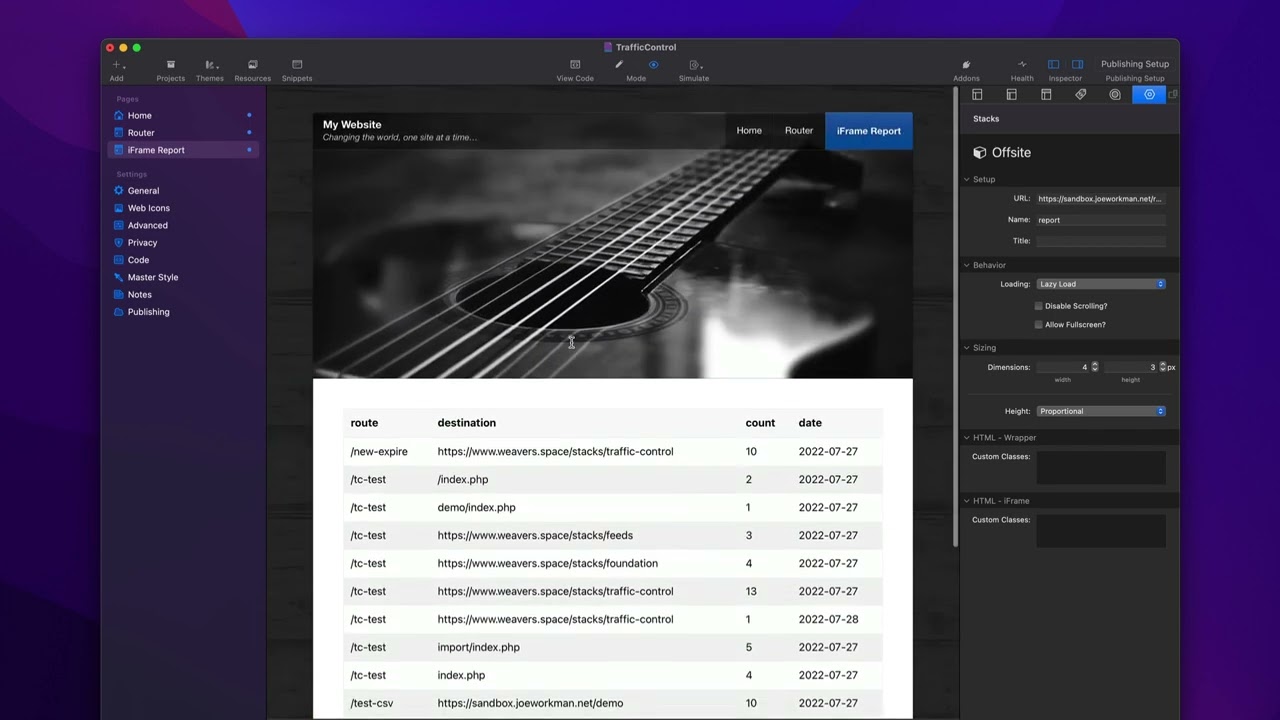
00:09 so in this video we're going to be
00:11 reviewing the reporting tools within
00:13 traffic control when you preview the
00:15 traffic control page you will actually
00:18 see
00:19 a
00:20 table
00:21 of all the routes
00:23 in their accounts
00:24 from
00:25 your actual website
00:27 so this is a tool that allows you to
00:29 visually see
00:30 the routes the destinations for those
00:33 routes how many times they were hit and
00:36 the date that those um actually occurred
00:40 and you'll notice here that a route
00:42 could potentially have multiple
00:43 different destinations
00:45 so in this example here i was i was
00:47 doing an a b test where this tc test
00:50 route was actually going to multiple
00:52 possible destinations
00:54 and we could see based on that how many
00:56 times those destinations were actually
00:59 used
01:03 now you'll also notice at the bottom of
01:05 this page that we have a url that you
01:07 can actually visit and this will take
01:09 you to the this same exact report online
01:13 now what you'll notice is inside this
01:15 url there is a report my secret
01:19 so that's important because inside the
01:21 traffic control stack we have a report
01:23 key set to be my secret and you can type
01:26 that to be whatever you want
01:27 and the reason we have this is so that
01:29 you can create kind of like a password
01:31 um so that not anybody that knows how
01:34 traffic control work can actually access
01:36 your reports so this allows you to
01:38 create a unique key that only you know
01:41 to be able to access that particular
01:43 report
01:45 now since it's all inside rapidweaver in
01:46 this case that report is known so we can
01:49 actually bring that inside of
01:51 rapidweaver
01:53 but it's useful to know the url so that
01:55 a either you can visit it in the web
01:57 browser or you can actually add that
01:59 report to an iframe on your website
02:02 let's have a look at that
02:06 so here in the demo file i have i'm
02:08 using an offsite stack and i've put in
02:10 that url
02:12 from
02:13 the preview that we saw on the previous
02:16 page
02:17 and when i preview this page you'll see
02:19 that here i am on my website and that
02:22 report is now embedded onto my webpage
02:25 this is great maybe if you have a total
02:27 cms area or some sort of admin area that
02:30 you would like to put this report inside
02:32 of this gives great access so you can
02:35 actually view those reports but still
02:37 keep it private with that secret key
02:40 now one thing to note is i recommend on
02:42 your router page
02:44 if you're using a traditional theme do
02:47 not set the theme on your router page
02:50 basically what you're going to want to
02:51 do is you're going to turn off master
02:53 style and you're going to set a page
02:54 specific theme
02:56 i recommend using my foundation 6 theme
02:59 it is free
03:00 but i recommend you use any sort of
03:04 blank theme that doesn't have any
03:06 content
03:07 this way when you publish and import
03:10 this into into other pages
03:12 the actual
03:13 page that is imported is just the report
03:16 and it doesn't contain the entire theme
03:19 as well
03:20 right so that's an important tip if you
03:22 want to make sure that um the report is
03:25 importable and looks nice on other pages
03:28 just make sure that you're using a blank
03:30 theme
03:31 and again my foundation 6 theme even if
03:33 you don't own the stacks is free to
03:35 download and you can definitely use that
03:38 for the router page


